AI restaurant accounting and bookkeeping
Restaurant accounting.
Know your food and labor costs.

Battle-tested on 1,000+ companies' books.
Zeni is an accounting firm too. More than 250 of our own accountants, bookkeepers and controllers use this platform every day to close the books for 1,000+ customers, with more than $20 billion in finances processed.¹
Zeni connects your banks, cards and payroll, and our team manages the AI agents and reviews the work. With other AI accounting tools, keeping the agents working is your job.

Sales deposits, coded
Card and delivery-app deposits coded with the AI's reasoning attached.

Food and supply bills, approved
Food, beverage and supply bills go through Bill Pay with approvals before anything is paid.

Costs as a share of sales
Food and labor costs from your closed books, shown as a share of sales every month.

Results by location
Track each location as a class and see revenue and net income for each one.
An AI Accountant for the books.
An AI CFO for the answers.
The AI Accountant keeps the books current. The AI CFO tells you where the margin went.
Connect your accounts. Get closed books.
Zeni's AI and finance team handle the bookkeeping. You run the kitchen.
Connect your accounts
Banks, cards and payroll. Your Zeni team handles the setup with you.
Deposits coded as they land
The AI Accountant codes daily deposits and food and supply bills as they arrive.
Zeni closes the books
Zeni's finance team reviews the AI's work and closes the month.
Know your food and labor costs
Ask the AI CFO for food and labor costs as a share of sales.
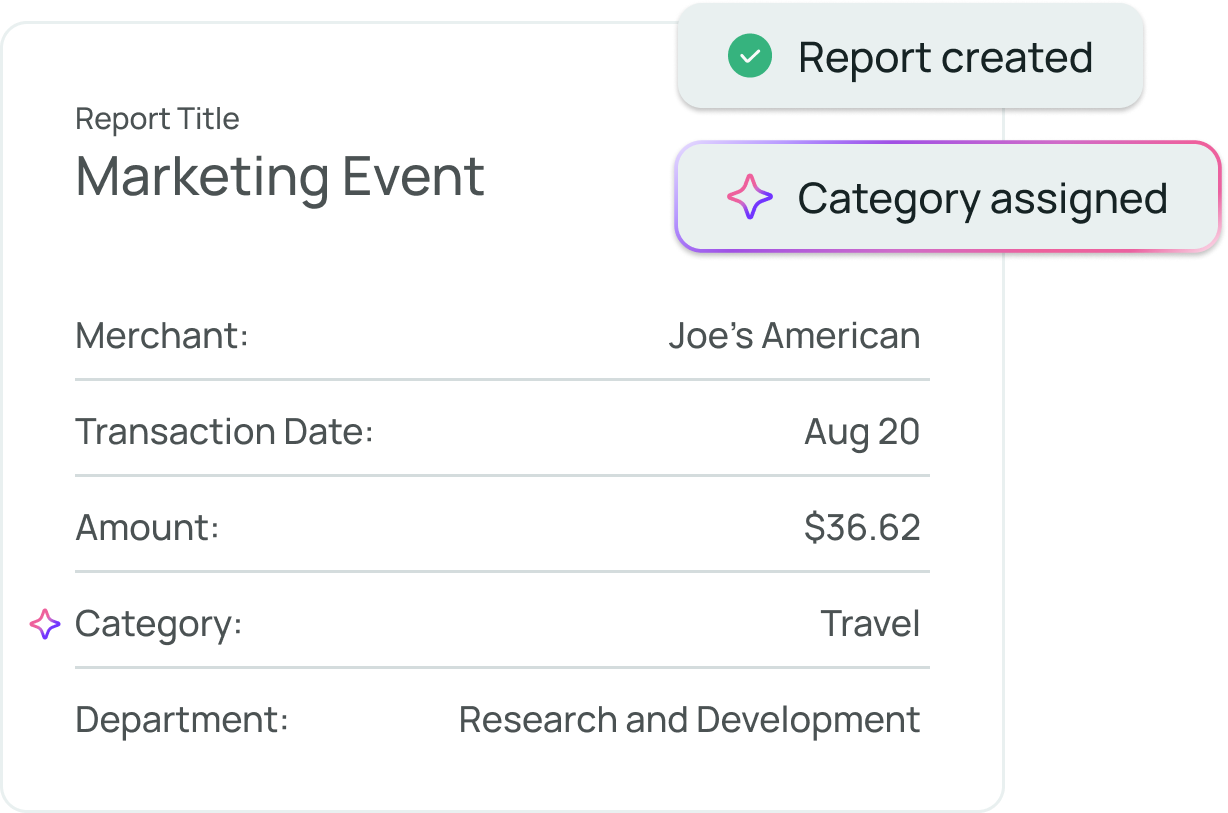
What is restaurant accounting?
Restaurant accounting is bookkeeping and financial reporting for restaurants, cafes and bars. It usually means recording daily sales deposits, paying food, beverage and supply vendors, running payroll, tracking food and labor costs as a share of sales, and watching cash through slow weeks.
Every entry comes with its reasoning.
Each AI suggestion arrives with its reasoning and confidence. Bills wait for approval before they're paid, schedules wait for sign-off, and nothing changes in a closed period.
 AI CFO · answers from live books
Know where the margin went.
Zeni's AI CFO answers questions on sales, food and labor costs and cash from your live books, shows how every number was calculated, and builds a 13-week cash forecast.²
Your restaurant's month-end close, in one workspace.
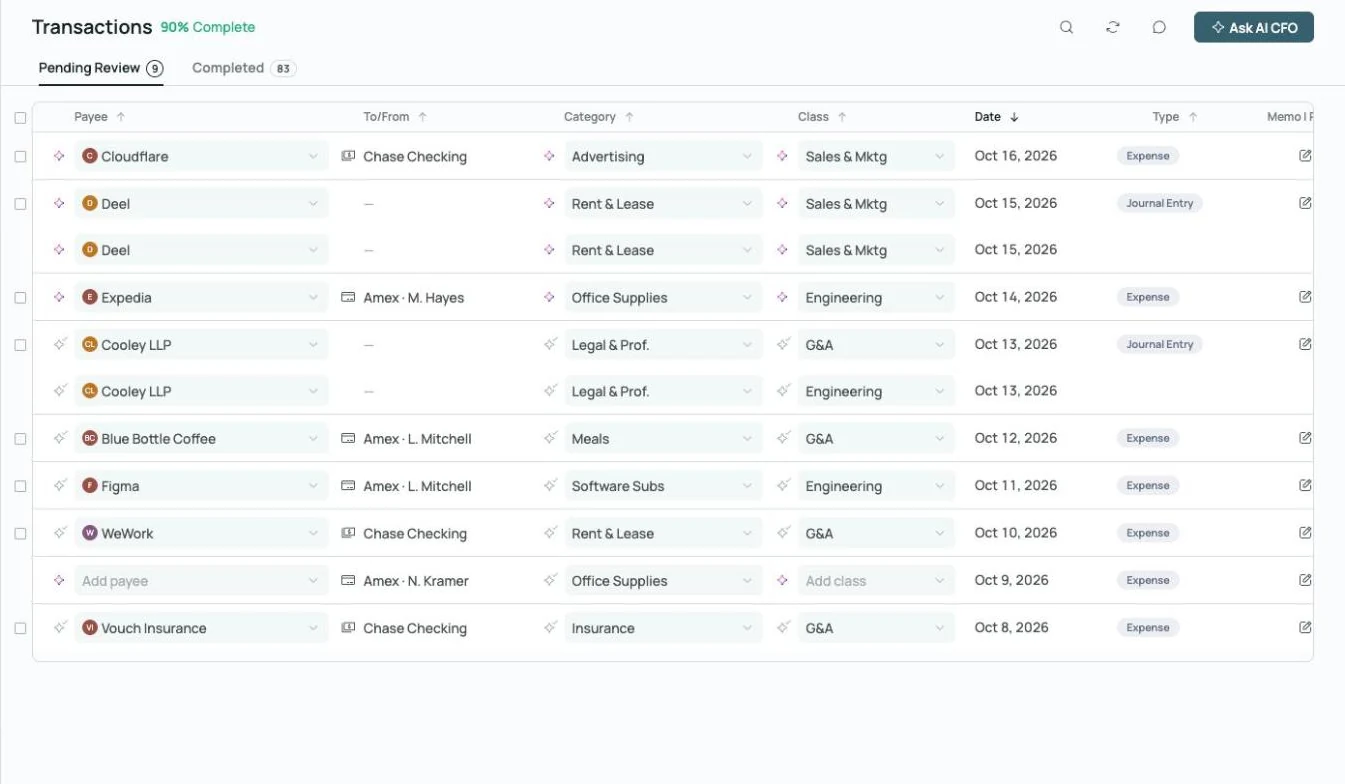
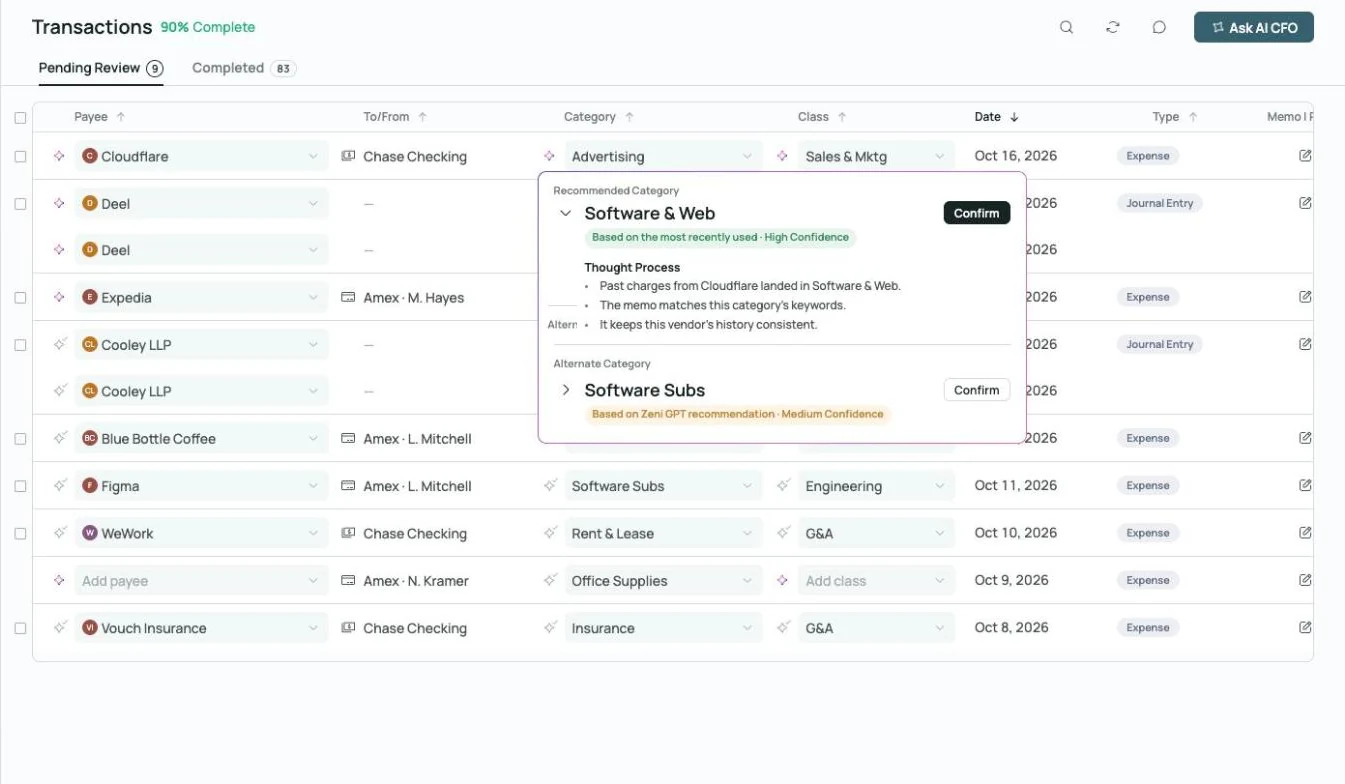 Thought process on every AI call
Coded, with the reasoning attached.
Every deposit, food bill and utility charge gets a category, class and vendor, plus the reasoning behind it.
Explore transactions →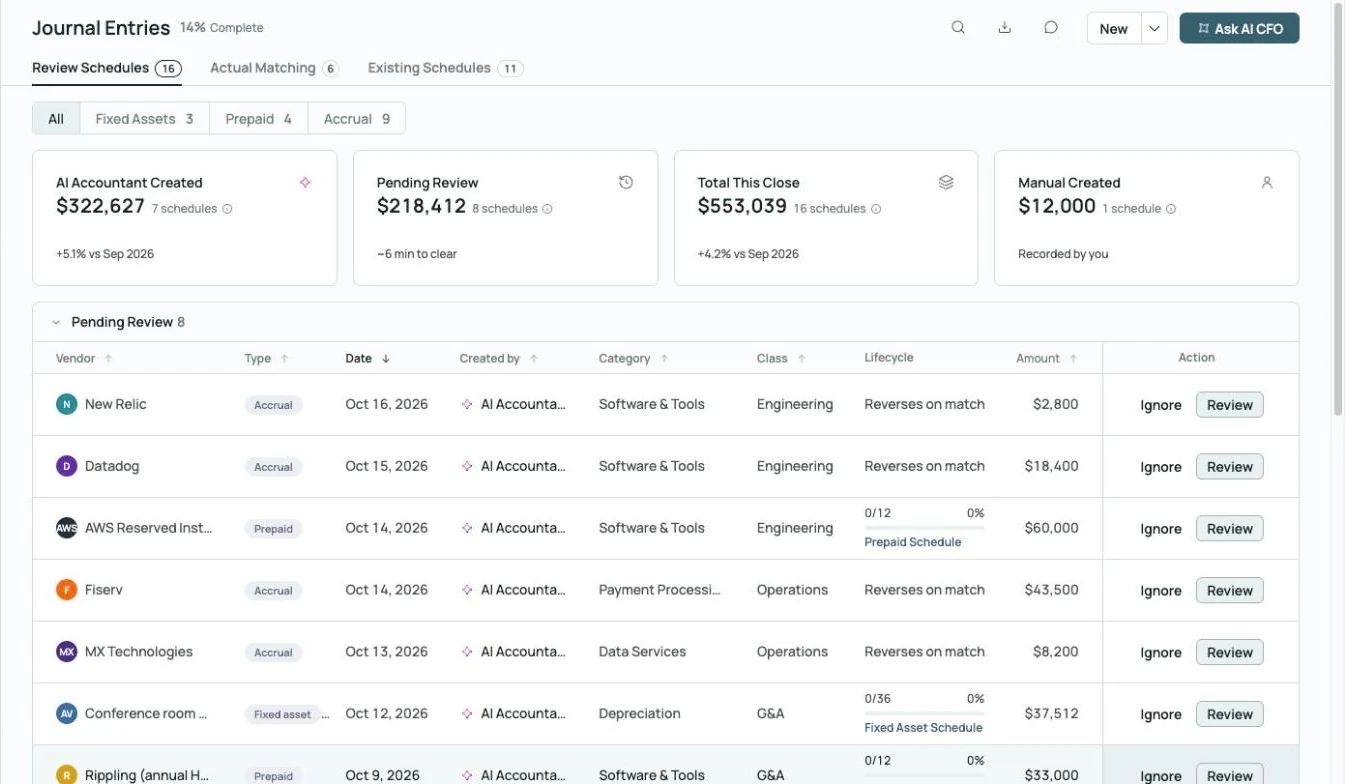
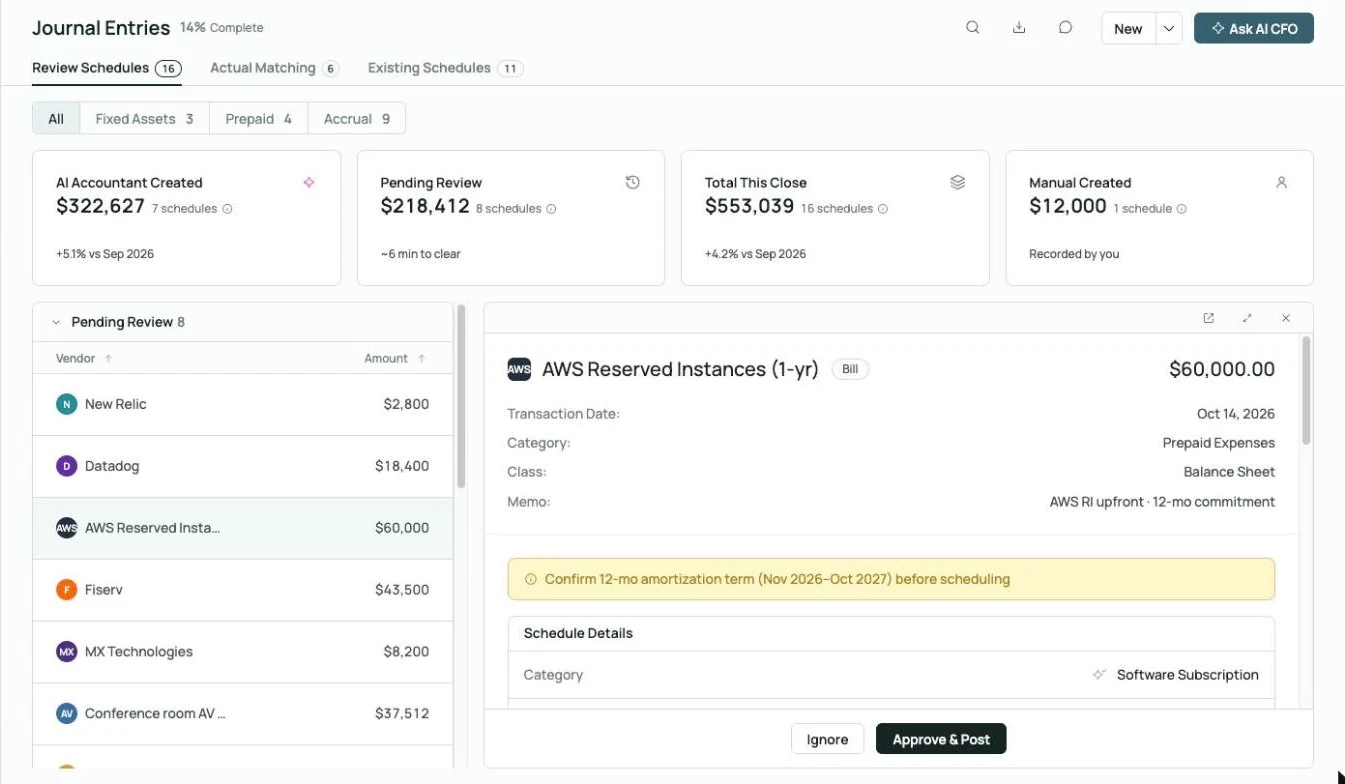 Prepaid schedule drafted, waiting on your approval
Schedules waiting for sign-off.
Kitchen equipment and annual contracts become fixed-asset and prepaid schedules that post only after approval.
Explore month-end close →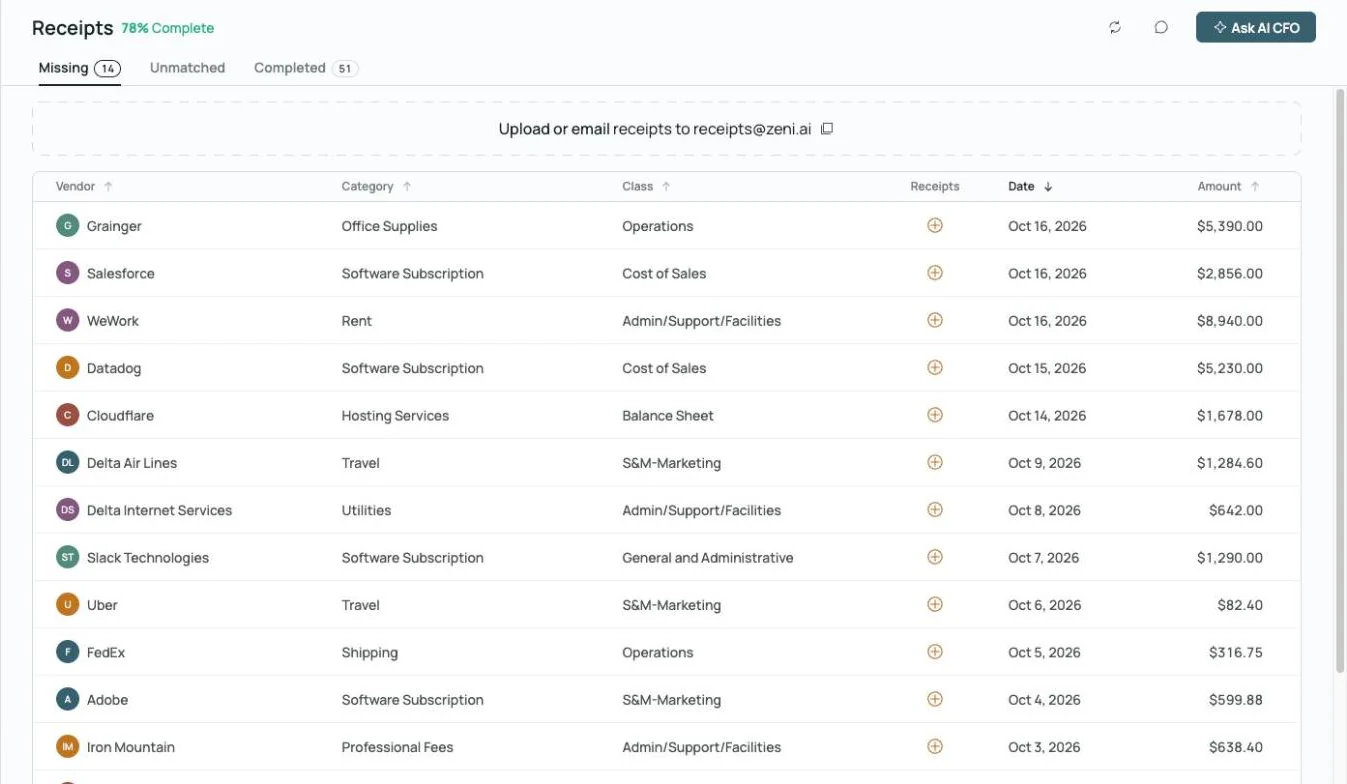
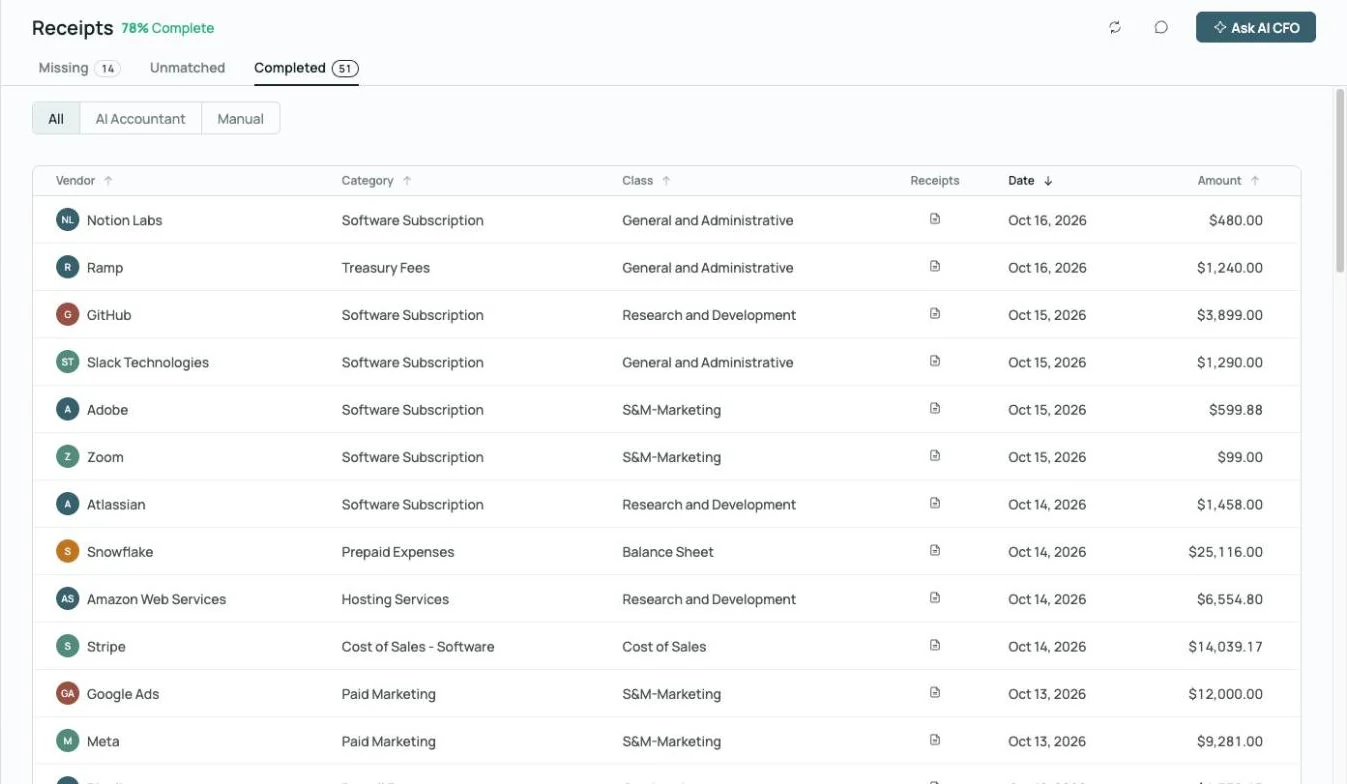
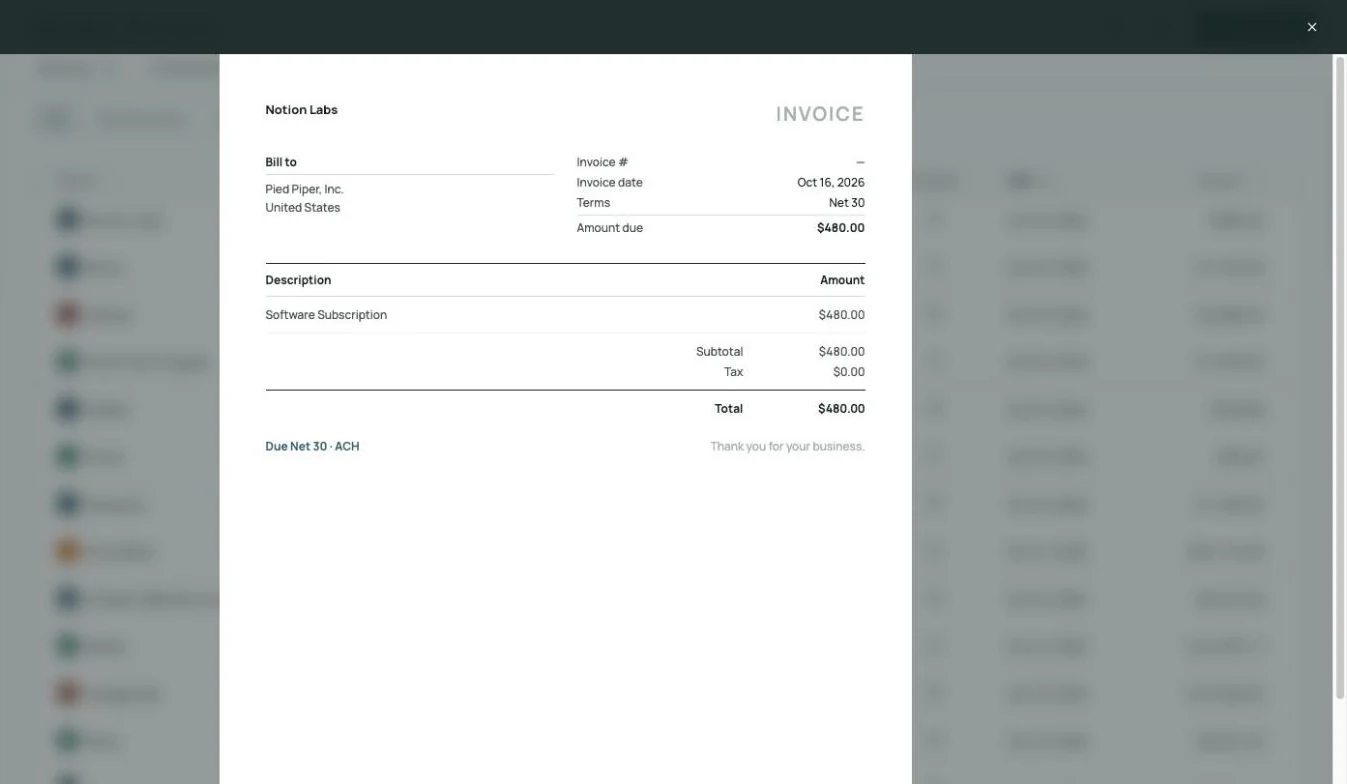 Receipt matched to its charge, on the record
Receipts matched.
Missing receipts are flagged and matched automatically when they're forwarded or uploaded.
Explore receipts →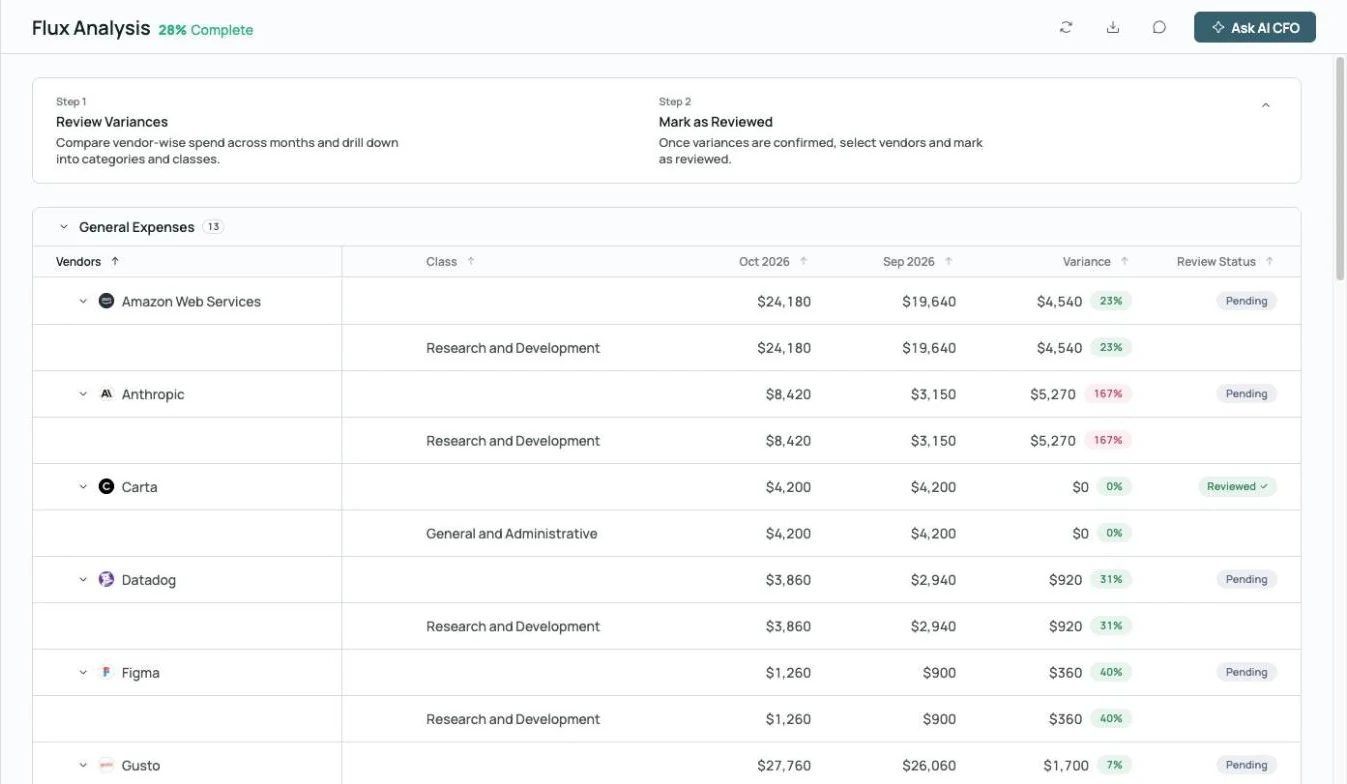
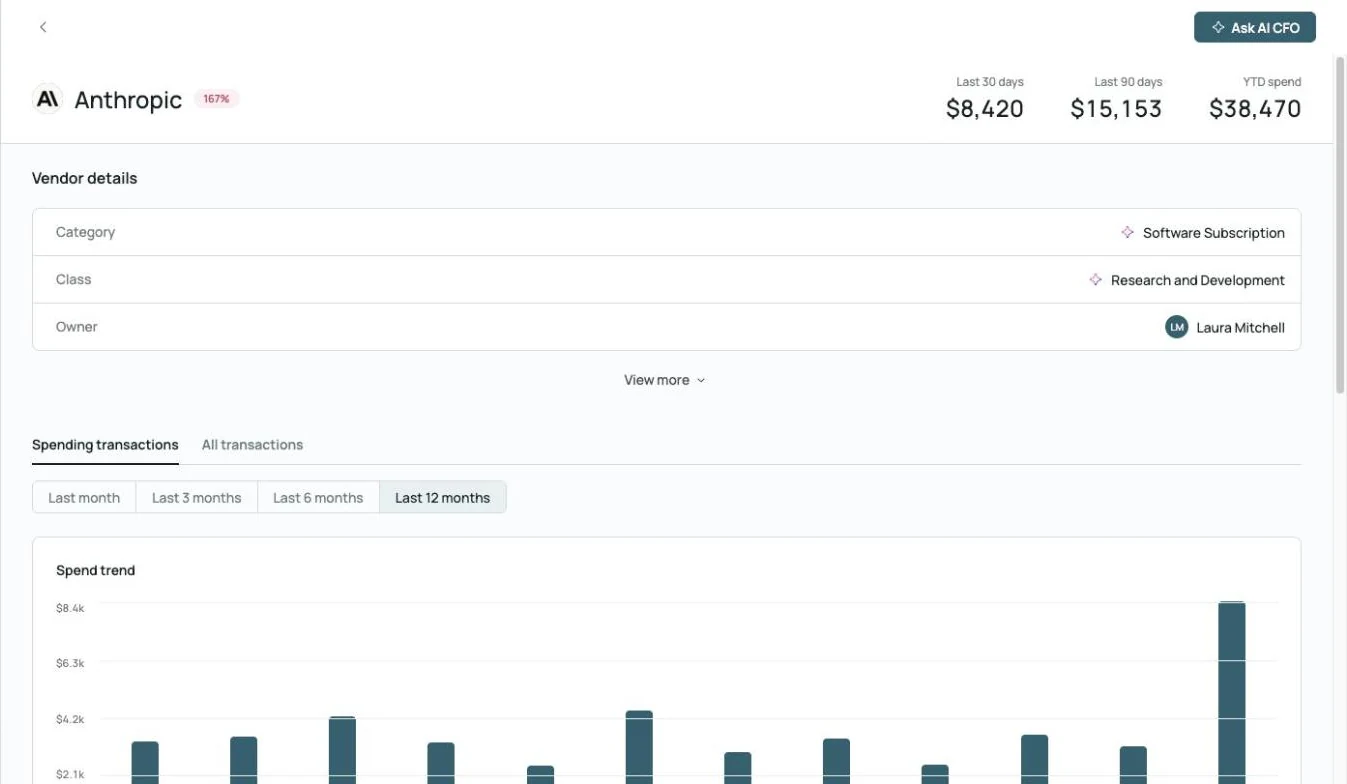
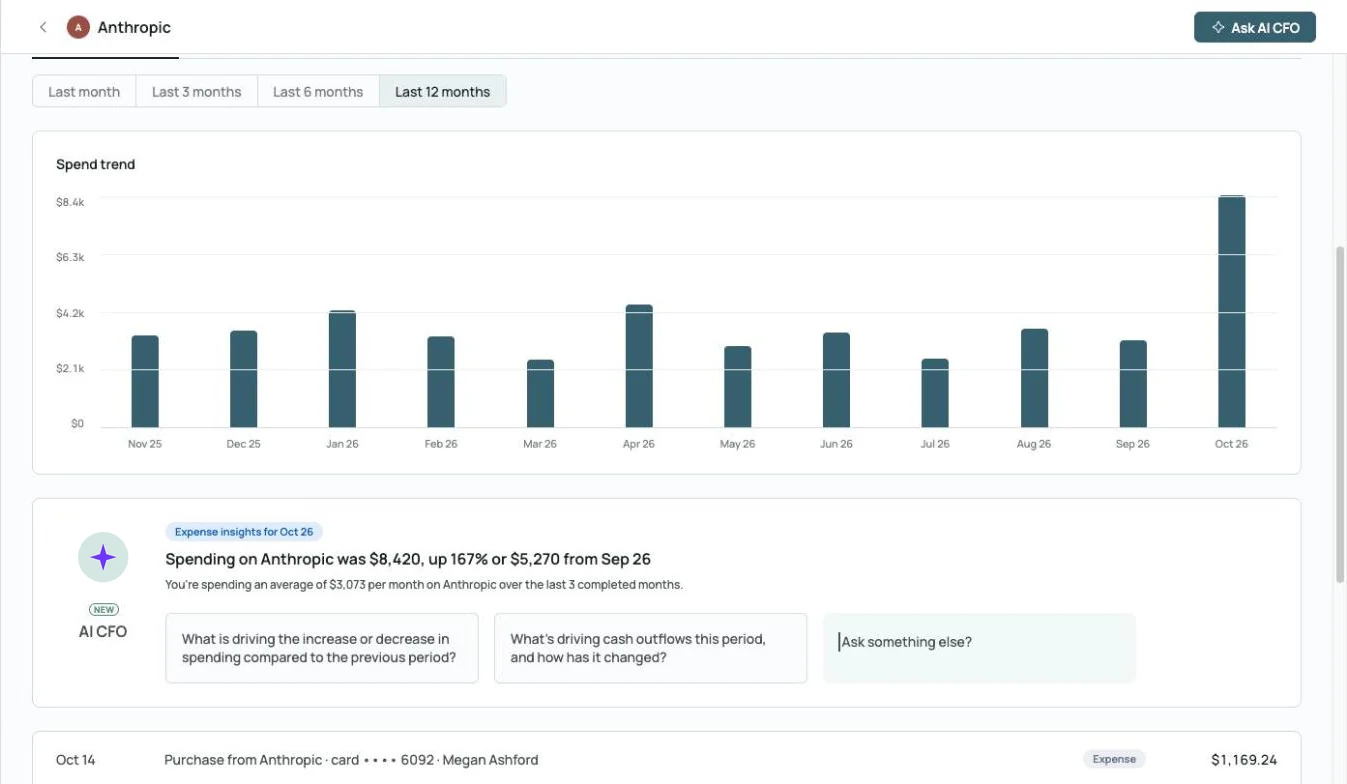 AI CFO explains the spike: up 167% from September
Flux before you ask.
Month-over-month variances by vendor, category and class, with an AI summary of what changed.
Explore month-end close →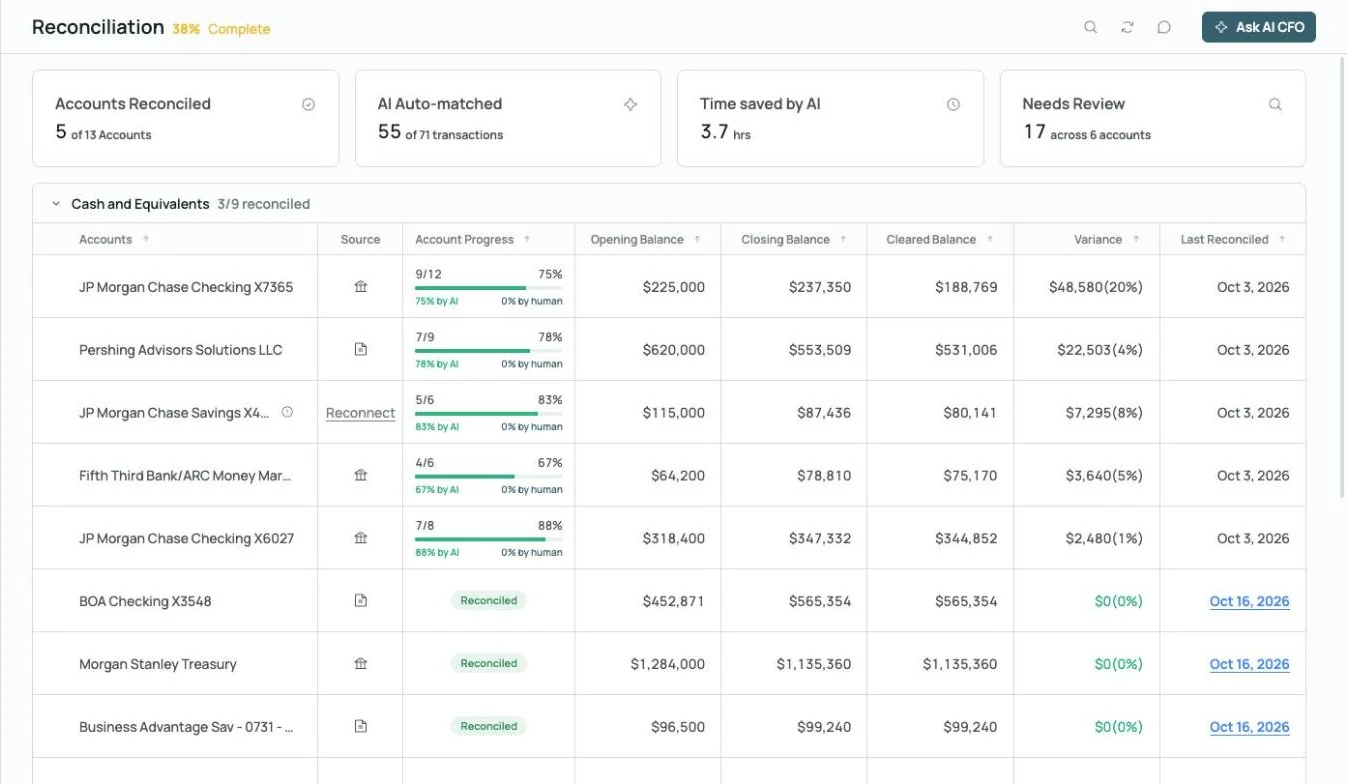
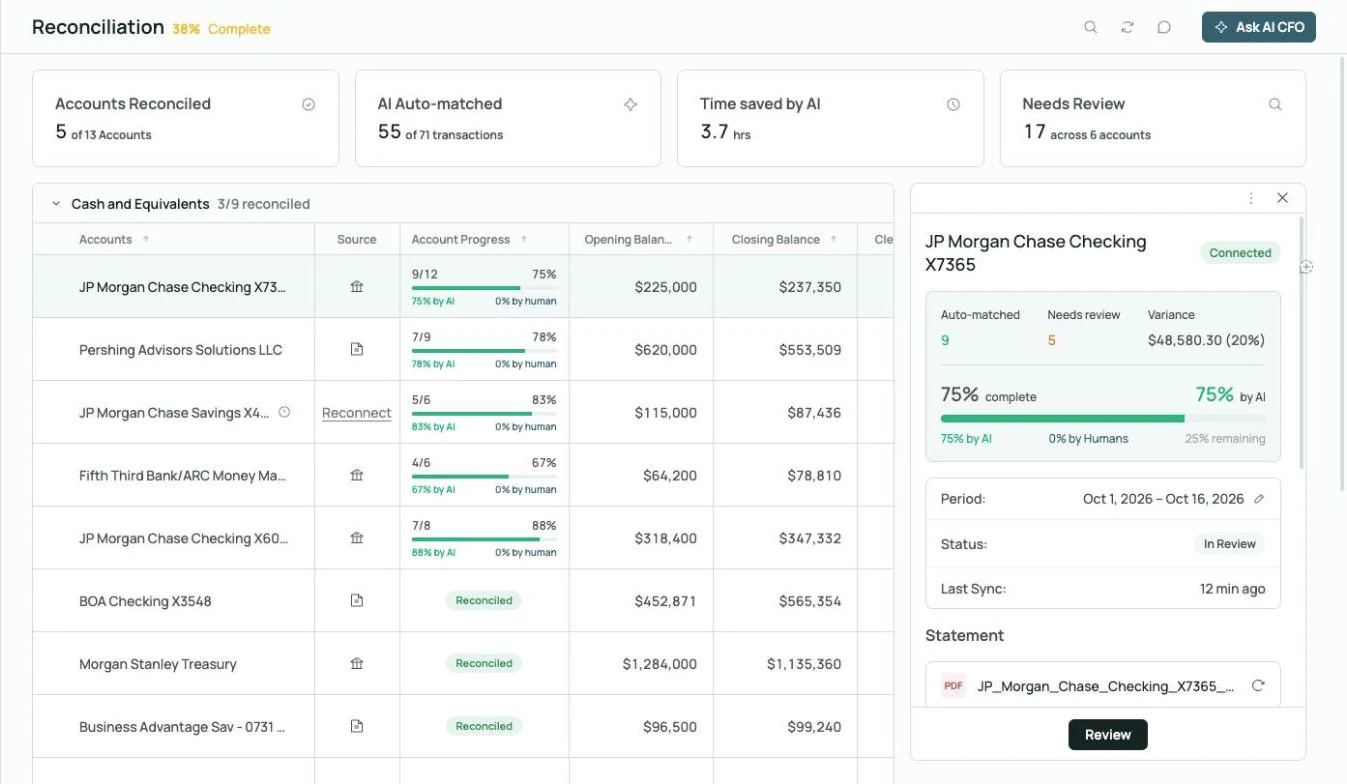
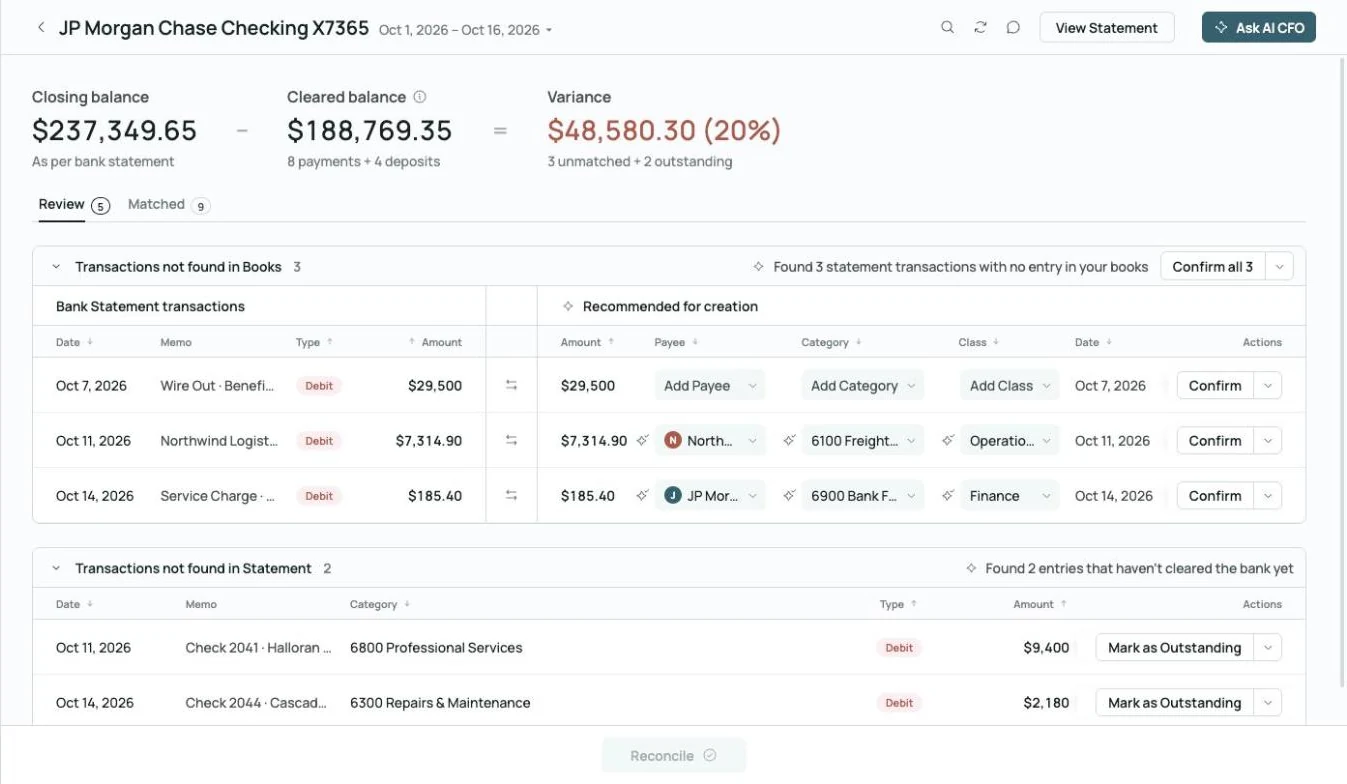 Found 3 statement transactions missing from the books
Reconciled to the statement.
Bank and card accounts are reconciled to statements, with missing transactions flagged and entries suggested.
Explore reconciliation →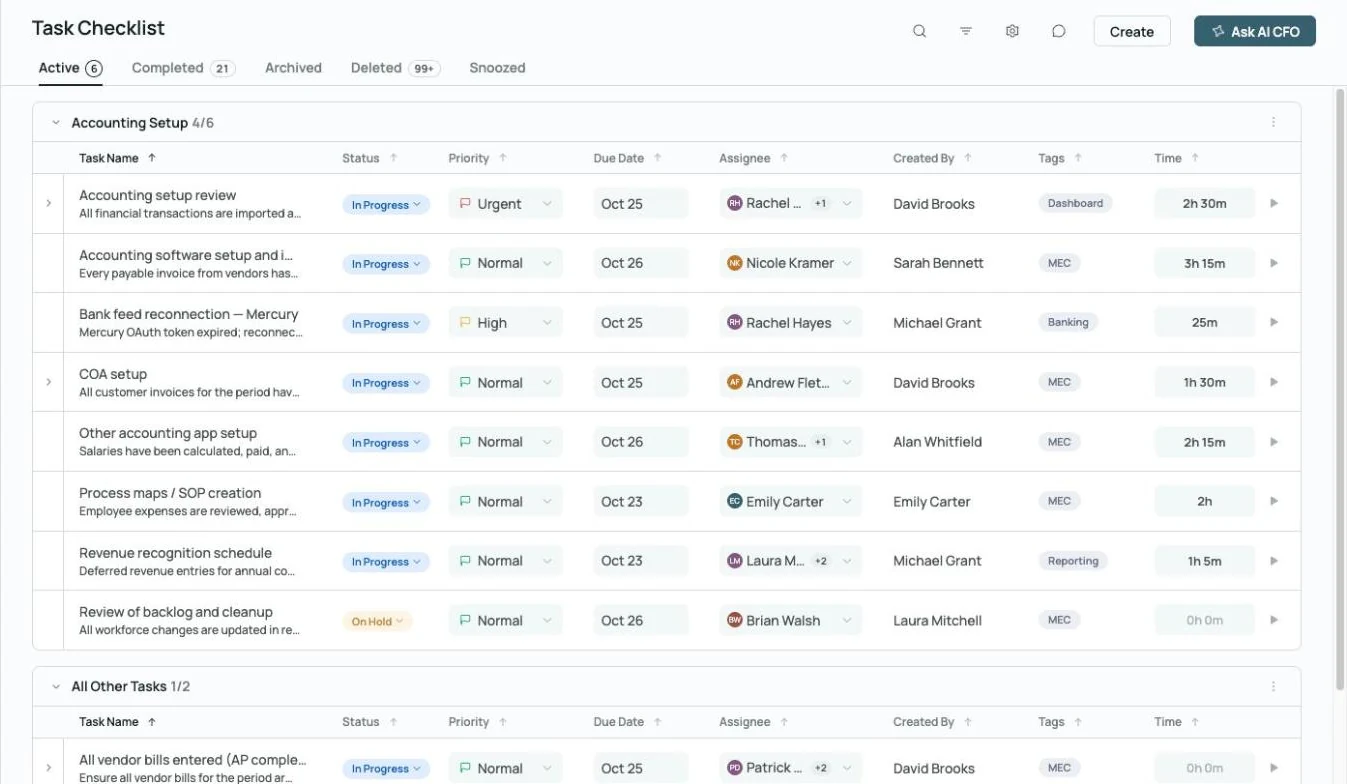
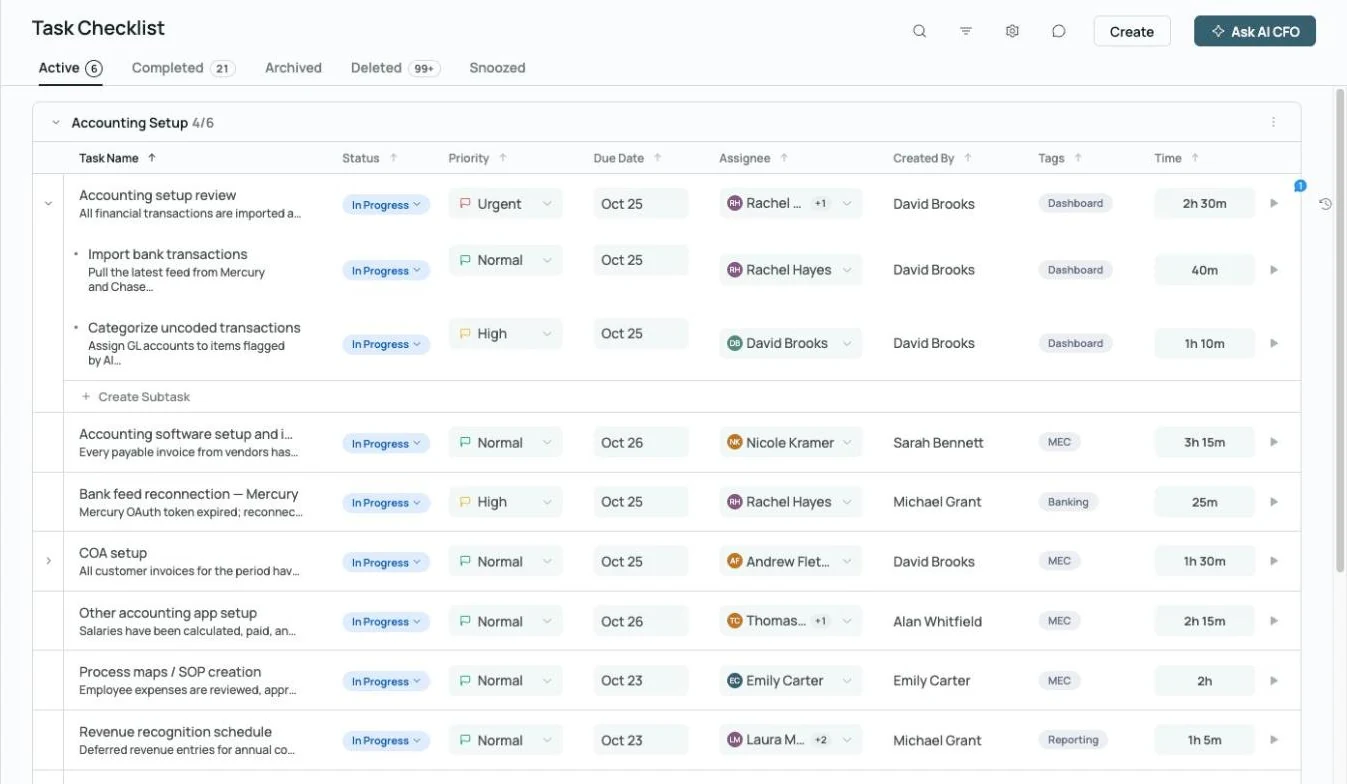 Every close task has an owner, a due date and time tracked
Close tasks with owners.
Assign owners, priorities and due dates to every close task, so you see who owns what while the month is open.
Explore month-end close →Run more of your restaurant's finance work in one place.

Bill pay
Pay food, beverage and supply vendors with multi-level approvals and invoices read automatically.

Class and project reporting
Report by class, including revenue and net income by location.
Explore financial reporting →
Commenting
Comment on any transaction, @mention a teammate and keep the answer on the record.
Explore commenting →What owners ask. What the AI CFO answers.
Built for the people who run the restaurant.
 Your team, plus an AI Accountant and AI CFO
Restaurant owners and operators
Owners who want to know where the margin goes without doing the books.
- Food and labor costs as a share of sales
- Cash forecast for the next 13 weeks
- Books closed every month
General and office managers
The people who pay vendors and run payroll, and want the bookkeeping done first.
- Bills approved before they're paid
- Every account reconciled
- Receipts matched automatically
Run the kitchen. Keep the books right.
See the AI Accountant and AI CFO on a restaurant's books.
Restaurant accounting and AI bookkeeping FAQs.
- Zeni internal figures, October 2026.
- AI CFO is in beta and can make mistakes; check anything important against the books.
See how Zeni's AI bookkeeping and accounting software works for other teams like yours.

