AI for accounting firms.
More clients. Same team.

Battle-tested on our own clients' books before it reaches yours.
Zeni is an accounting firm too. More than 250 of our own accountants, bookkeepers and controllers use this platform every day to close the books for 1,000+ customers. It was built to do their work, it helped us double our revenue without adding headcount costs, and now we're bringing it to accounting firms like yours.
Zeni sets the platform up for your firm without you lifting a finger, and our team manages the AI agents for you, so everything works out of the box. With other AI accounting tools, keeping the agents working the way they should is your team's job. With Zeni, it's ours.

Every client, one login
Switch between client companies in a click, with roles controlling who sees what.

Close work, drafted
Transactions, receipts, journal entry schedules, flux and reconciliations prepared before your team opens the file.

Review, don't redo
Every suggestion shows its reasoning and change history, and waits for your approval.

Advise between closes
The AI CFO answers client questions from live books, with a chart and the math shown.
An AI Accountant for the books.
An AI CFO for the answers.
The AI Accountant does the close work for every client file. The AI CFO turns those books into answers.
Connect the client. Review the close.
Your firm keeps the relationship and the sign-off. Zeni does the repetitive work in between.
Connect each client: link the client's QuickBooks Online file and bank feeds. QuickBooks stays the ledger of record.
The AI Accountant works the month: it categorizes transactions, matches receipts, builds prepaid, fixed asset and accrual schedules, and runs flux and reconciliations.
Your team reviews and advises: approve what's pending, watch each client's Confidence Score climb, then use the AI CFO for month-end insights.
 Close work drafted by AI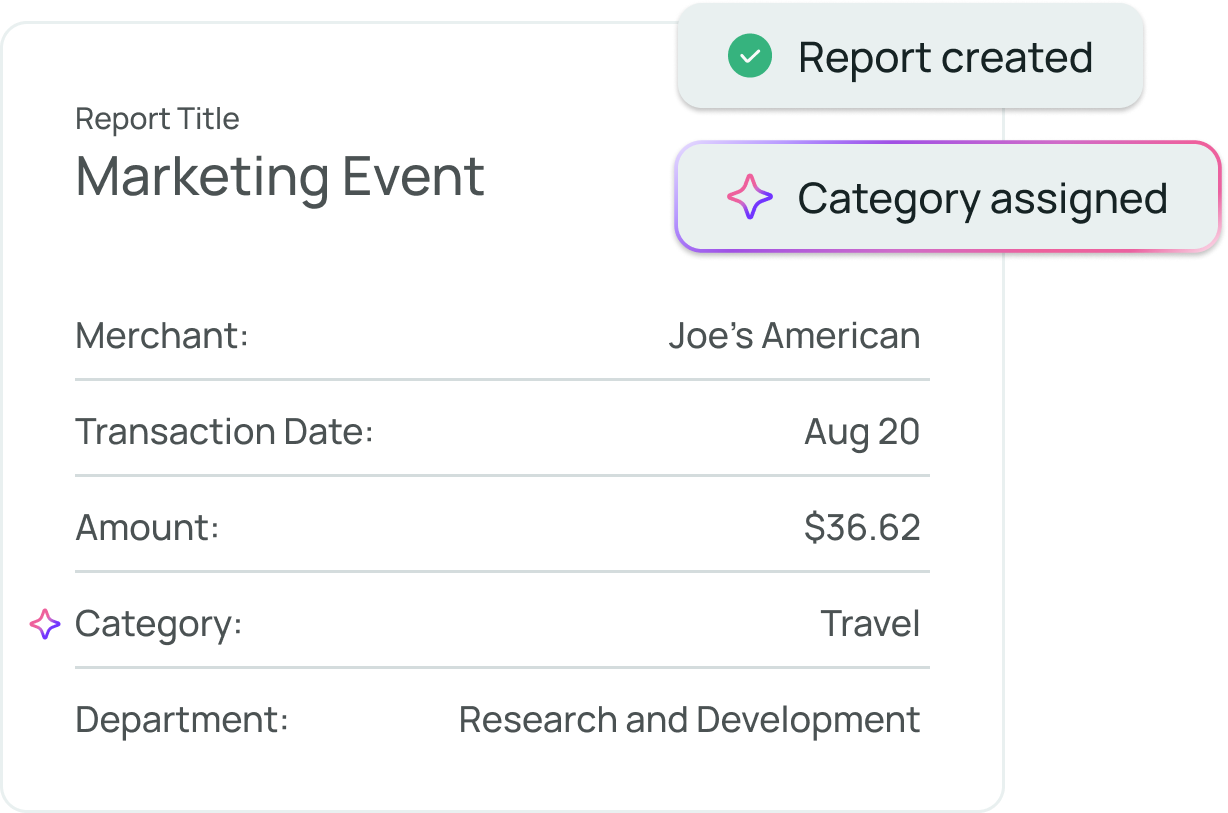
Busy season, without the backlog.
More than 300,000 accountants left the profession between 2019 and 2021.¹ Zeni's AI Accountant takes the repetitive close work off your staff's plate, so their hours go to review and judgment instead of re-keying.
Your sign-off stays the standard.
Each AI suggestion arrives with its reasoning and confidence, so a reviewer can see why a transaction landed where it did. Approval rules enforce separation of duties, and nothing changes in a closed period.
 AI CFO · answers from live books
Turn every close into a client conversation.
Client advisory services grew a median 17% in the latest AICPA and CPA.com benchmark.² Zeni's AI CFO answers questions on burn, runway, margins and vendor spend from each client's live books, shows how every metric was calculated, and builds a 13-week cash forecast.³
Every step of the close, in one workspace.
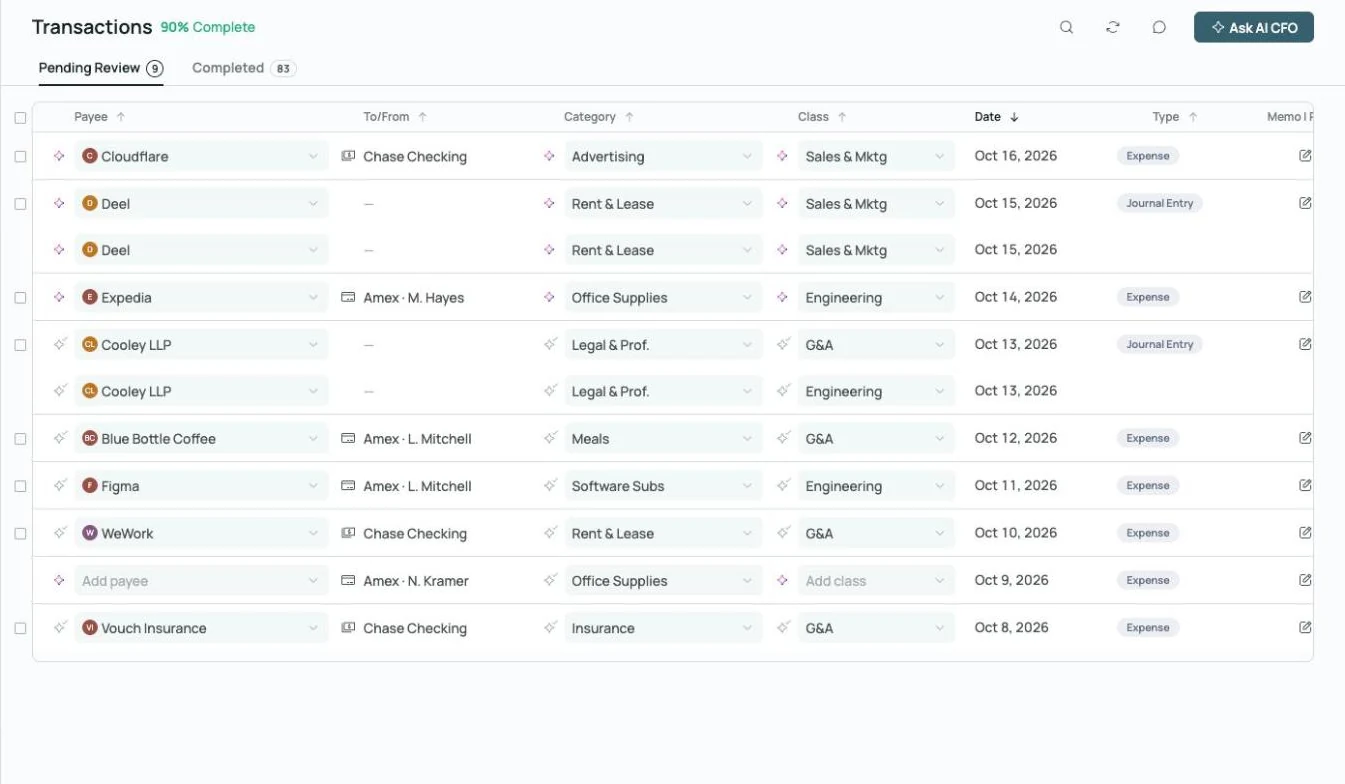
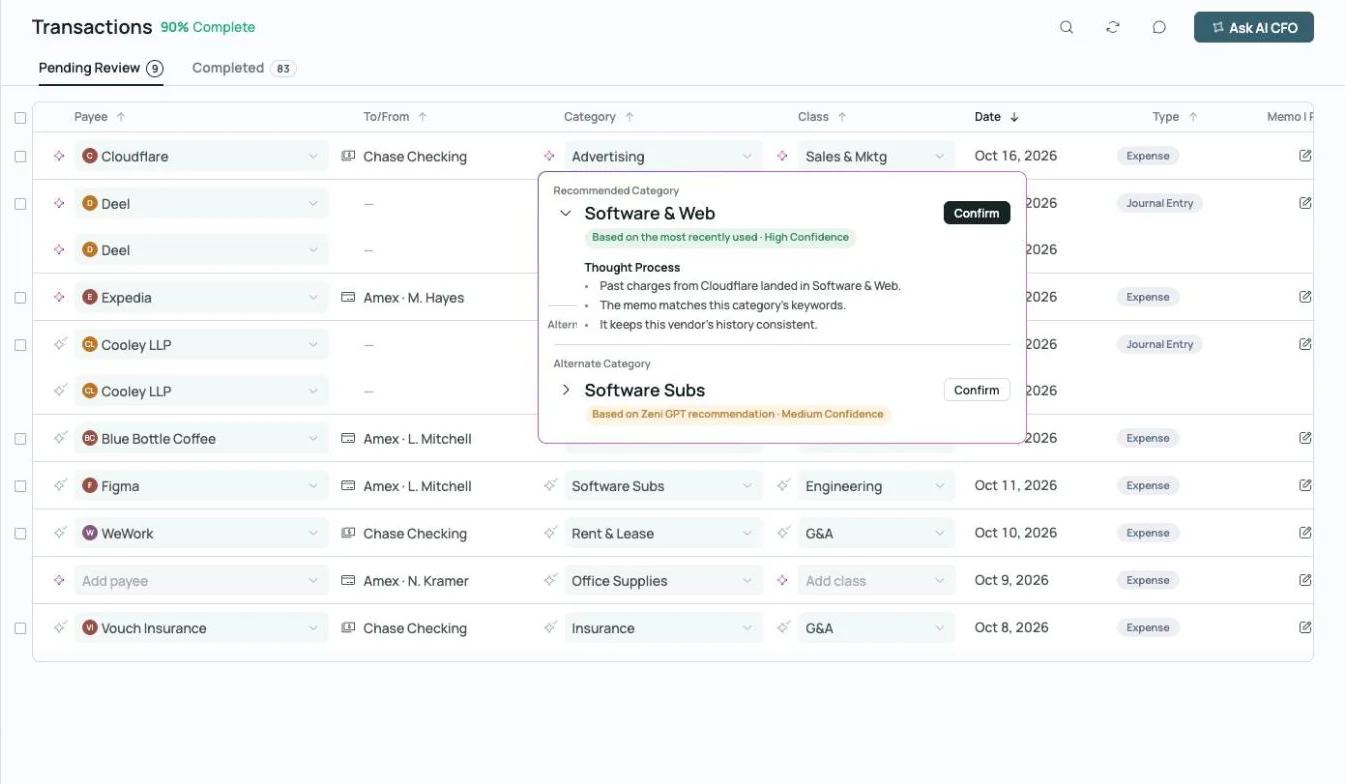 Thought process on every AI call
Coded, with the reasoning attached.
Every transaction gets a category, class and vendor, plus an explanation of how the AI decided. Reviewers approve with the evidence in front of them.
Explore transactions →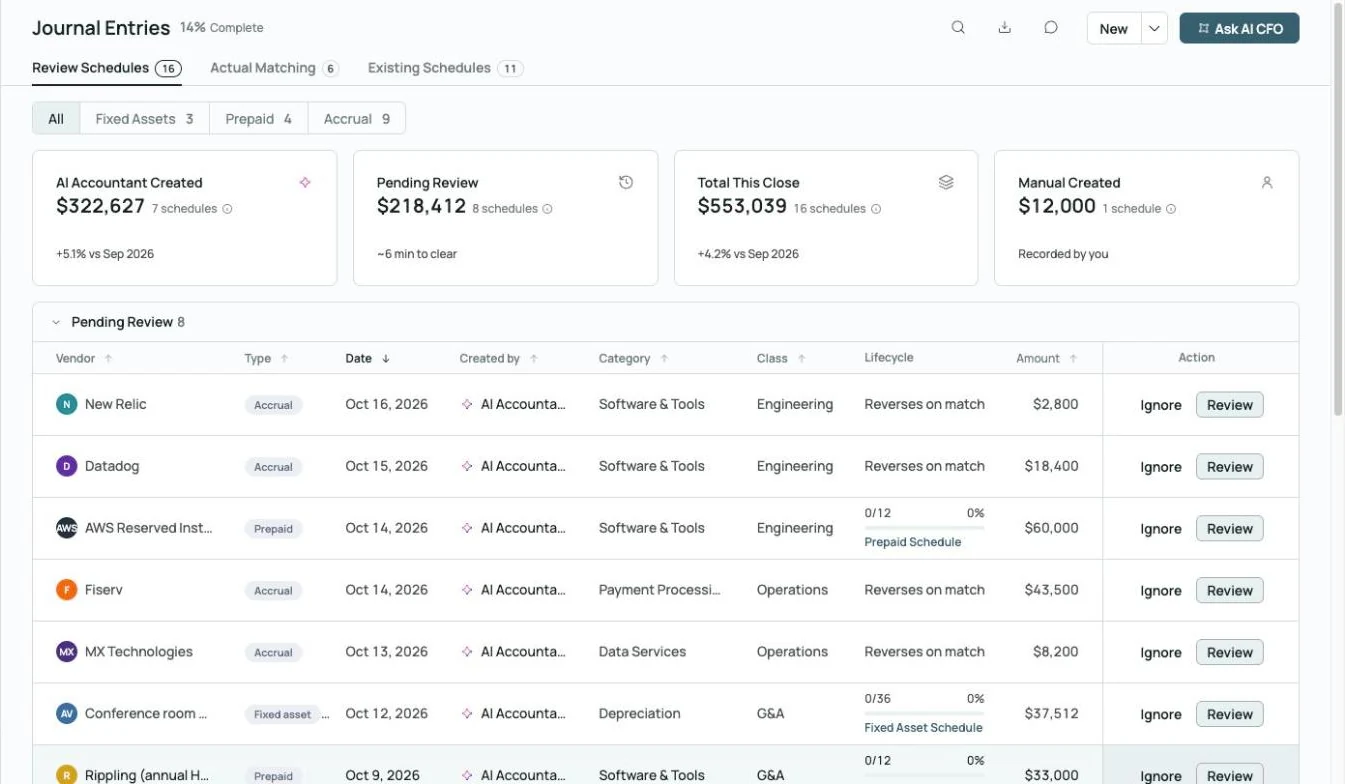
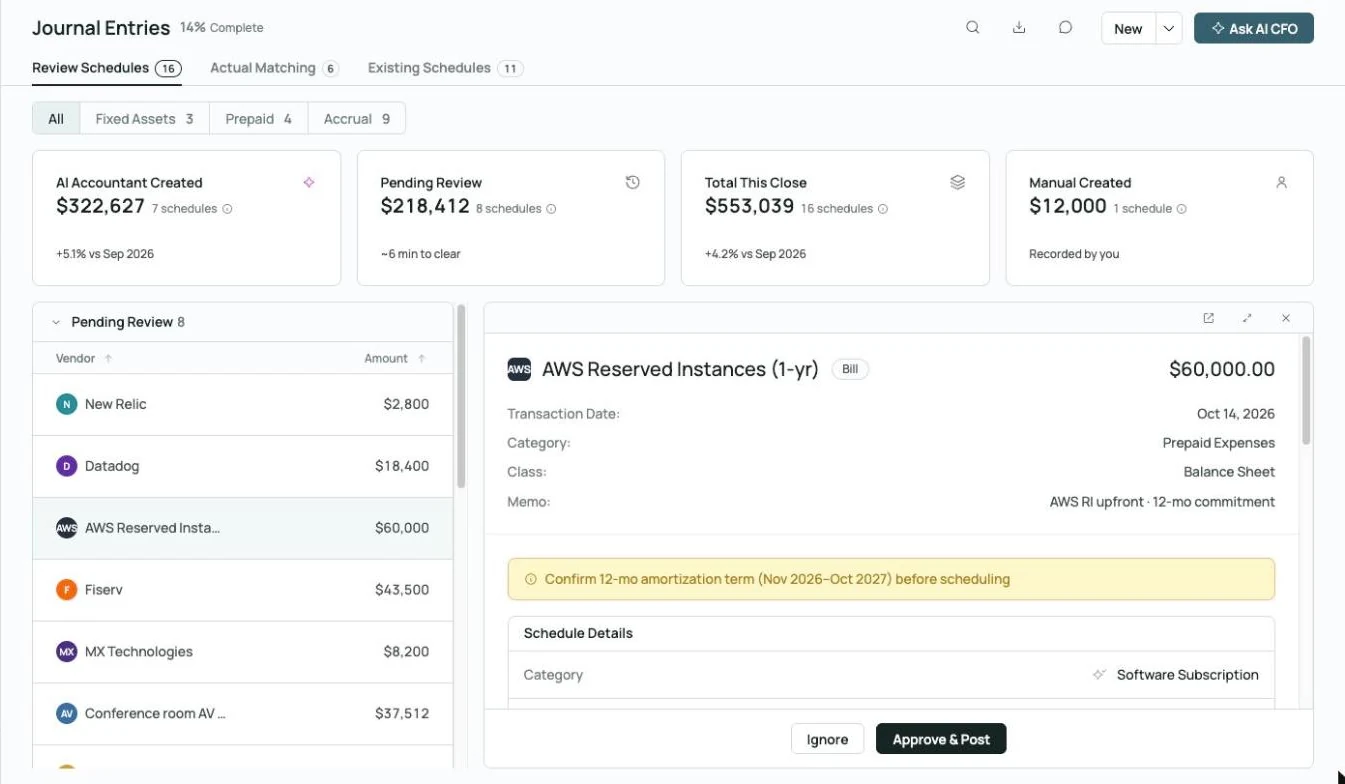 Prepaid schedule drafted, waiting on your approval
Schedules that post themselves.
Prepaid, fixed asset and accrual schedules are built and maintained automatically, and every entry waits for approval before it posts.
Explore month-end close →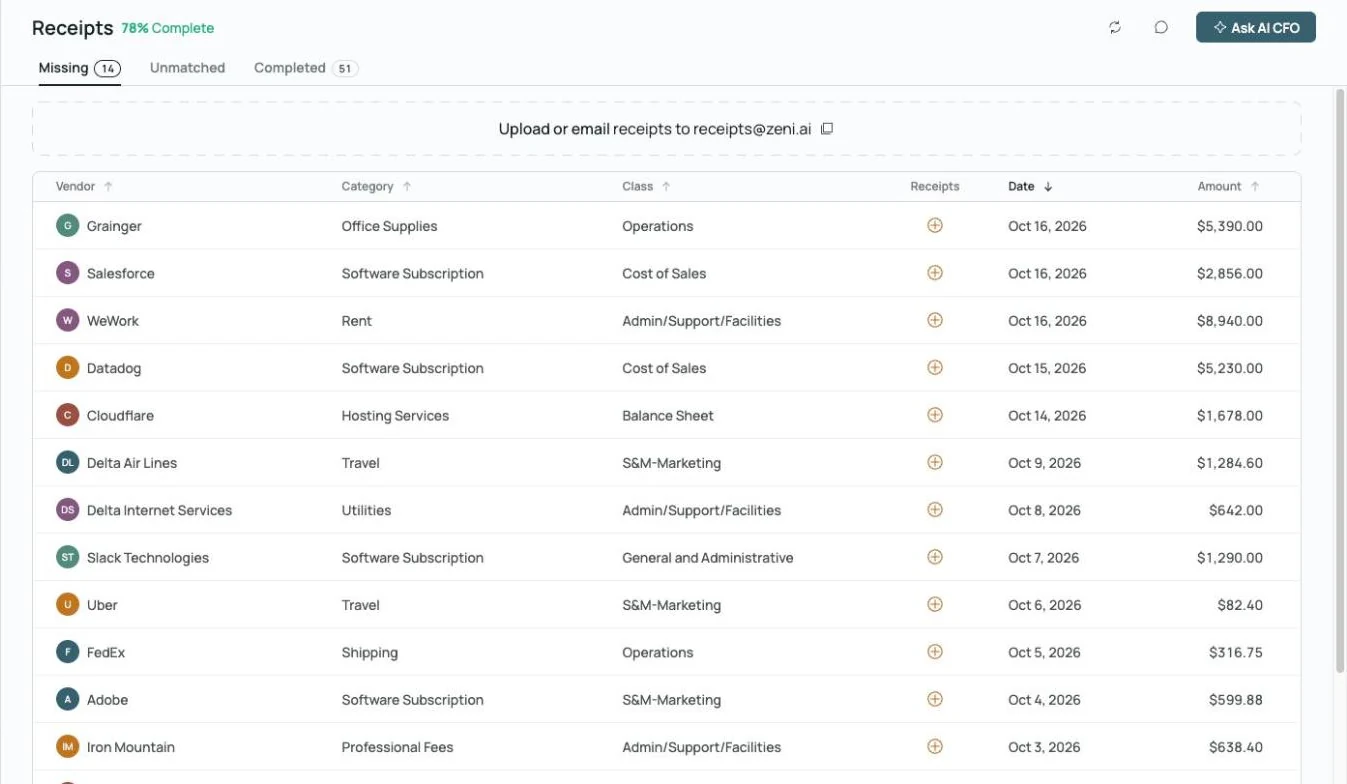
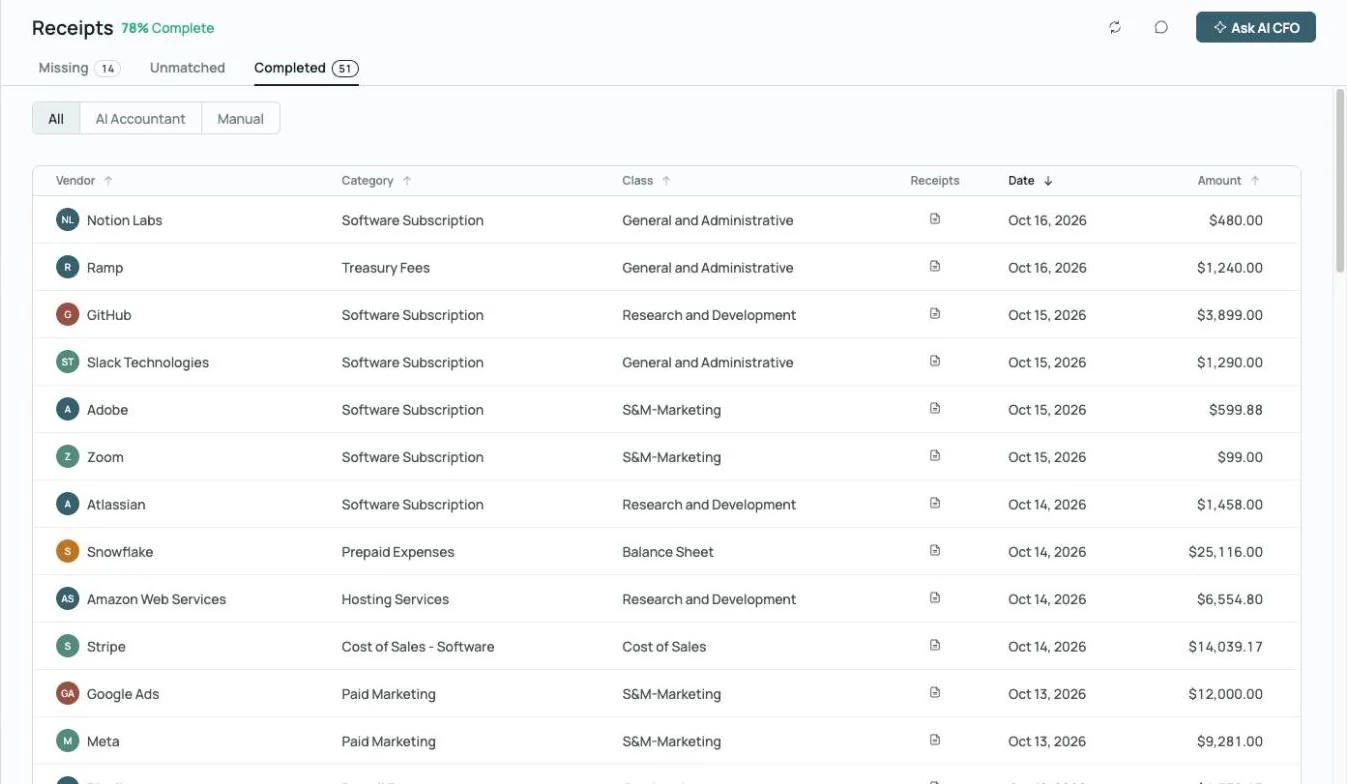
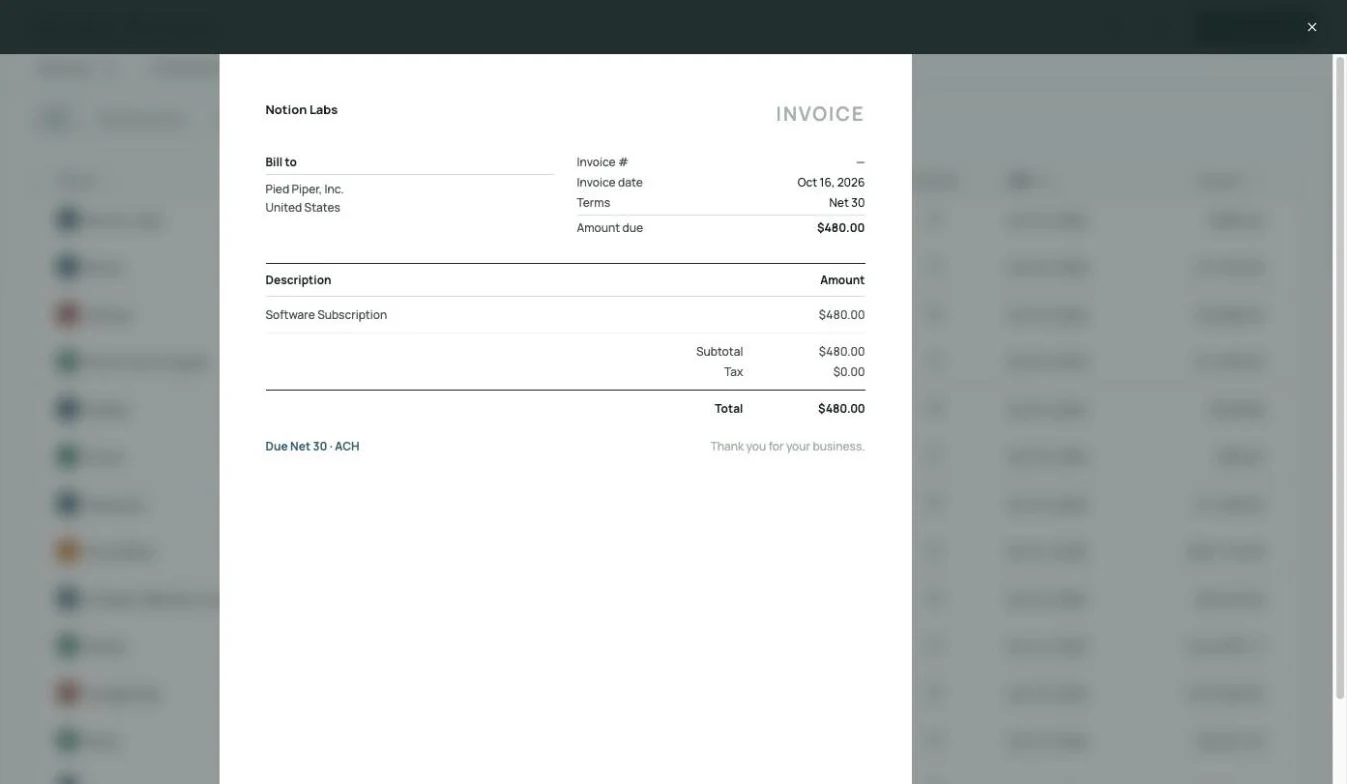 Receipt matched to its charge, on the record
Never chase a receipt again.
Zeni flags every transaction missing a receipt, gives your team one place to upload or email them, and matches each receipt to its charge.
Explore receipts →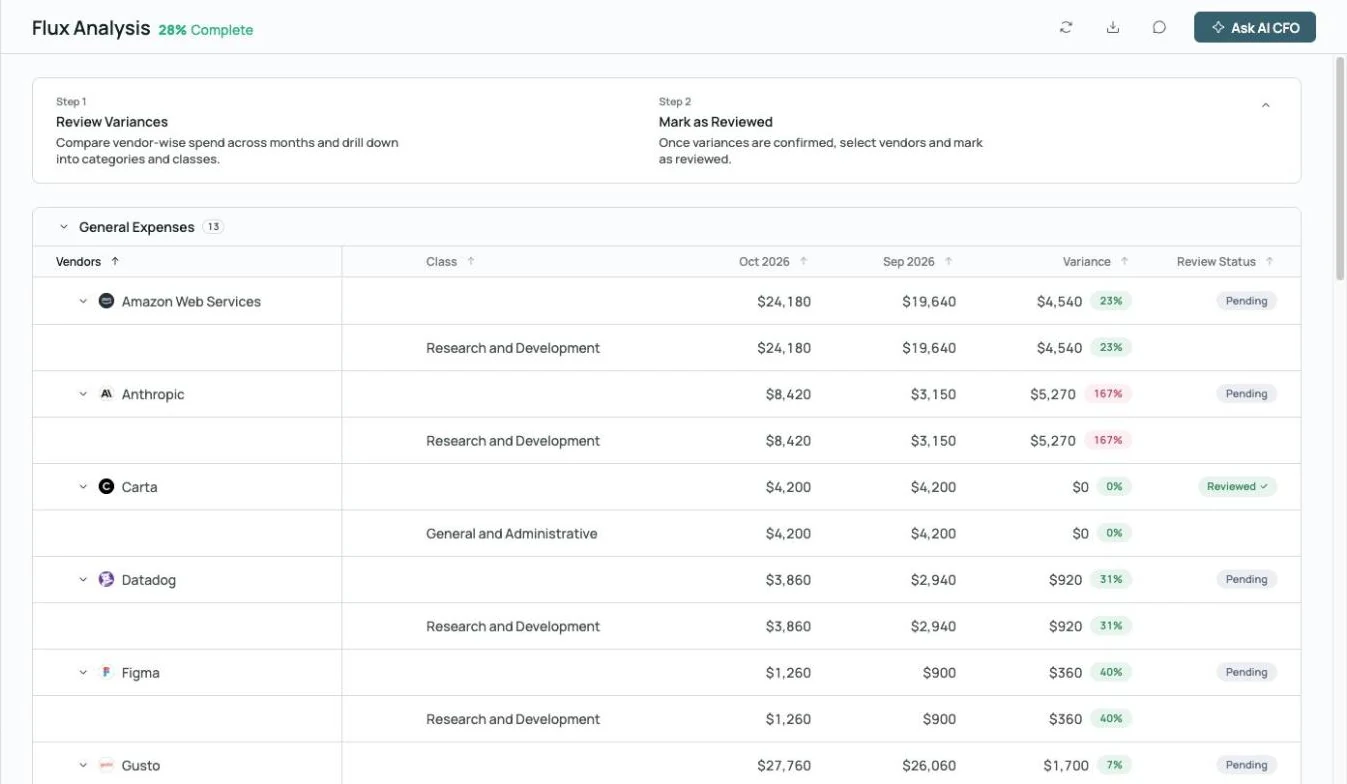
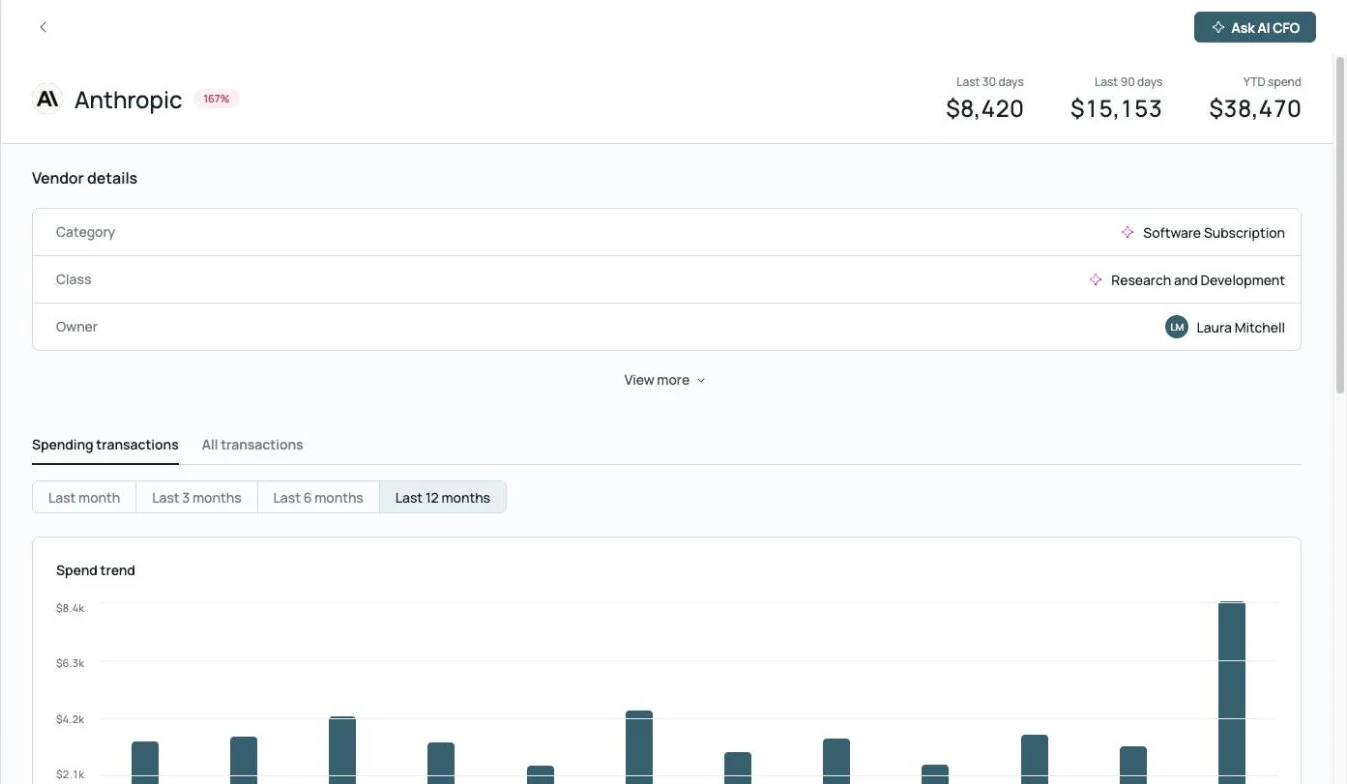
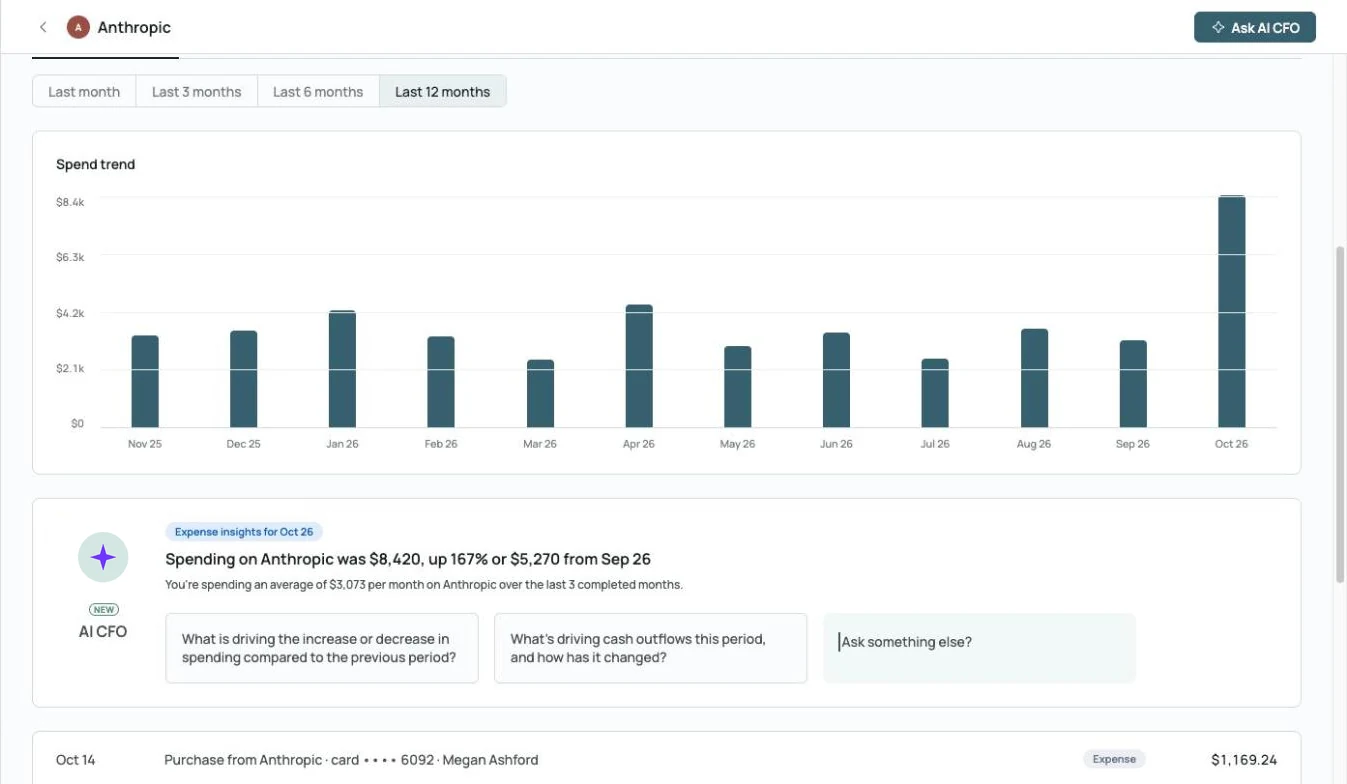 AI CFO explains the spike: up 167% from September
Catch the swing before the client does.
Month-over-month variances by vendor, with a drill-down into the spend trend and an AI CFO summary of what changed.
Explore month-end close →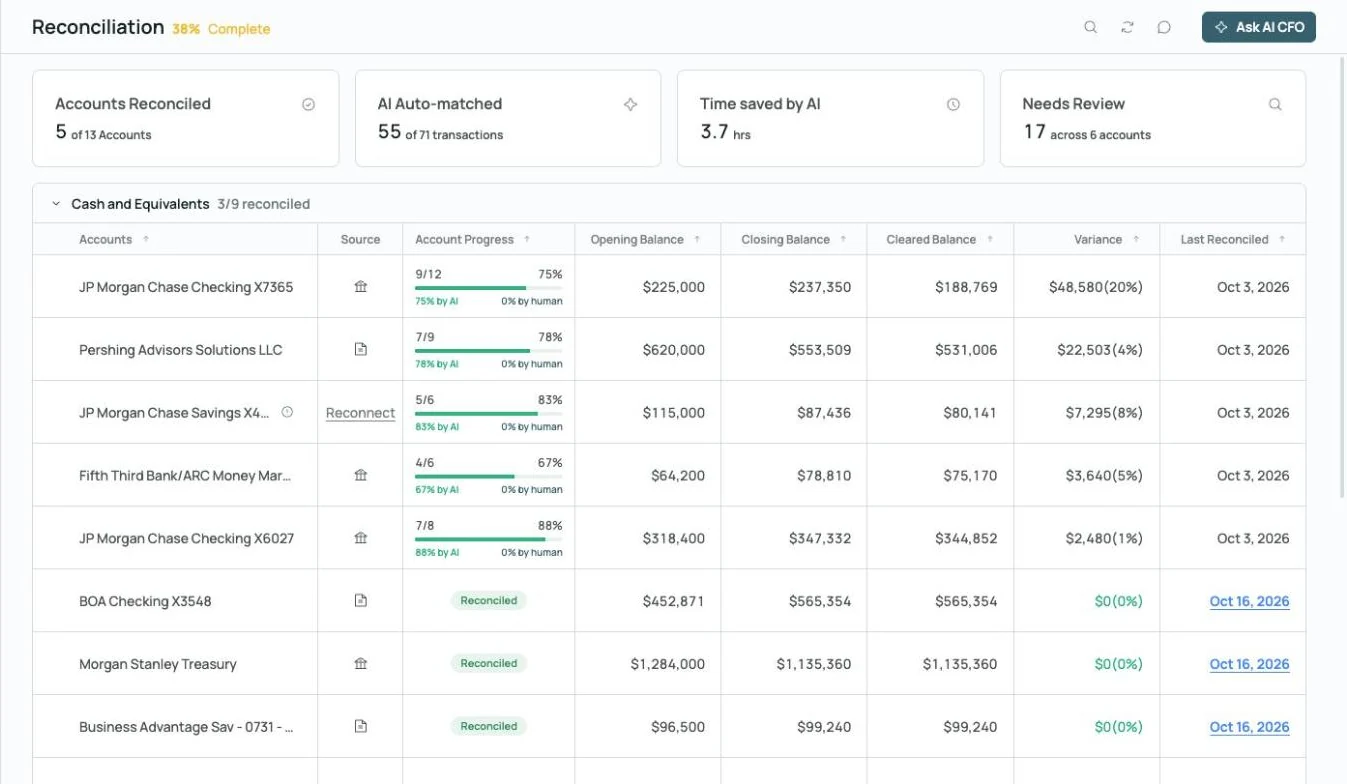
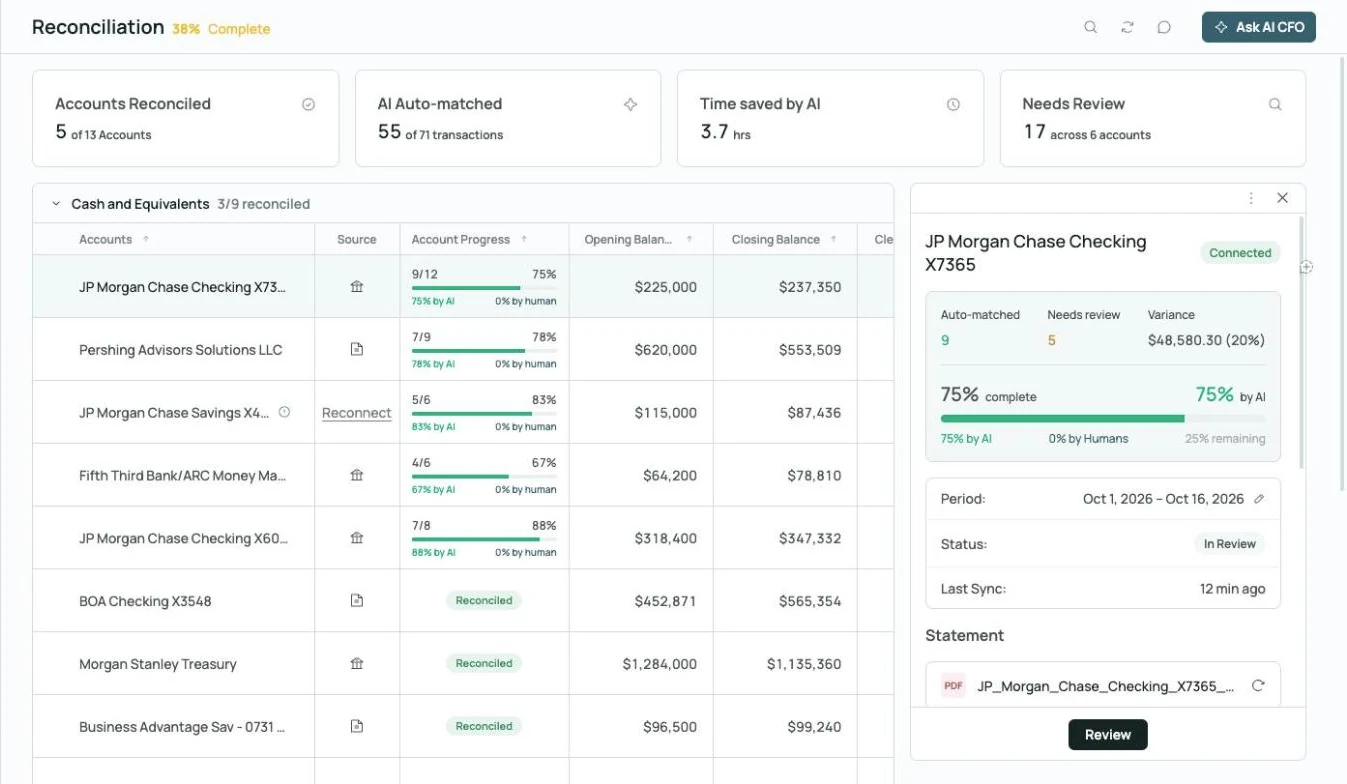
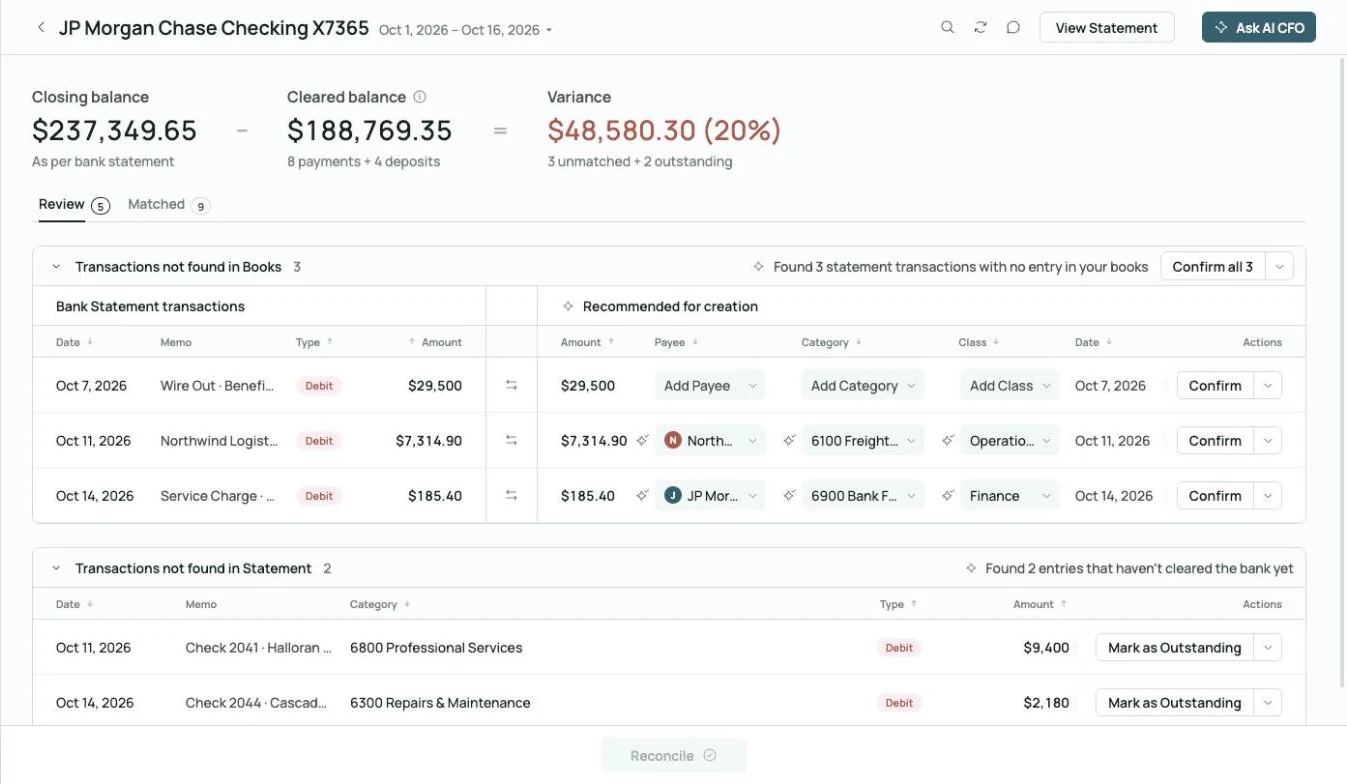 Found 3 statement transactions missing from the books
Matched to the bank, to the penny.
Zeni compares each statement to the cleared balance, finds transactions missing from the books, suggests the entries to create and flags checks that haven’t cleared.
Explore reconciliation →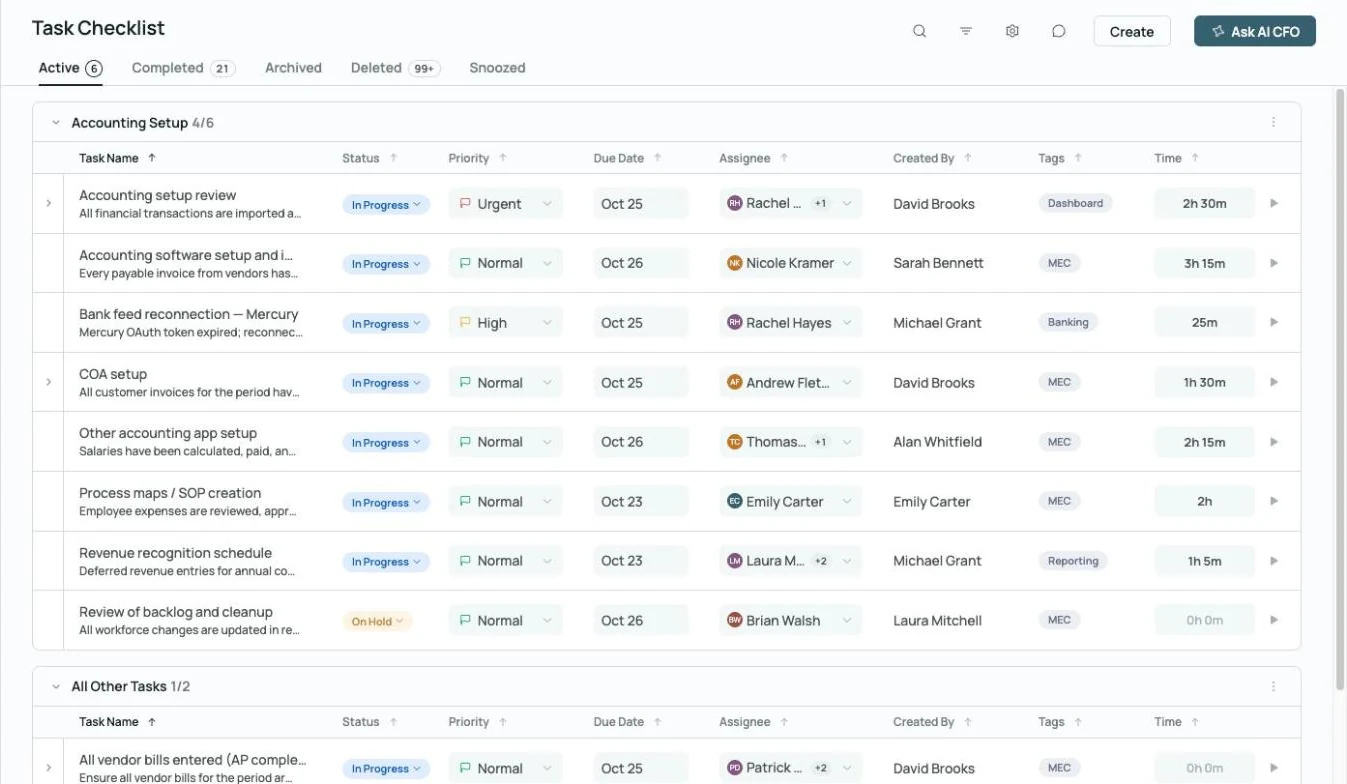
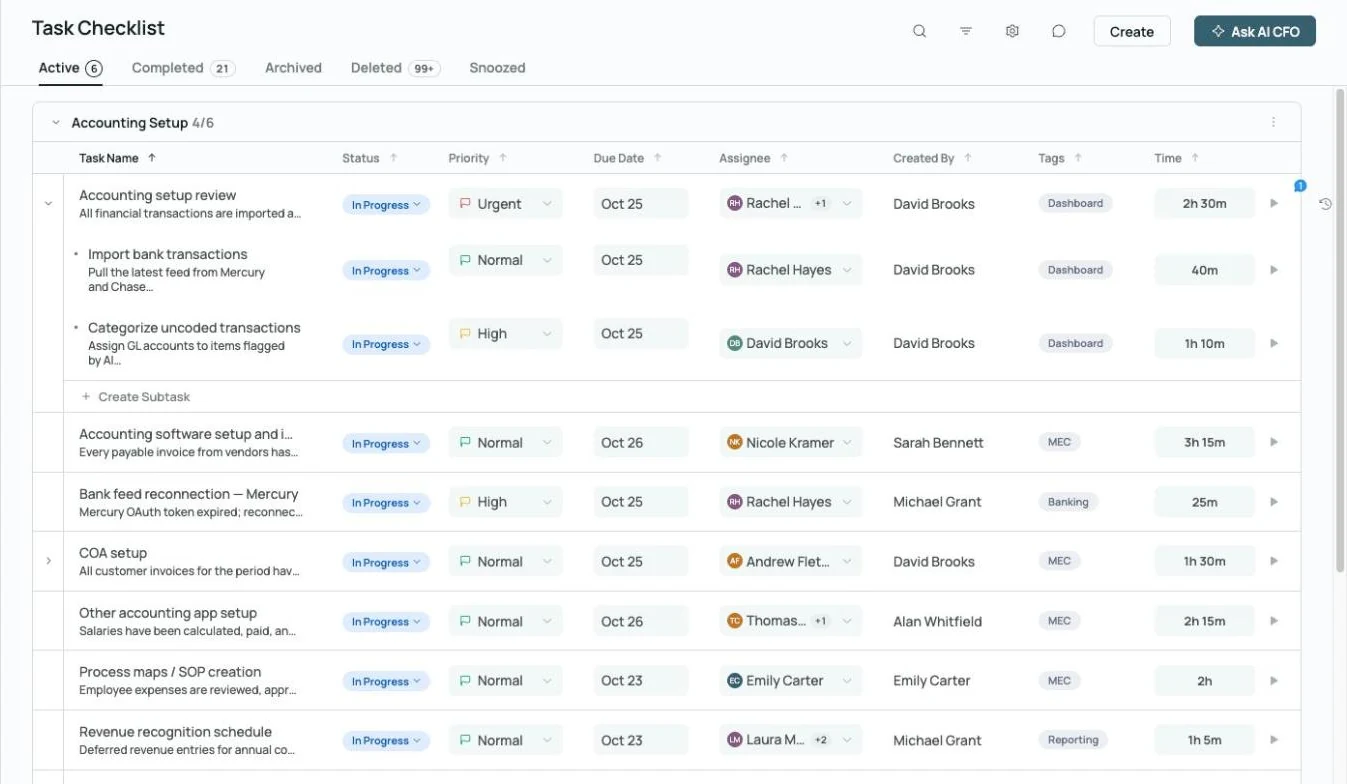 Every close task has an owner, a due date and time tracked
Split the close across your team.
Assign owners, priorities and due dates to every close task, break them into subtasks, and see who owns what while the month is still open.
Explore month-end close →Run the whole client workflow in one place.

Invoicing
Bill clients, manage subscriptions and track payments, with automated dunning for past-due invoices and sync to QuickBooks Online.

Task management
Assign owners, priorities and due dates to every close task, break them into subtasks, and see who owns what across each client.
Explore month-end close →
Commenting
Ask a client for a receipt, memo or approval right on the transaction, bill or report, @mention whoever you need, and keep the answer on the record.
Explore commenting →What clients ask. What the AI CFO answers.
Built for the people who keep the books.
 Your team, plus an AI Accountant and AI CFO
Partners and CAS leaders
Grow the client roster and the advisory practice without growing headcount at the same pace.
- See every client's close status in one place
- Package month-end insights into advisory work
- Save your firm's analysis as reusable AI CFO Skills
Staff and senior accountants
Spend the month reviewing and advising instead of categorizing and chasing.
- Work a review queue, not a raw bank feed
- Split the close with the task checklist
- Answer client questions without building a report
Grow your client roster. Keep your standards.
See the AI Accountant and AI CFO on a client file of your own.
Questions, answered.
- The Wall Street Journal, citing U.S. Bureau of Labor Statistics data, on accountants leaving the profession between 2019 and 2021.
- 2024 CPA.com and AICPA PCPS CAS Benchmark Survey, median growth in client advisory services.
- AI CFO is in beta and can make mistakes; check anything important against the books.