AI for CFOs and finance leaders.
Analyze more. Reconcile less.

Board-ready numbers, without the month-end fire drill.
RegScale consolidated 10+ financial platforms into Zeni, got 15+ custom reports for its board and investors, and raised a $20M Series A with Zeni's support. The same platform closes the books for 1,000+ companies.¹
Zeni sets up the platform on your QuickBooks Online file, manages the AI agents and staffs your account with a controller and finance team. You keep approval rights and the final say on every number.
Connect your stack. Get a close you can sign.
Zeni's AI and finance team do the work. You review, approve and analyze.
Connect your stack
QuickBooks Online, banks via Plaid, payroll, Stripe, Chargebee and HubSpot. Zeni handles the setup.
Coded as it lands
The AI Accountant codes transactions with its reasoning and matches receipts as they arrive.
A close you can sign
Your Zeni controller reviews schedules, flux and reconciliations, and you approve.
First-draft analysis
Ask the AI CFO for variances, forecasts and board numbers from closed books.
An AI Accountant for the books.
An AI CFO for the answers.
The AI Accountant handles the transactional work. The AI CFO handles the first draft of analysis.

A close you don't have to chase
Transactions, receipts, schedules, flux and reconciliations drafted and reviewed each month.

A CFO dashboard that's live
Cash, burn, runway, revenue and spend by class or project, from reconciled books.

Controls built in
Separation of duties, approval rules and change history on every transaction.

Your numbers in your AI tools
Zeni MCP connects your books to Claude and other AI assistants, read-only and included with Zeni Bookkeeping.
How are CFOs using AI?
CFOs use AI to shorten the close, answer ad hoc questions faster and spend less of the team's time on transaction coding and reconciliations. The value depends on clean data: AI analysis is only as good as the books underneath it. Zeni pairs AI with a finance team that closes those books every month.
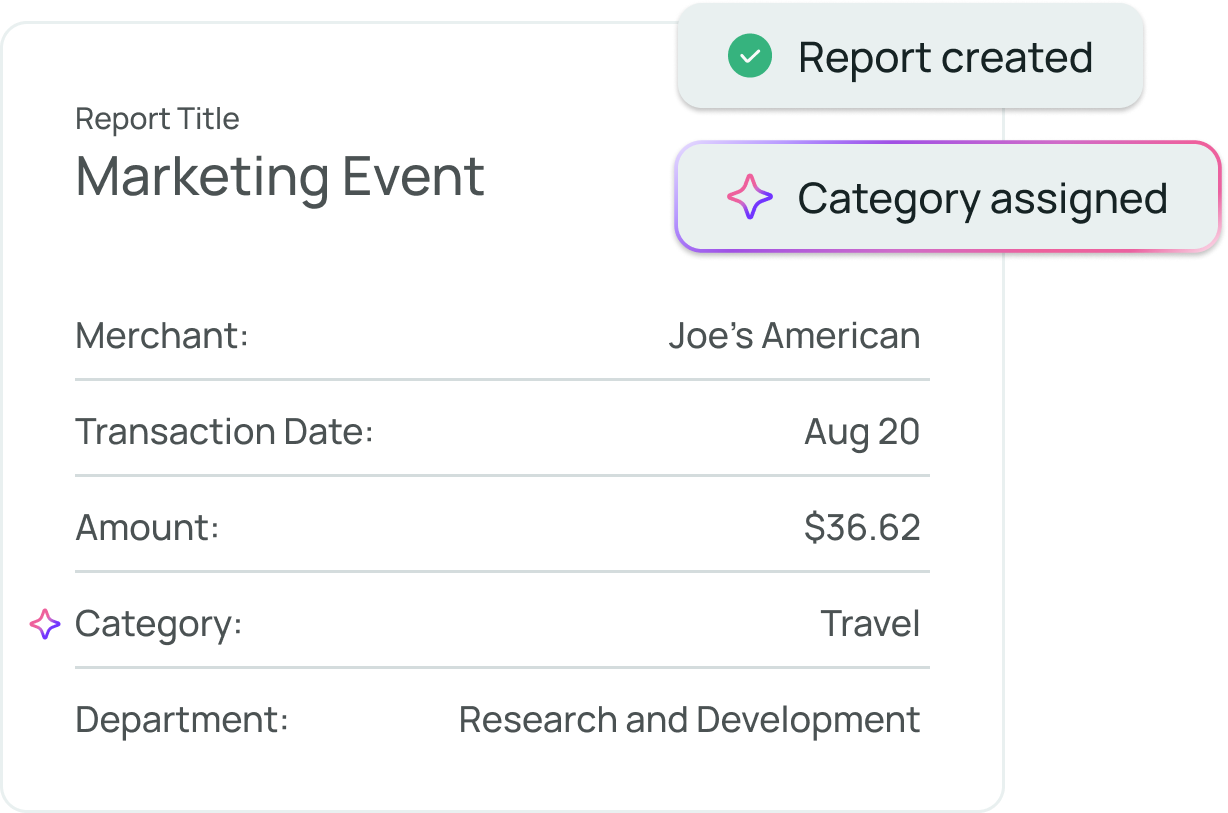
Every entry comes with its reasoning.
Each AI suggestion arrives with its reasoning and confidence. Submitters can't approve their own work, journal entry schedules wait for approval, and nothing changes in a closed period. Your auditors get a clear trail.
 AI CFO · answers from live books
Live numbers for the decisions that can't wait for close.
The dashboard shows cash, burn, runway and P&L by class or project. The AI CFO answers follow-ups from the same books, with the math shown, and Zeni MCP lets you query them from the AI assistant you already use.²
The month-end close, staffed and visible.
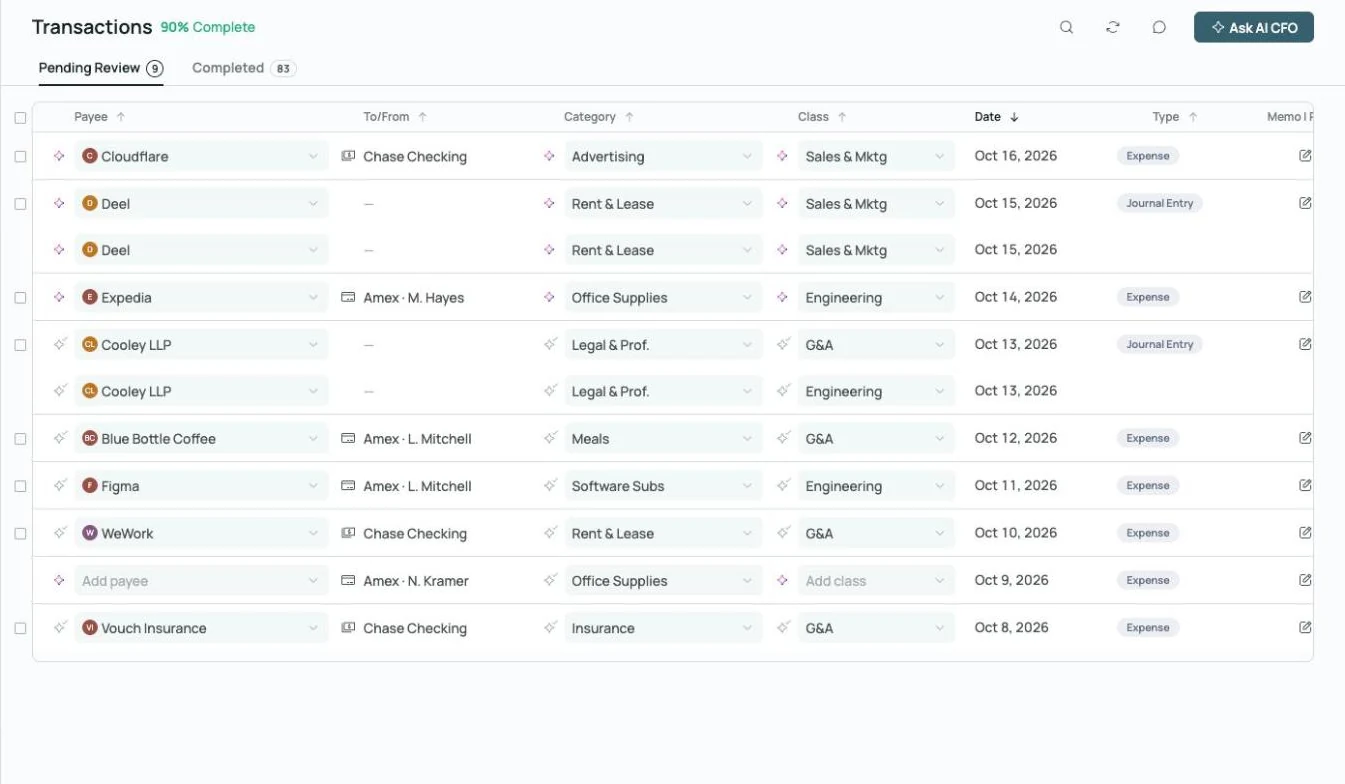
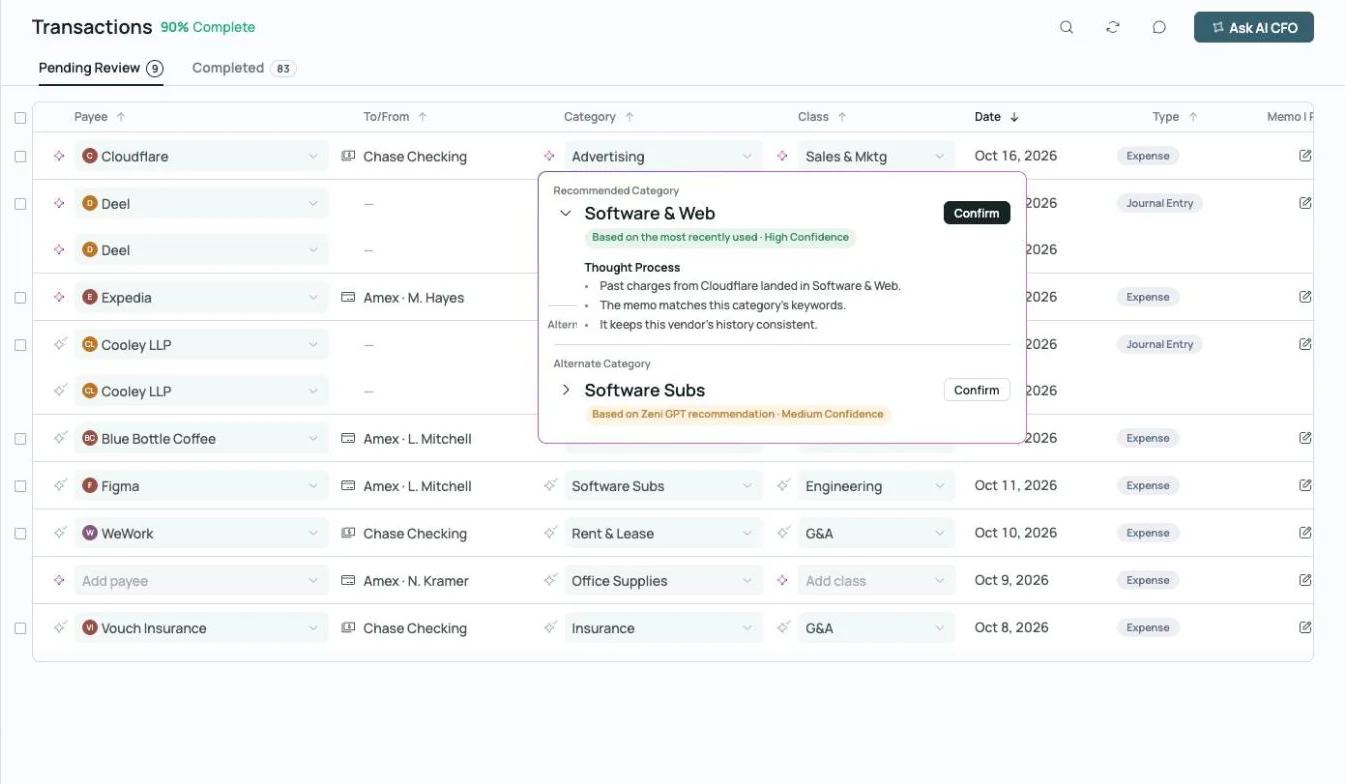 Thought process on every AI call
Coded, with the reasoning attached.
Every transaction gets a category, class and vendor, plus the reasoning and confidence behind it.
Explore transactions →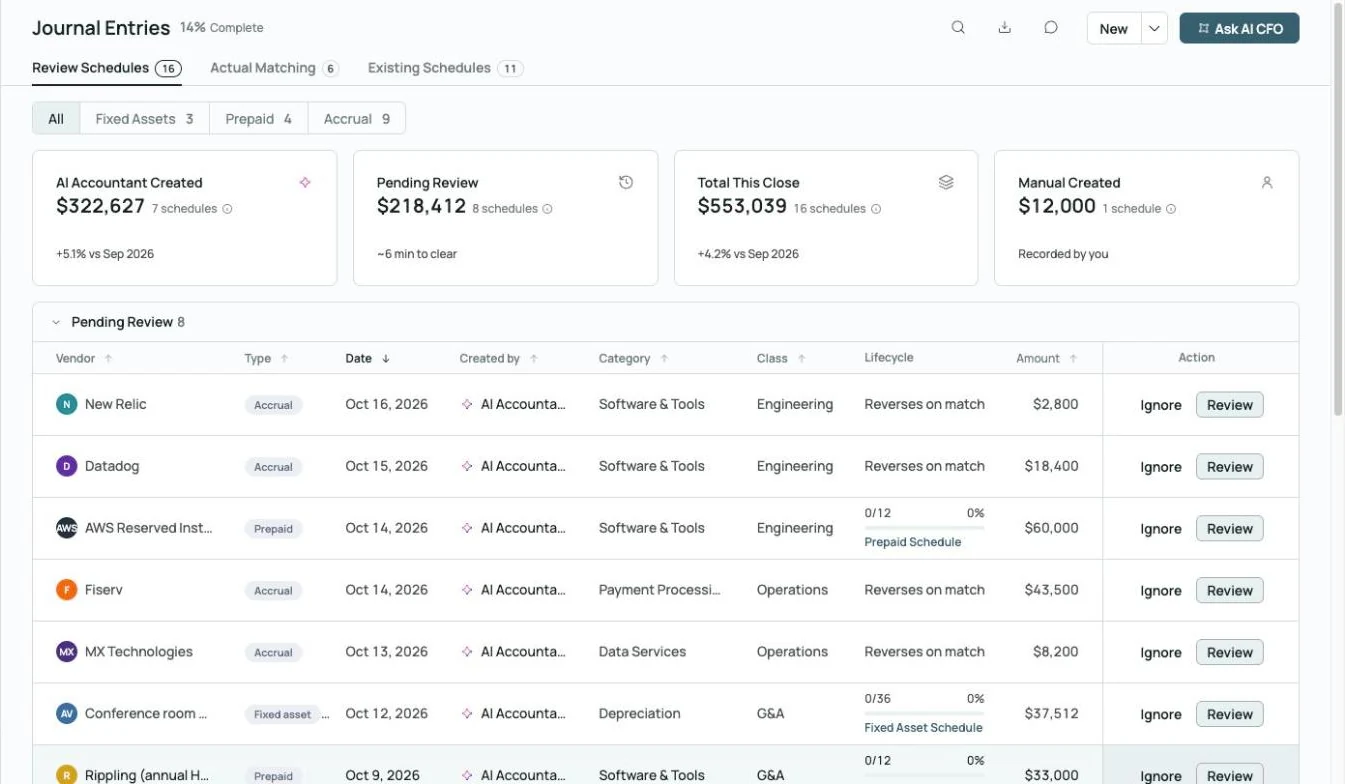
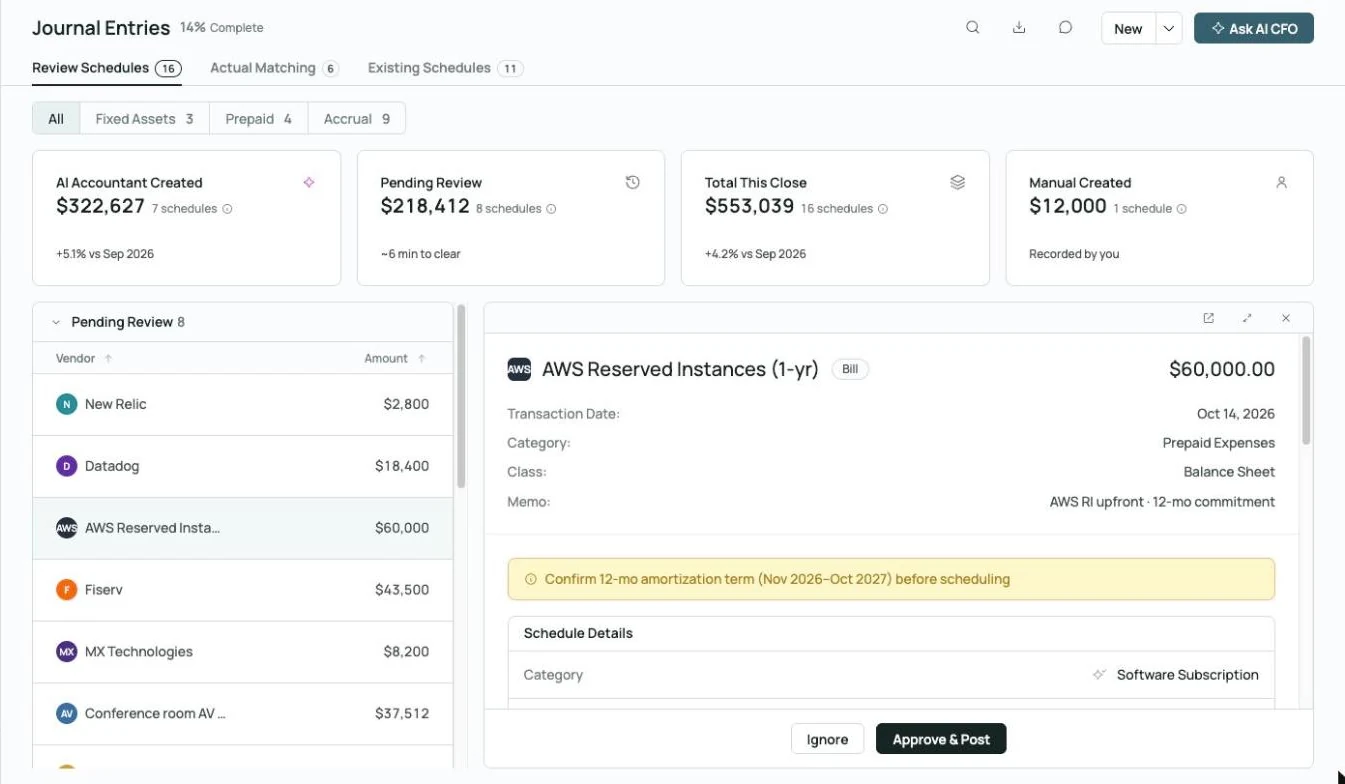 Prepaid schedule drafted, waiting on your approval
Schedules waiting for sign-off.
Prepaid, fixed-asset and accrual schedules are proposed against your capitalization threshold and post only after approval.
Explore month-end close →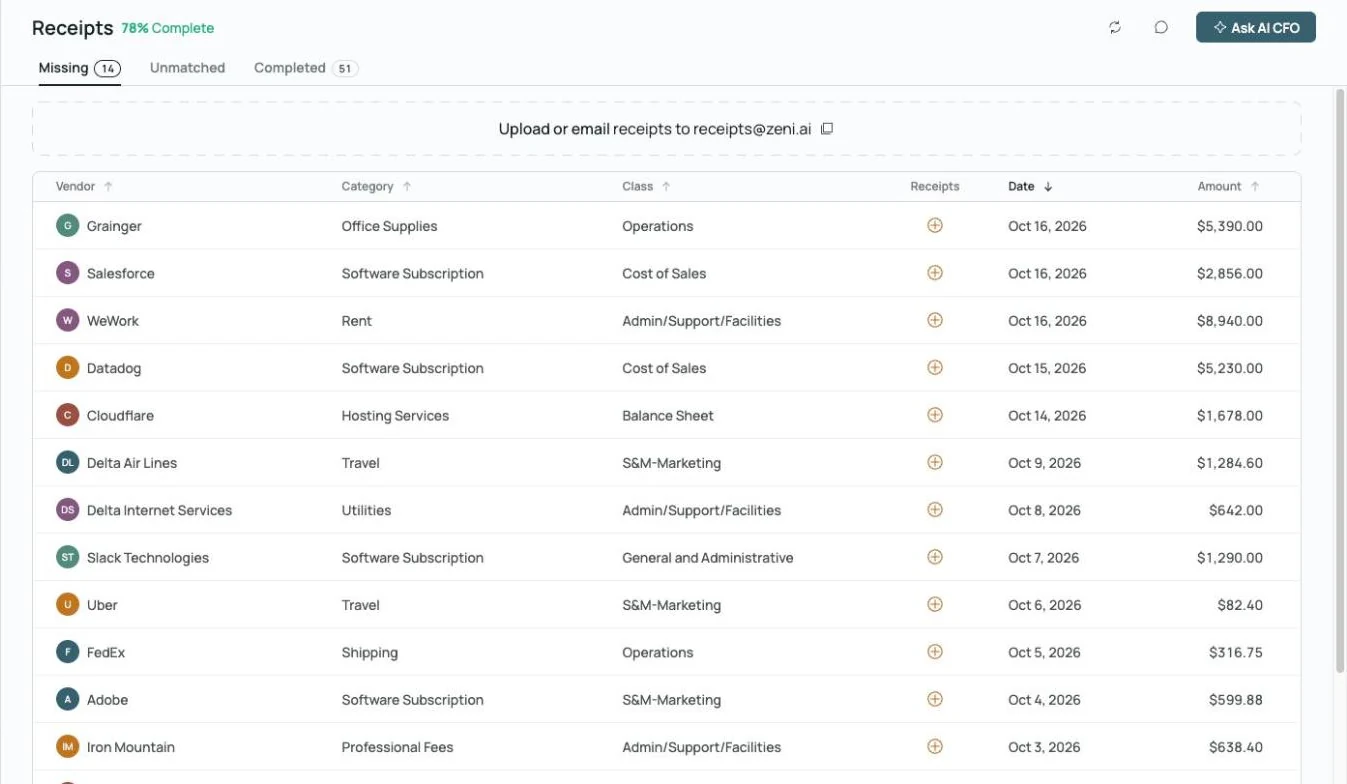
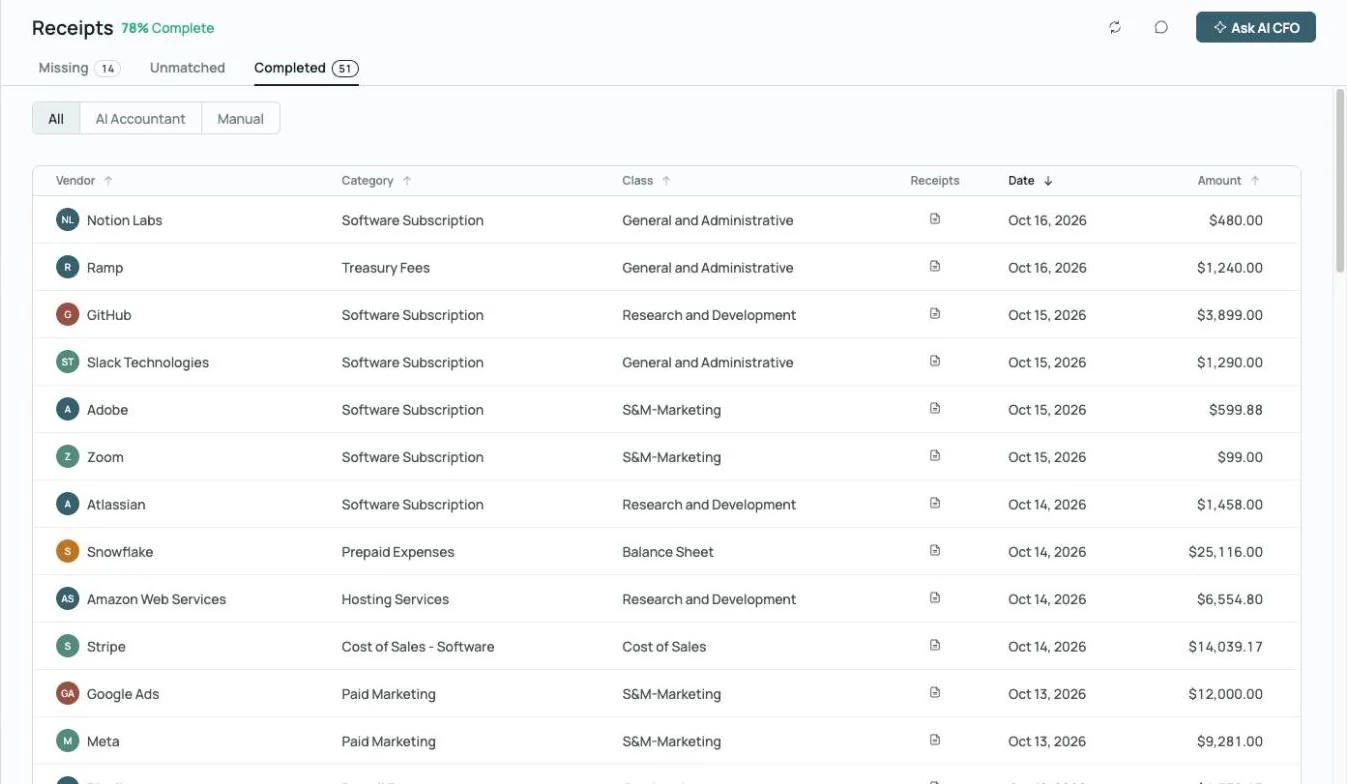
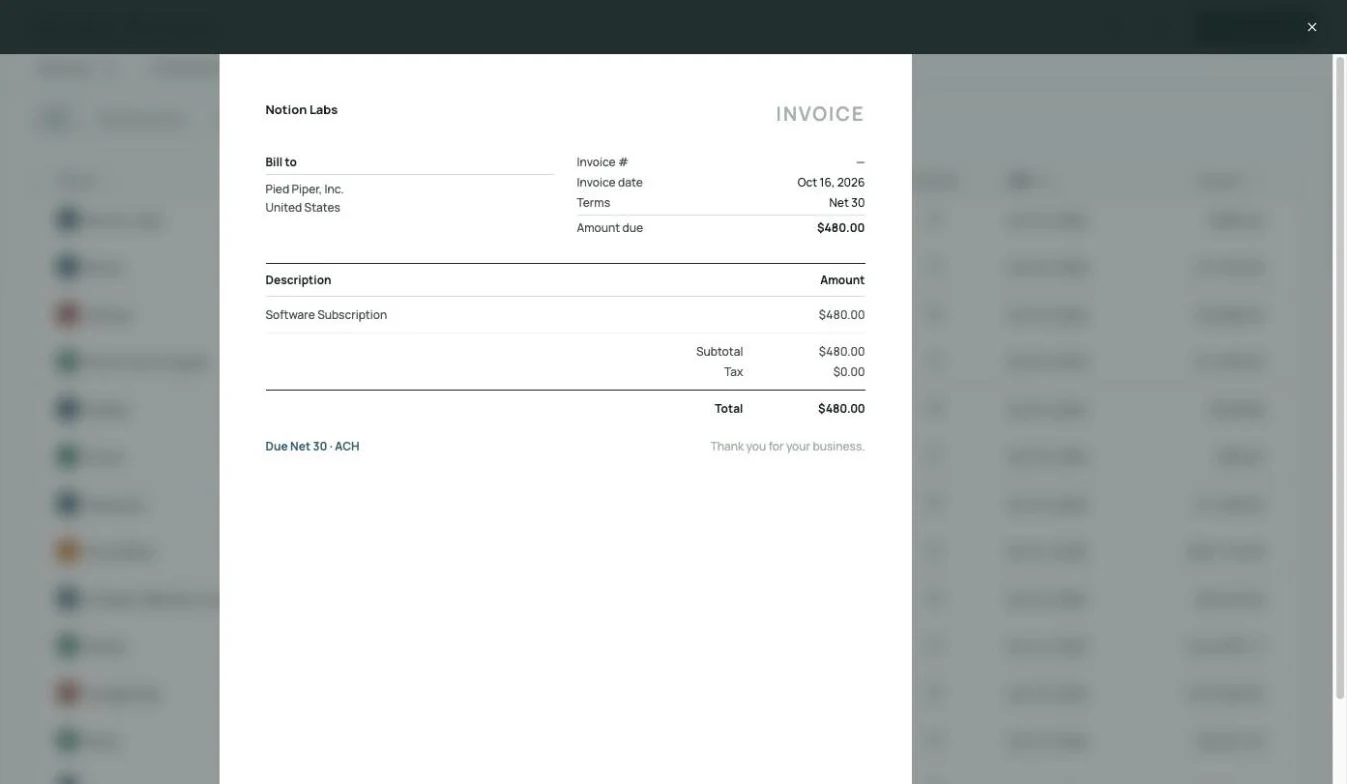 Receipt matched to its charge, on the record
Receipts matched.
Missing receipts are flagged and matched automatically when they're forwarded or uploaded.
Explore receipts →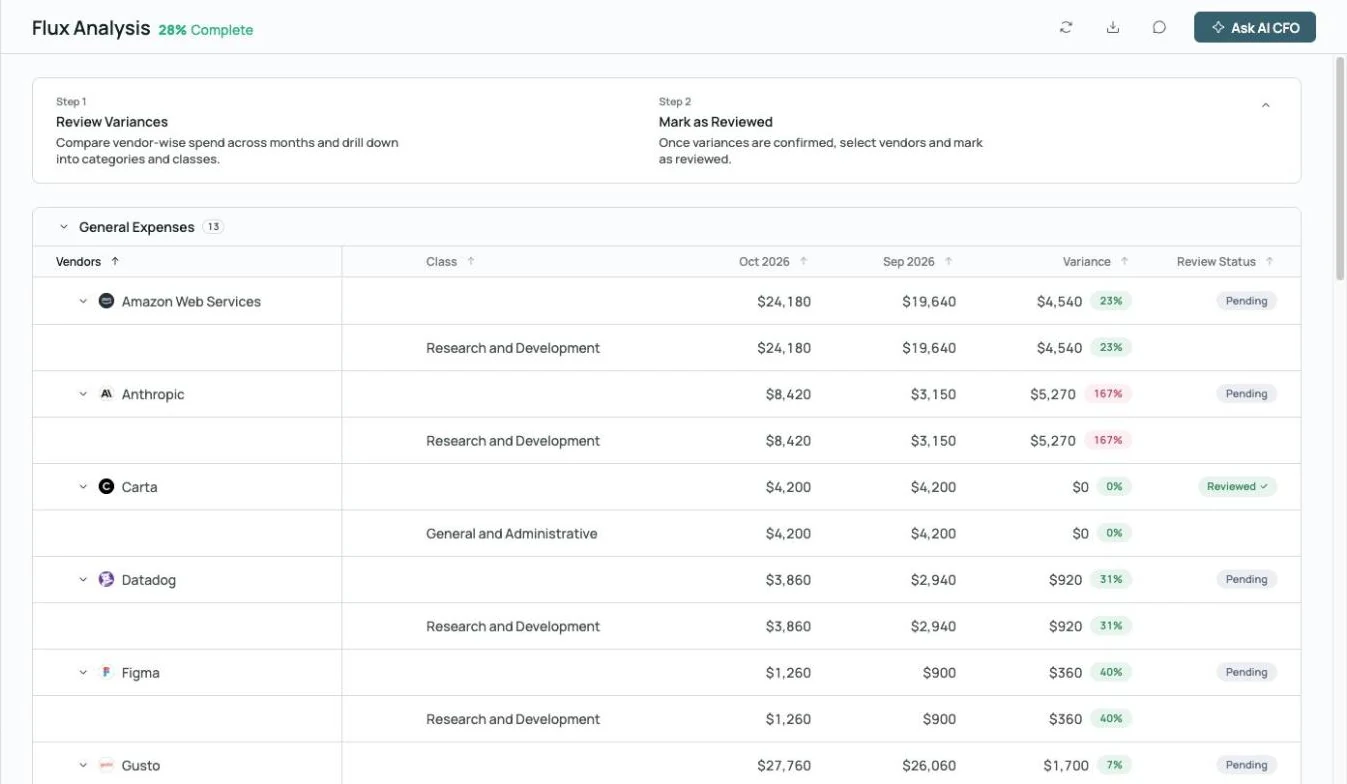
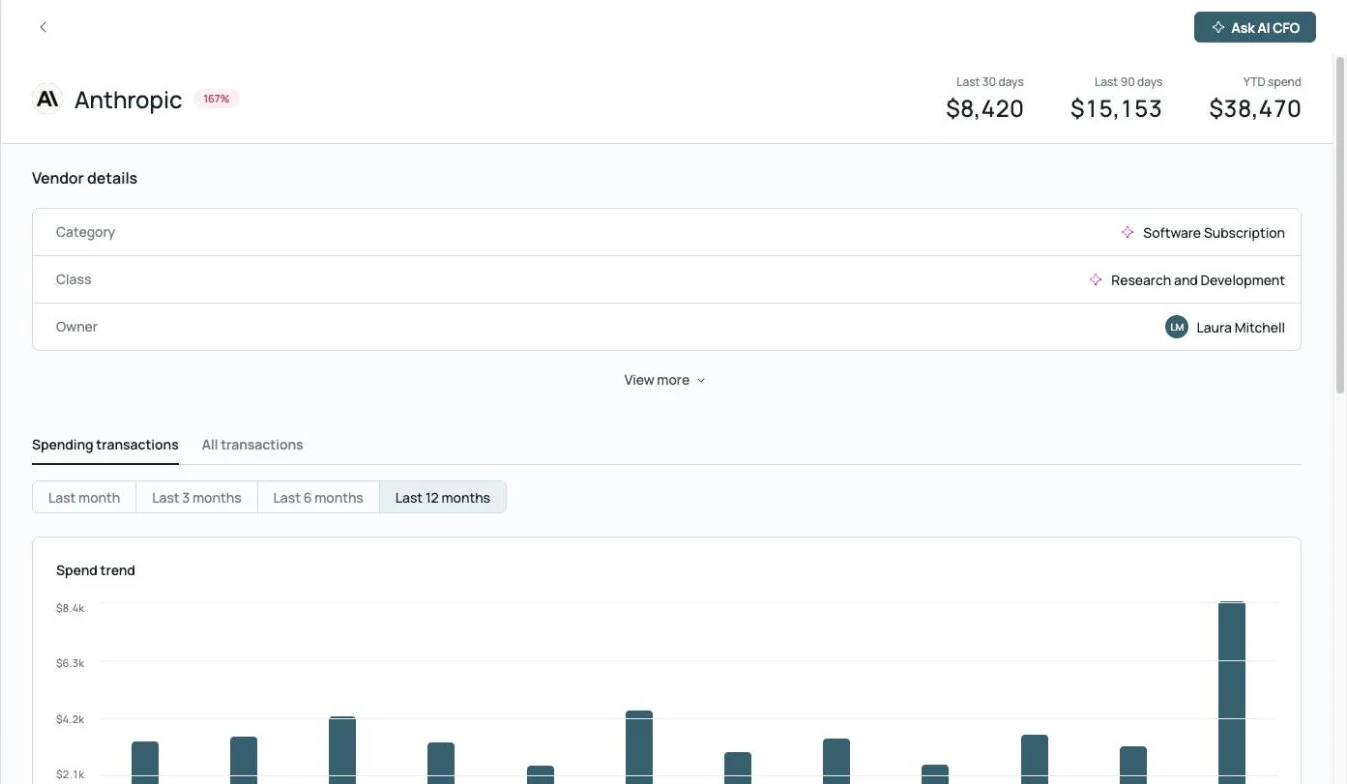
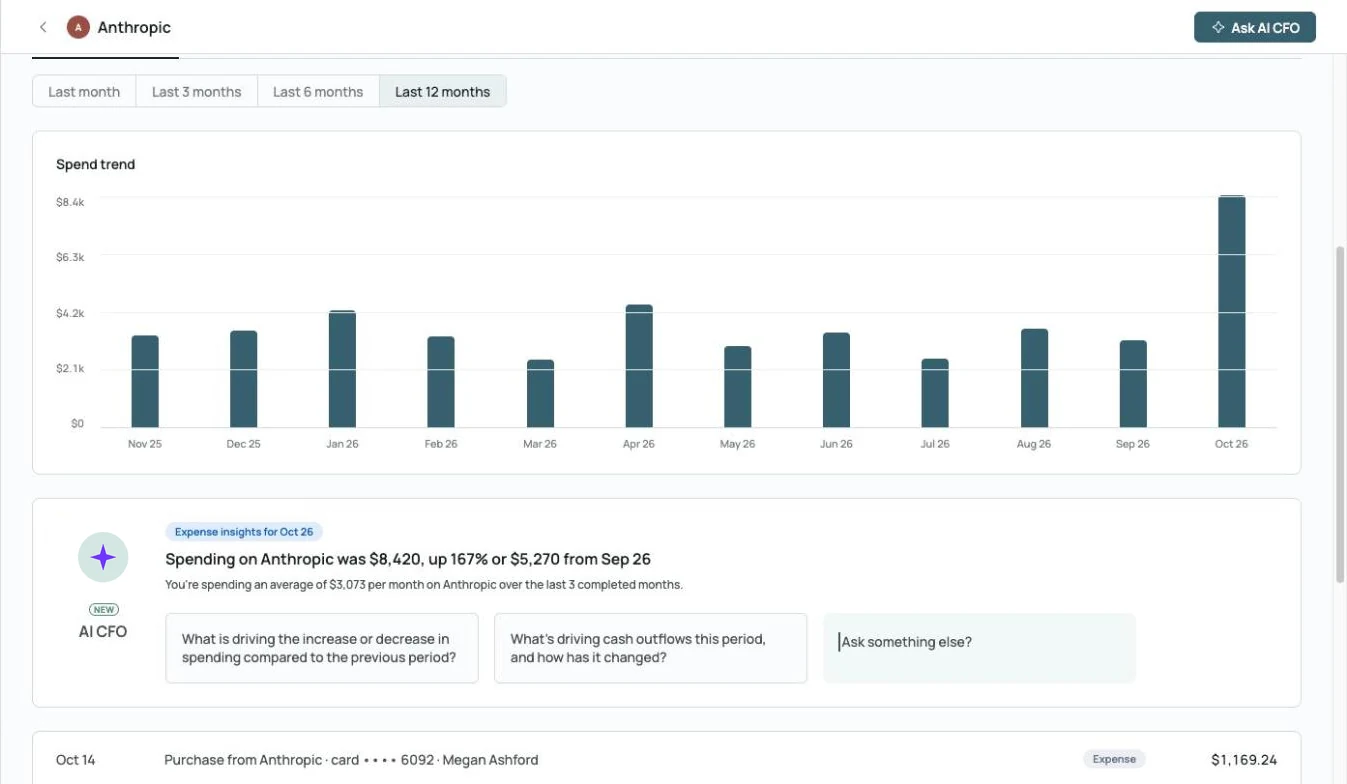 AI CFO explains the spike: up 167% from September
Flux before you ask.
Month-over-month variances by vendor, category and class, with an AI summary of what changed.
Explore month-end close →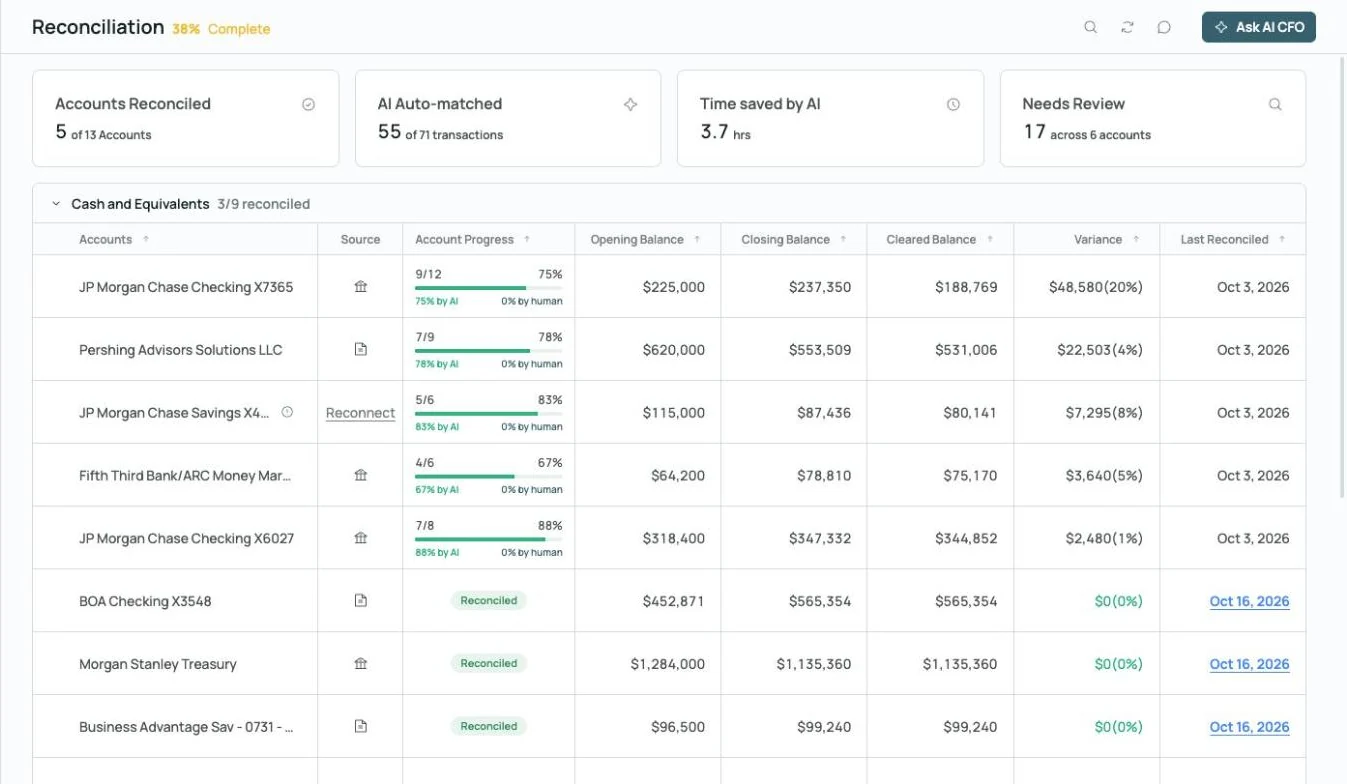
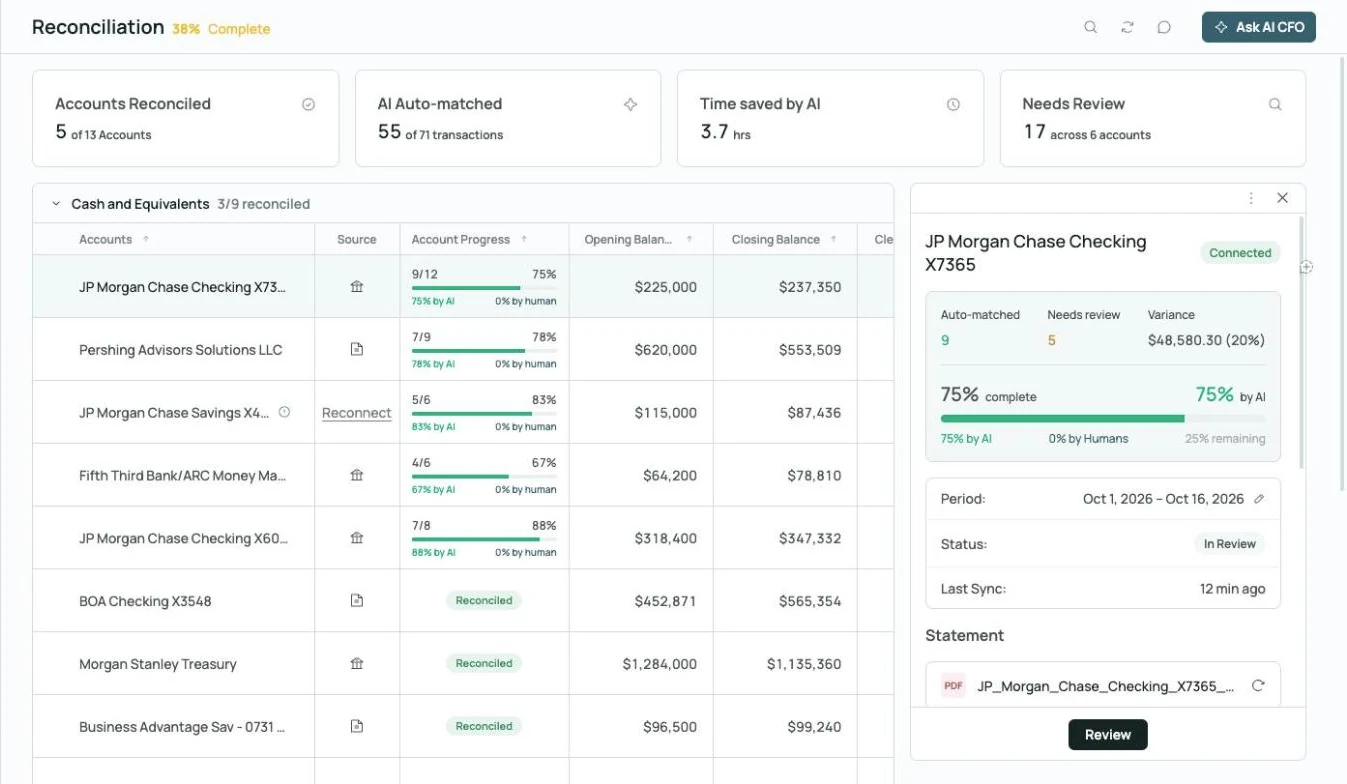
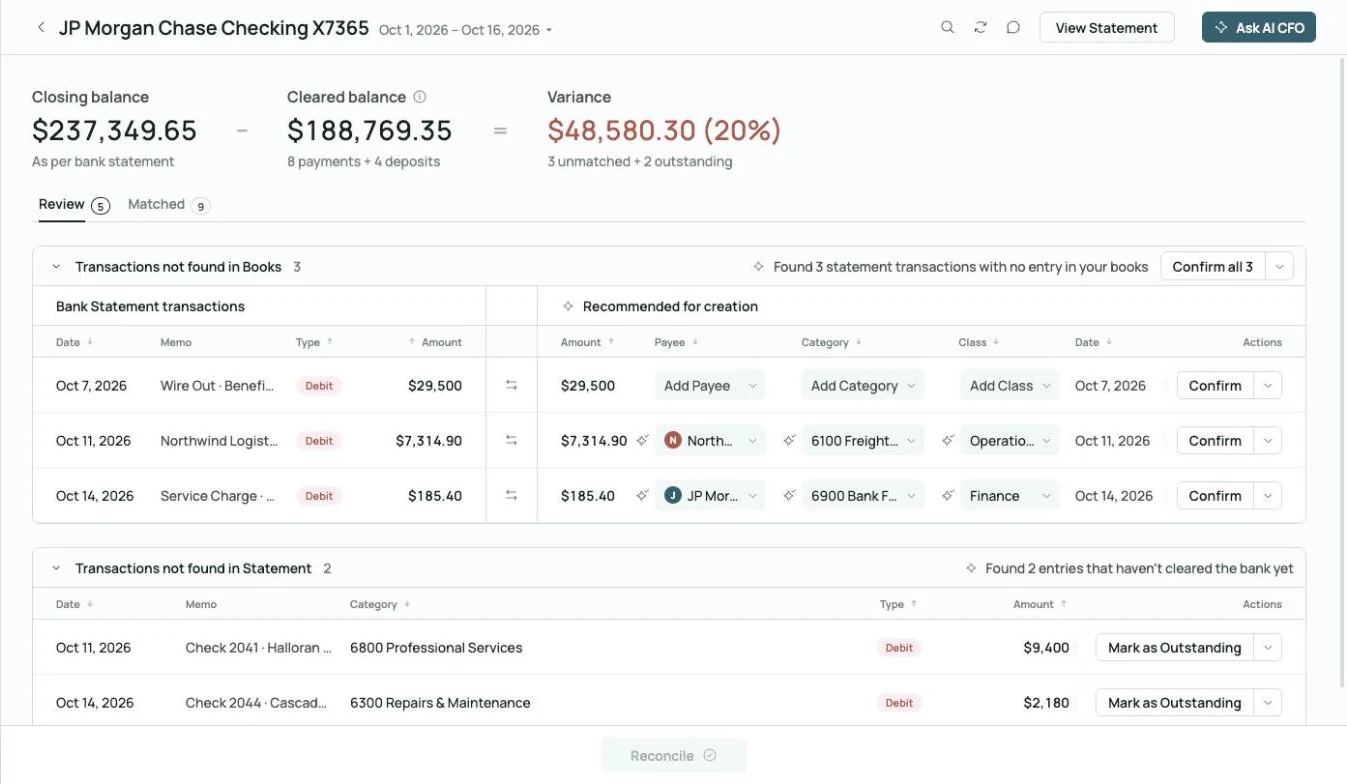 Found 3 statement transactions missing from the books
Reconciled to the statement.
Bank and card accounts are reconciled to statements, with missing transactions flagged and entries suggested.
Explore reconciliation →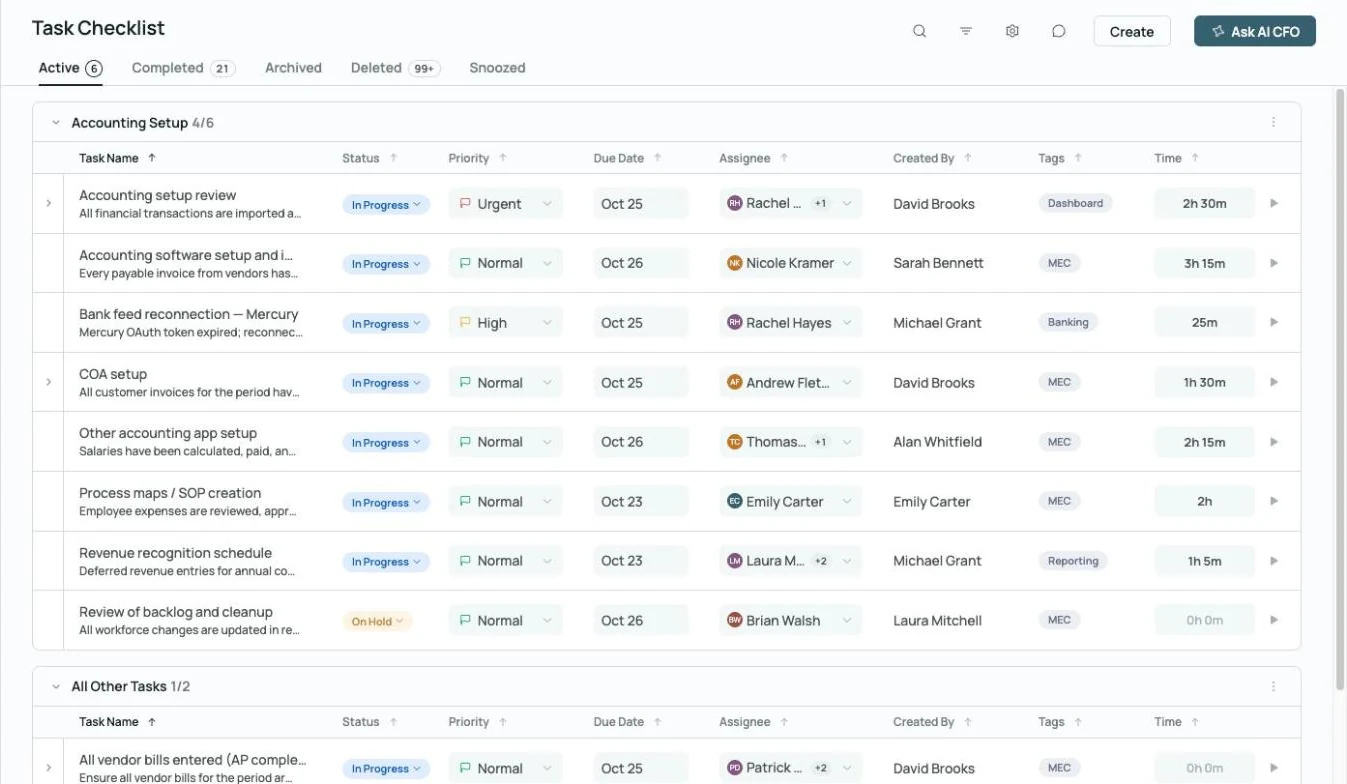
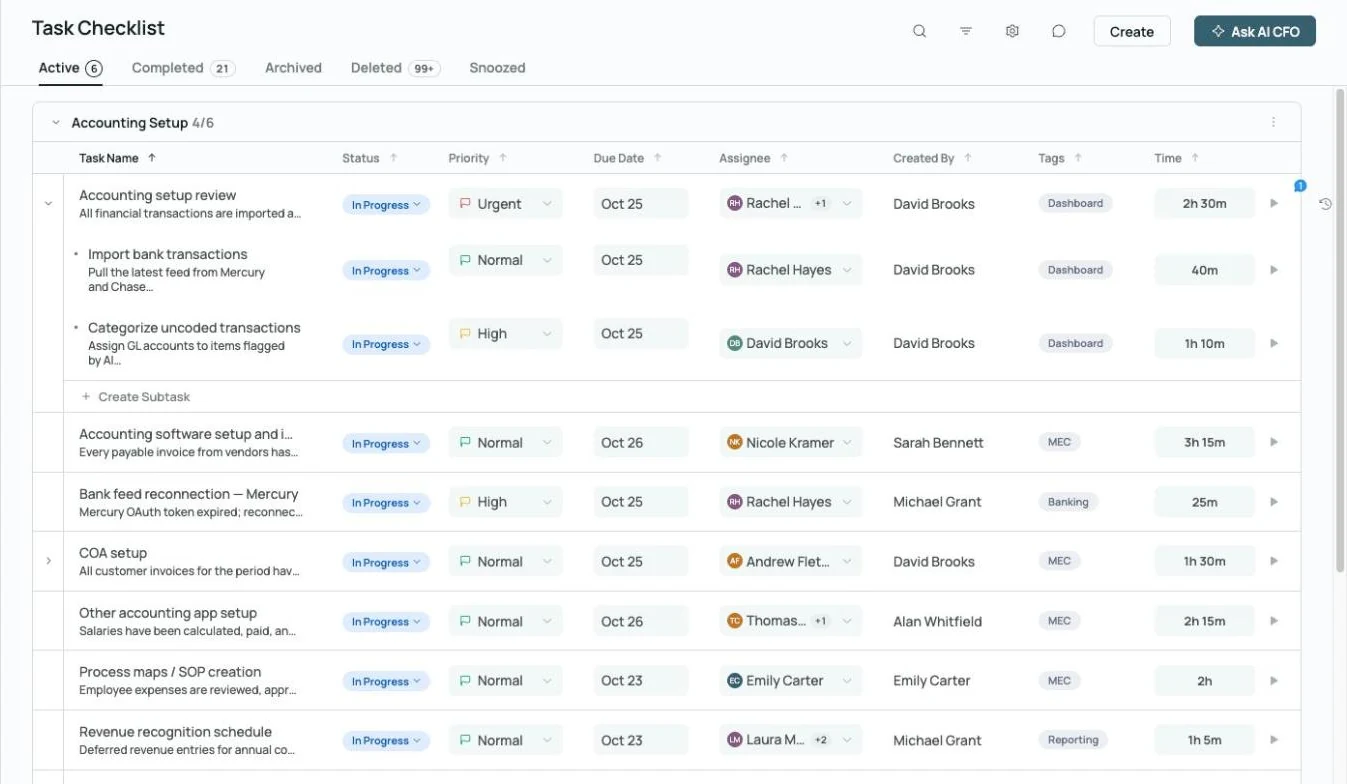 Every close task has an owner, a due date and time tracked
A Confidence Score for the close.
Track how close each month is to done; at 75% the month-end insights unlock.
Explore month-end close →Beyond the close.

Fractional CFO support
Add fractional CFO support for budgets, budget vs. actuals and a 12-month cash flow forecast.

Class and project reporting
Report by class or project, including balance sheet, cash flow and net burn by project.
Explore financial reporting →
Commenting
Comment on any transaction, @mention a teammate and keep the answer on the record.
Explore commenting →What finance leaders ask. What the AI CFO answers.
Built for the people accountable for the numbers.
 Your team, plus an AI Accountant and AI CFO
CFOs and VPs of Finance
Finance leaders at venture-backed and growing companies who need a reliable close without adding headcount.
- Board-ready reporting every month
- Live cash, burn and runway
- Time back for planning and fundraising
Controllers and finance managers
Finance managers who own the close and want the transactional work done before they review.
- Close tasks with owners and due dates
- Approval rules and separation of duties
- Flux and reconciliations drafted for review
Spend the month on analysis. Not on reconciliation.
See the AI Accountant and AI CFO on books like yours.
AI for CFOs FAQs.
- Zeni internal figures, October 2026, and customer results from Zeni's published case studies.
- AI CFO is in beta and can make mistakes; check anything important against the books.