AI for accountants and CPAs.
Review the work. Skip the re-keying.

Built by an accounting firm, for accountants.
Zeni runs its own accounting firm on this platform. More than 250 of our accountants, bookkeepers and controllers use it every day to close the books for 1,000+ customers, and it helped our firm double revenue with no added headcount costs.¹
Zeni sets up the platform for your practice, connects each client's QuickBooks Online file and manages the AI agents. Your accountants keep the client relationship and the final sign-off.
Connect your clients. Review a drafted close.
The AI does the first pass. Your accountants do the review.
Connect each client
Link each client's QuickBooks Online file and bank feeds. Zeni handles setup with your team.
First pass by AI
Transactions coded, receipts matched and schedules proposed for every client.
Your team reviews
Approve pending items and watch each client's Confidence Score from one view.
Advise
Use the AI CFO's charts and forecasts in your next client conversation.
An AI Accountant for the books.
An AI CFO for the answers.
The AI Accountant prepares the work. Your accountants make the judgment calls.

One login for every client
Each client is its own company in Zeni, with role-based access for your staff.

Close work drafted
Transactions, receipts, journal entry schedules, flux and reconciliations prepared before you open the file.

Review, not redo
Every suggestion shows its reasoning and change history and waits for your approval.

Advisory between closes
The AI CFO answers client questions from live books, with charts and the math shown.
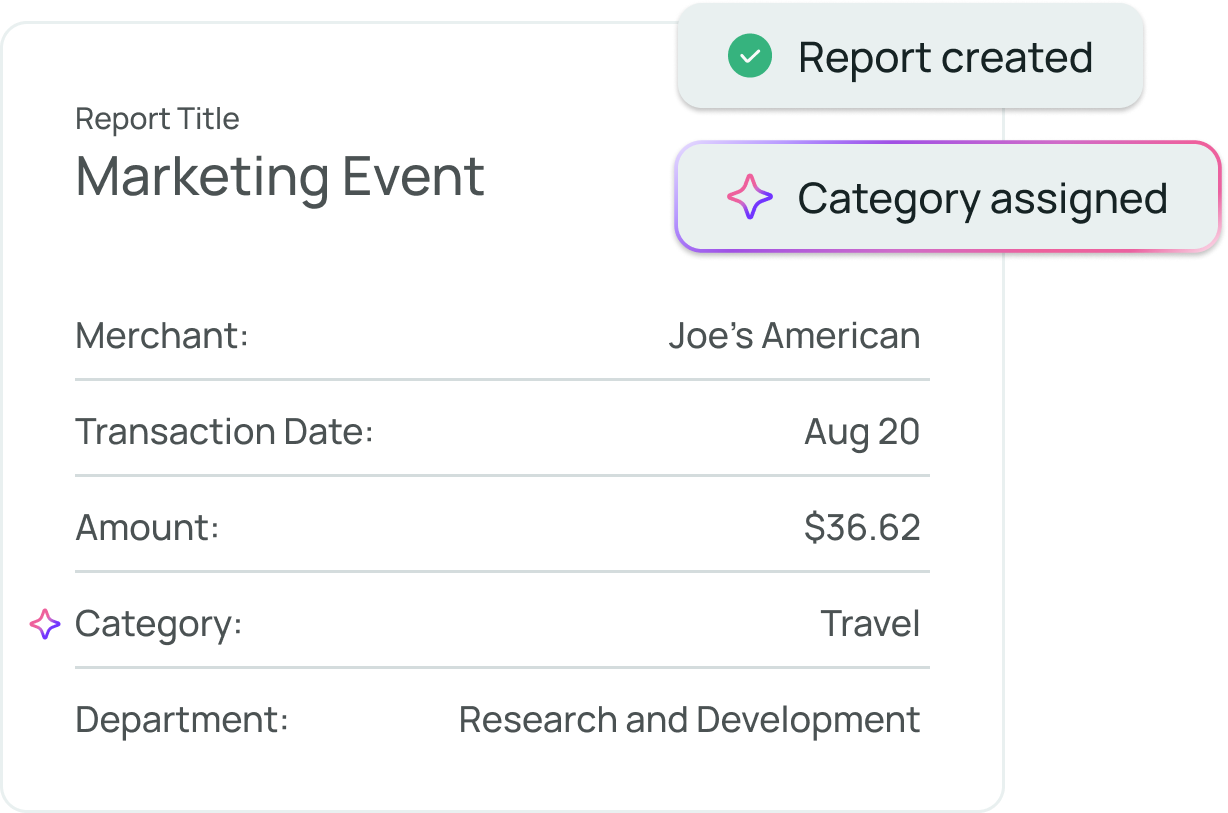
How are accountants using AI?
Accountants use AI to automate first-pass work: categorizing transactions, matching receipts, drafting reconciliations and explaining variances. Professional judgment stays with the accountant, who reviews and approves. Zeni's AI Accountant is built for that review-first workflow, with reasoning shown on every suggestion.
Every AI call comes with its reasoning.
Each suggestion shows its reasoning and confidence. Submitters can't approve their own work, journal entry schedules wait for approval, and nothing changes in a closed period, so your review trail holds up.
 AI CFO · answers from live books
Turn the hours you get back into client advisory.
Client advisory services grew a median 17% in the 2024 CPA.com and AICPA PCPS CAS Benchmark Survey. The AI CFO gives your team charts, forecasts and answers from each client's live books to build on.²
Every client's close, drafted for review.
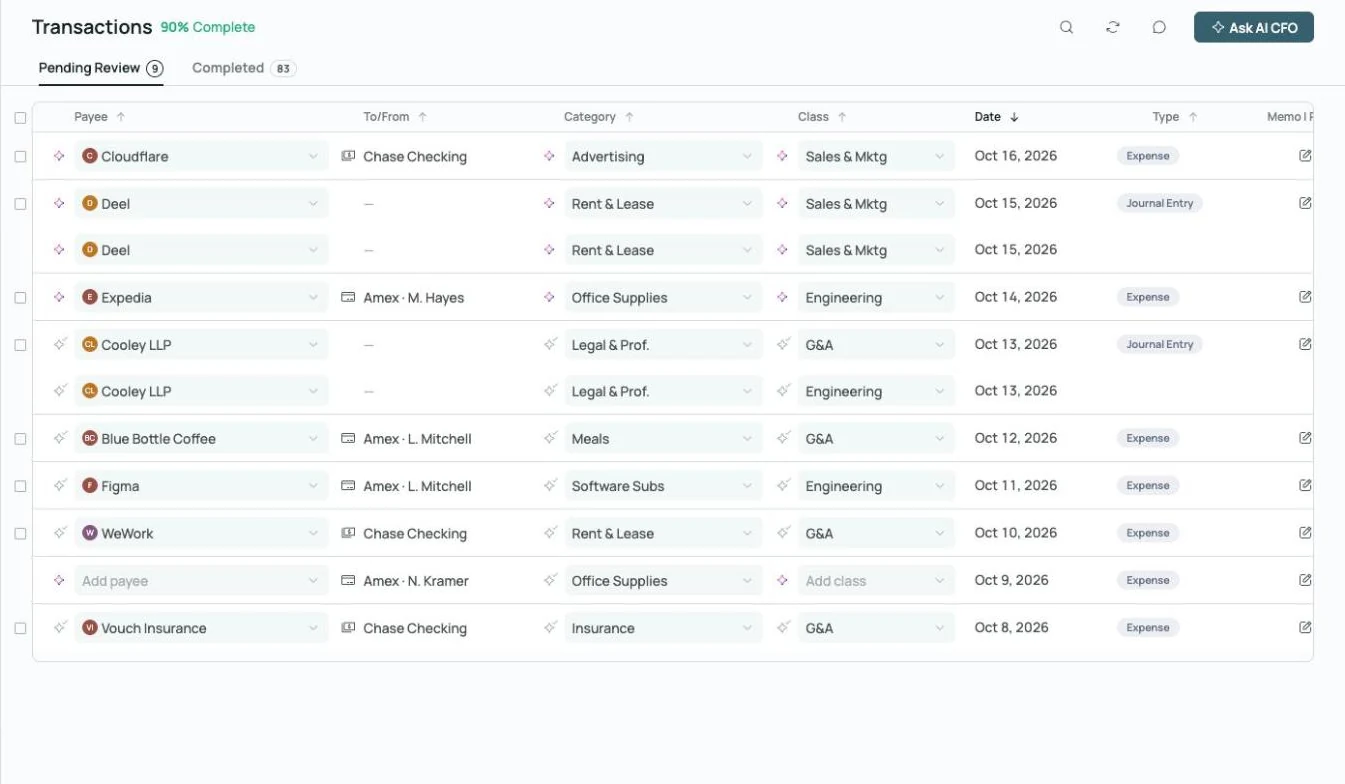
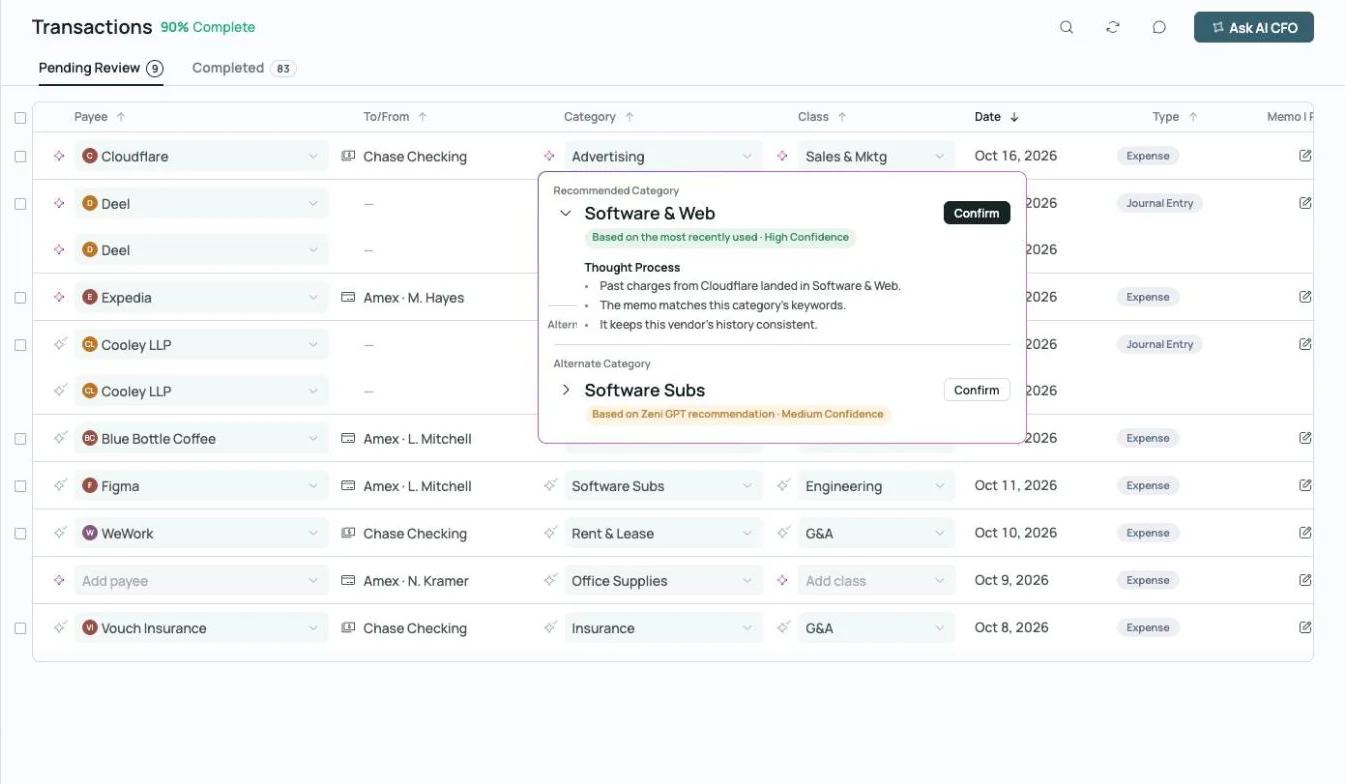 Thought process on every AI call
Coded, with the reasoning attached.
Every transaction gets a category, class and vendor, plus the reasoning and confidence.
Explore transactions →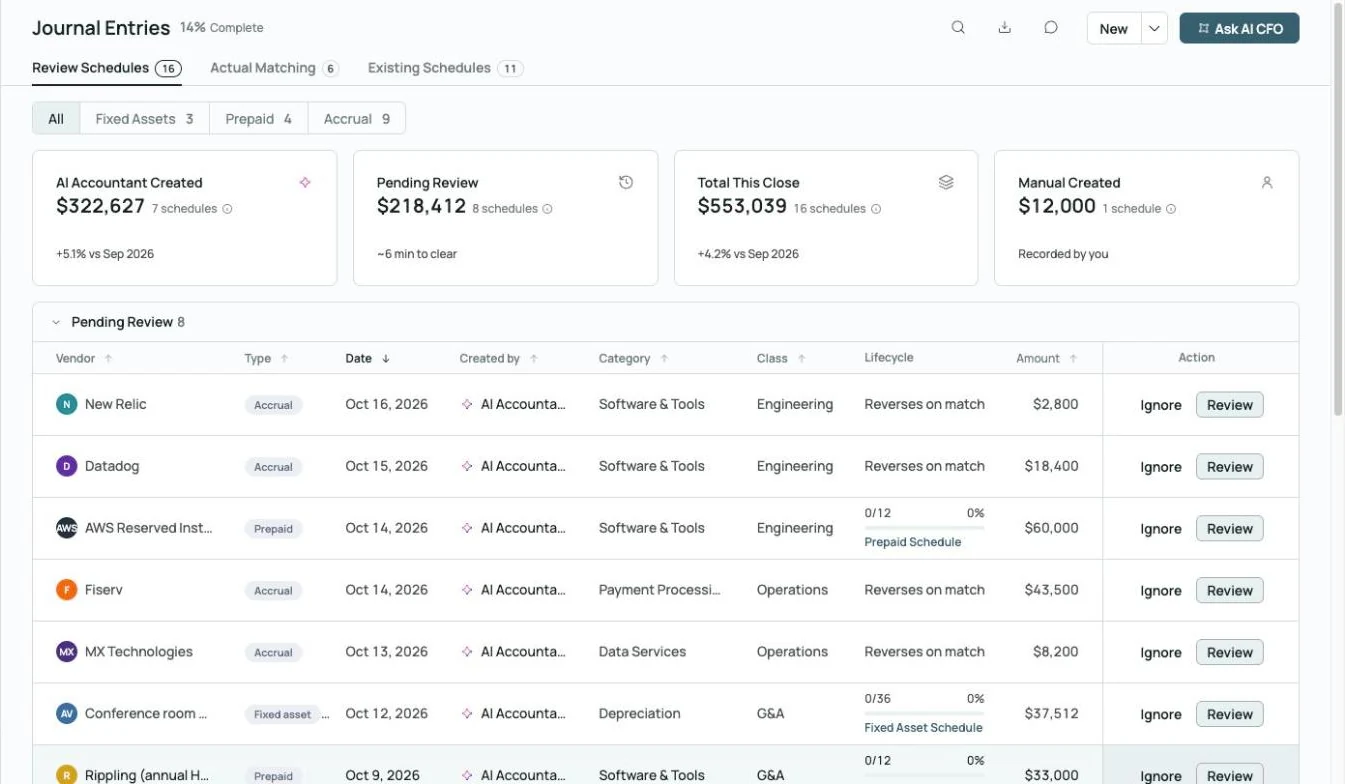
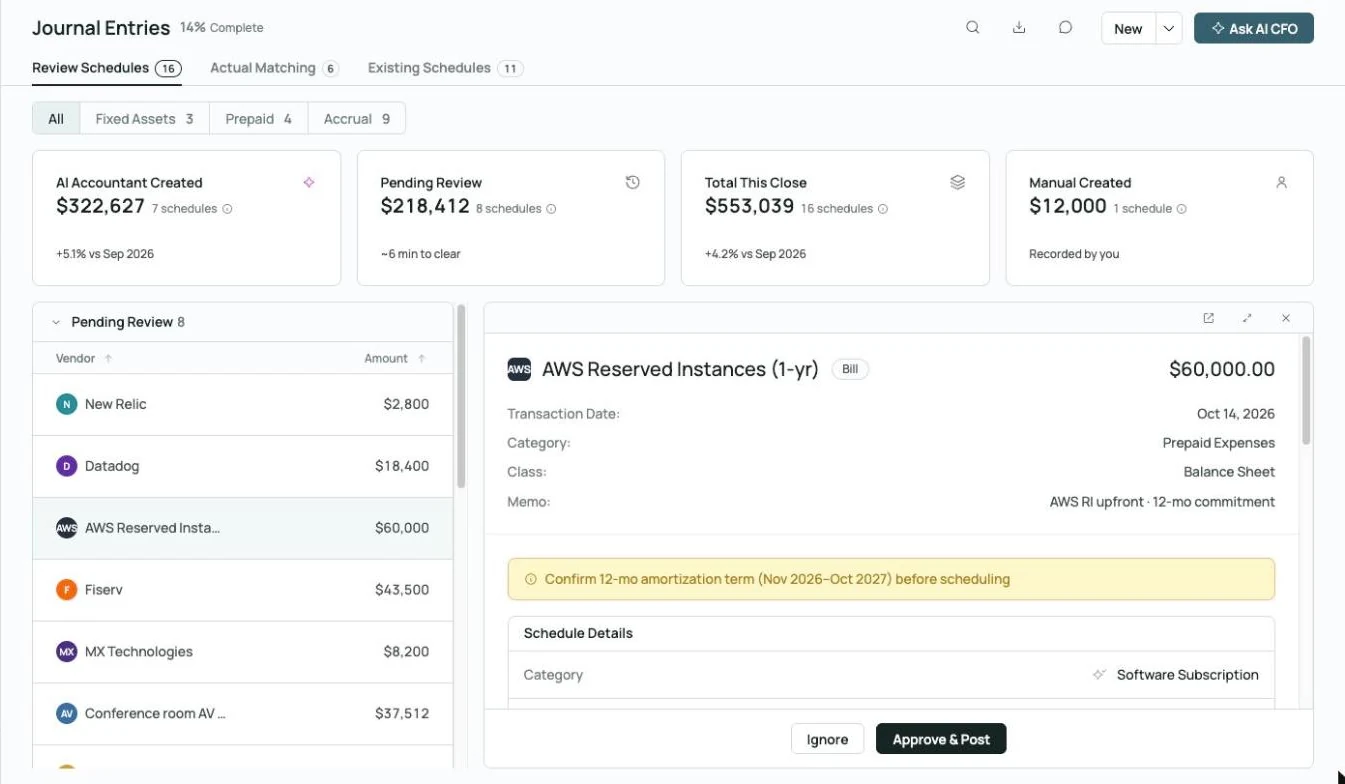 Prepaid schedule drafted, waiting on your approval
Schedules for your sign-off.
Prepaid, fixed-asset and accrual schedules are proposed against each client's capitalization threshold.
Explore month-end close →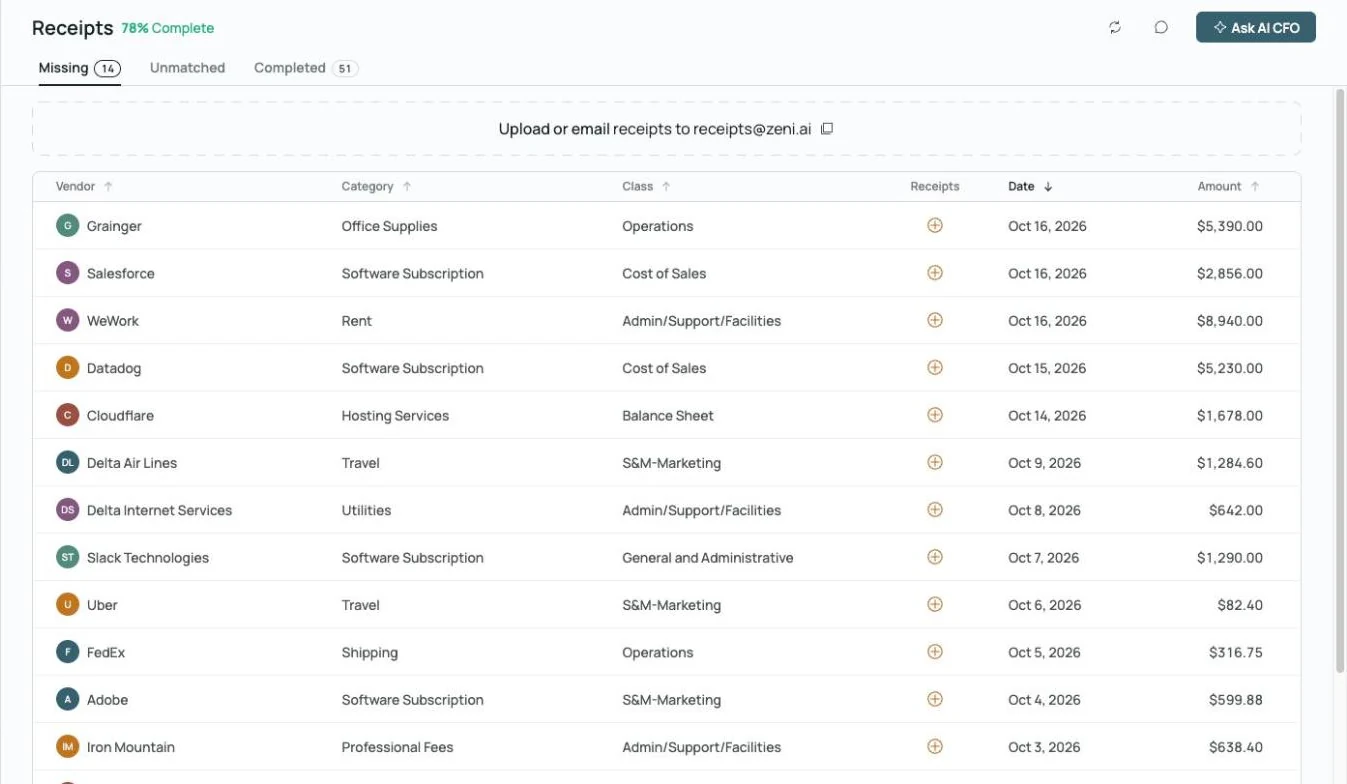
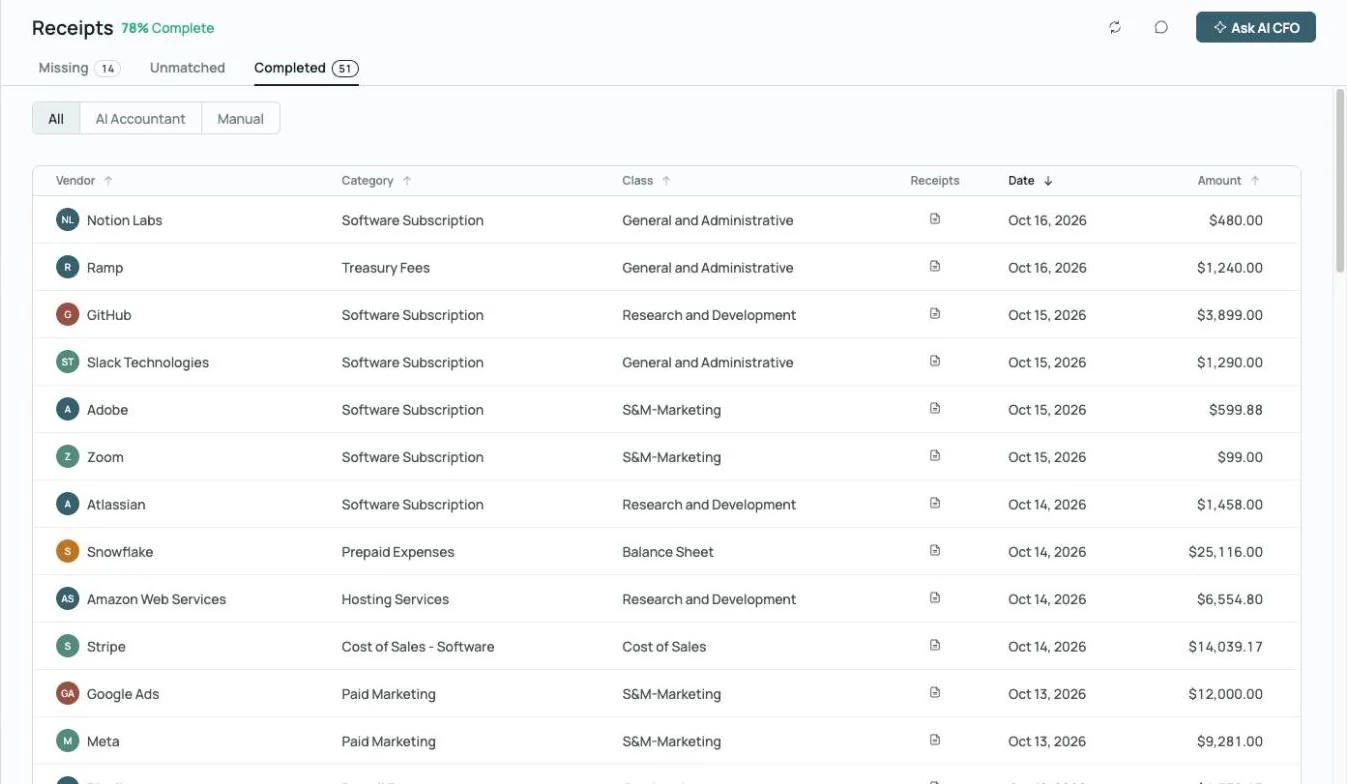
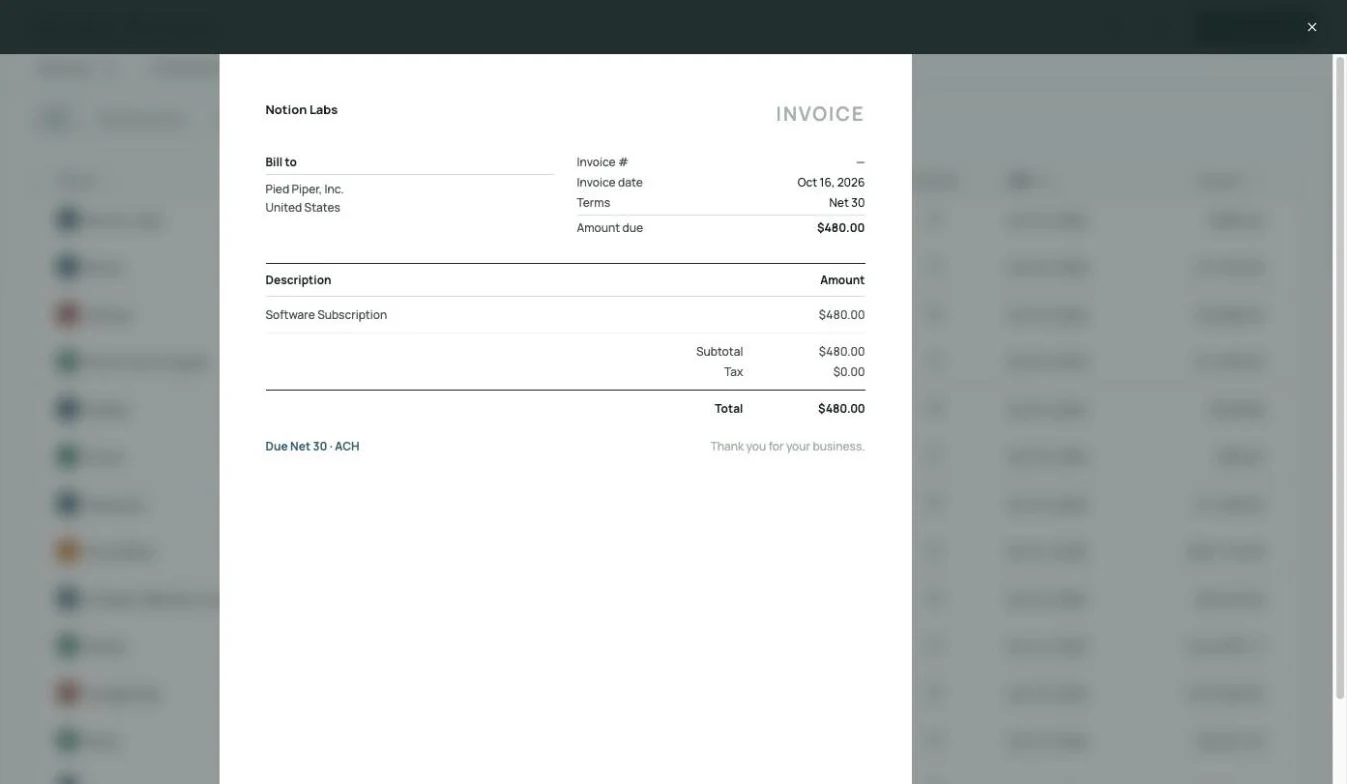 Receipt matched to its charge, on the record
Receipts matched.
Missing receipts are flagged, and forwarded receipts are matched to their transactions.
Explore receipts →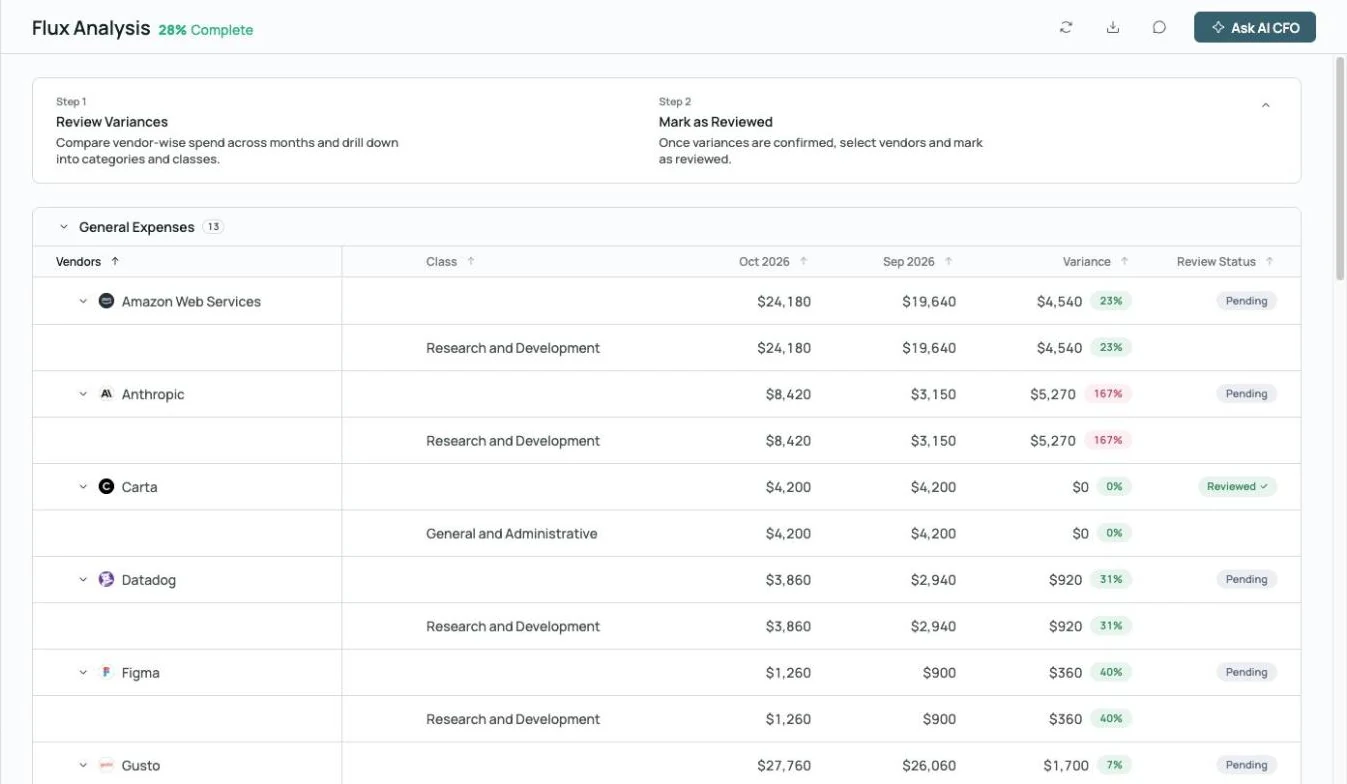
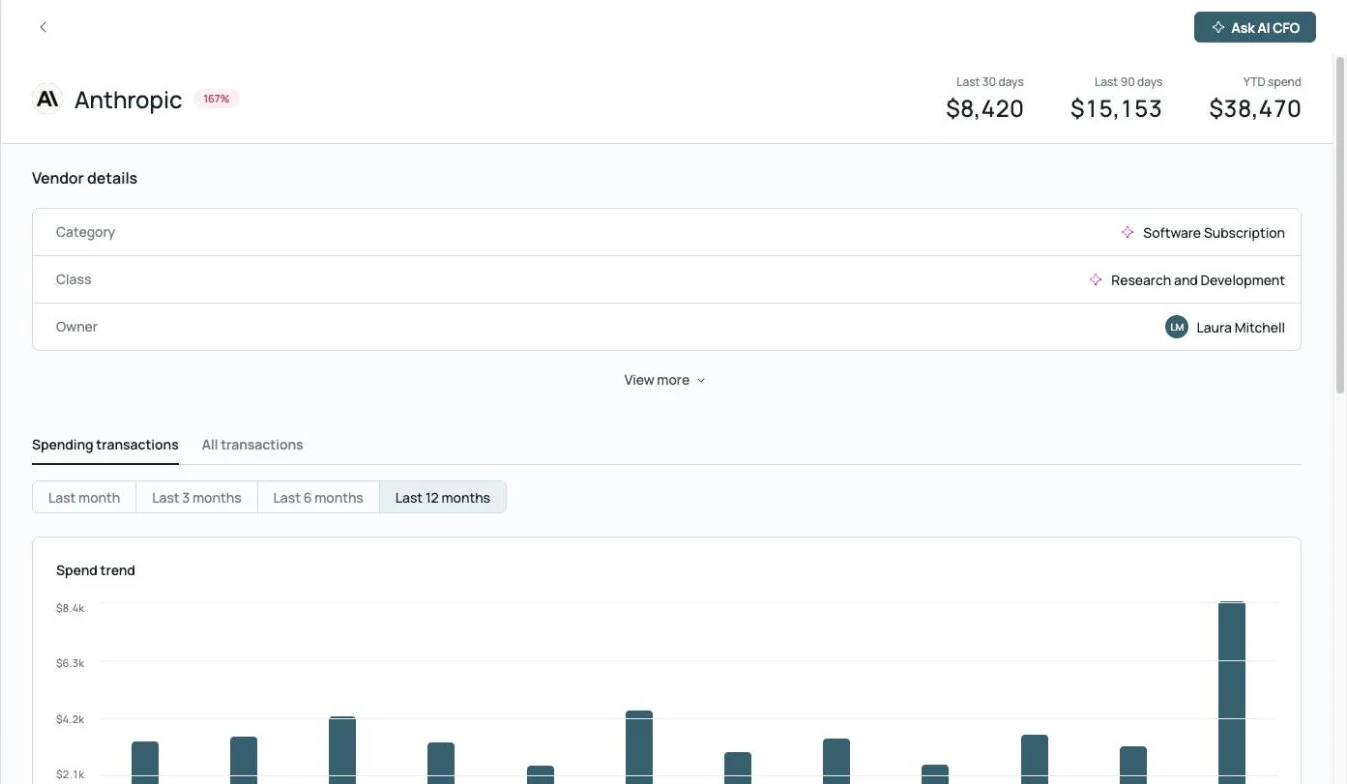
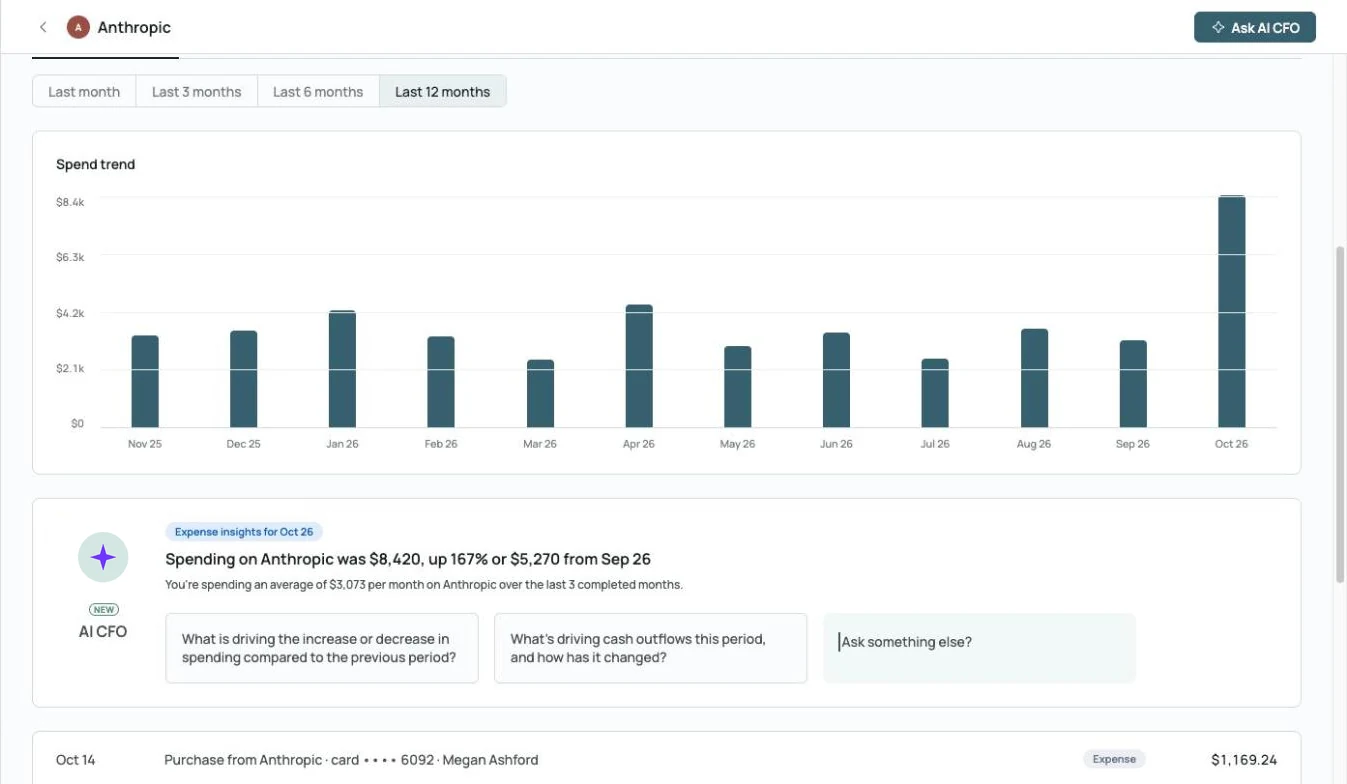 AI CFO explains the spike: up 167% from September
Flux drafted.
Month-over-month variances by vendor, category and class, with a summary of what changed.
Explore month-end close →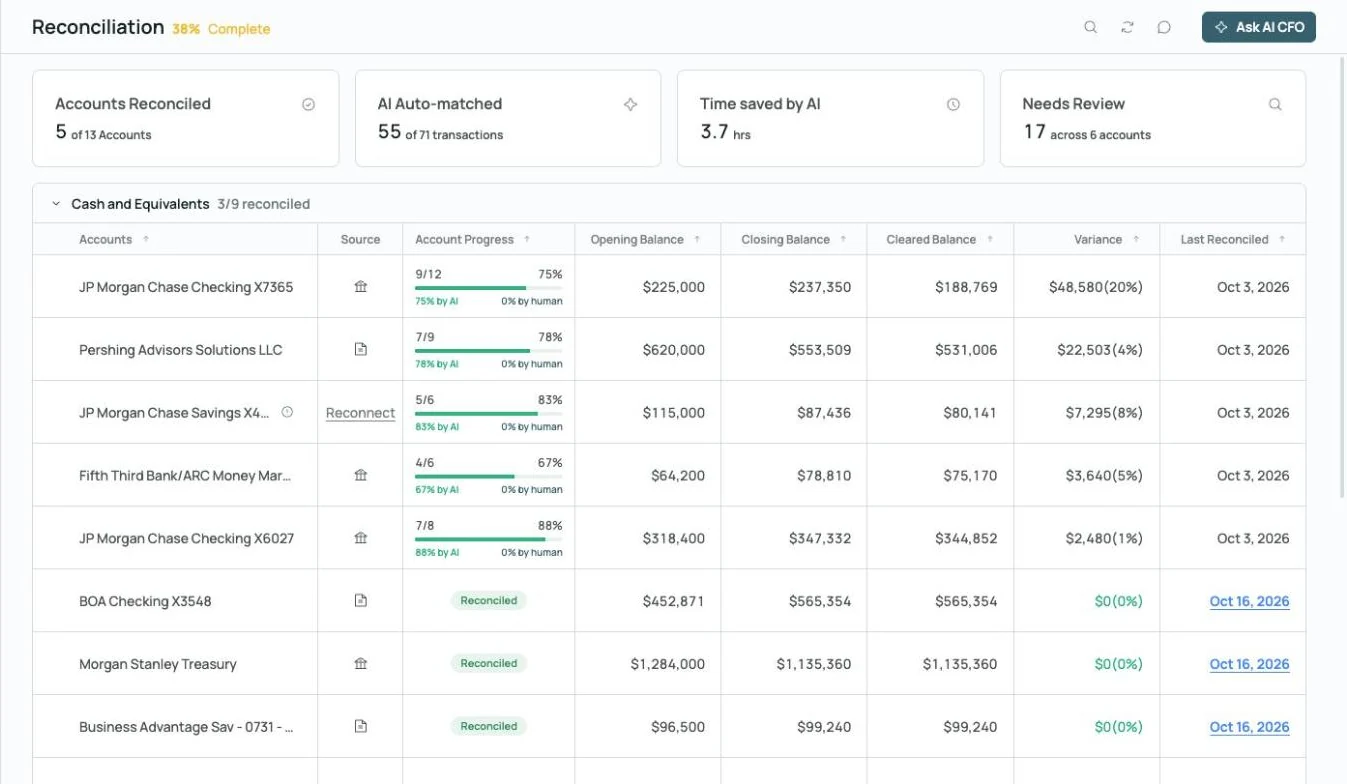
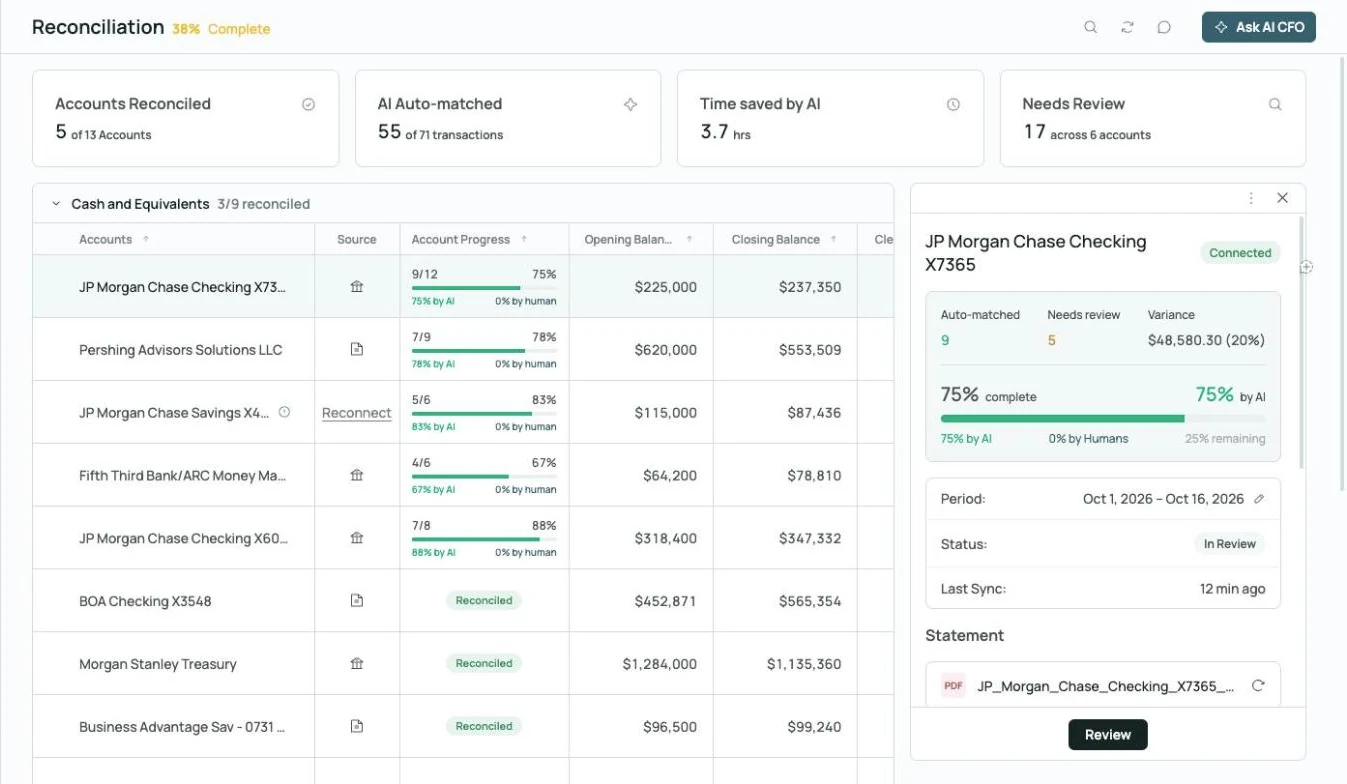
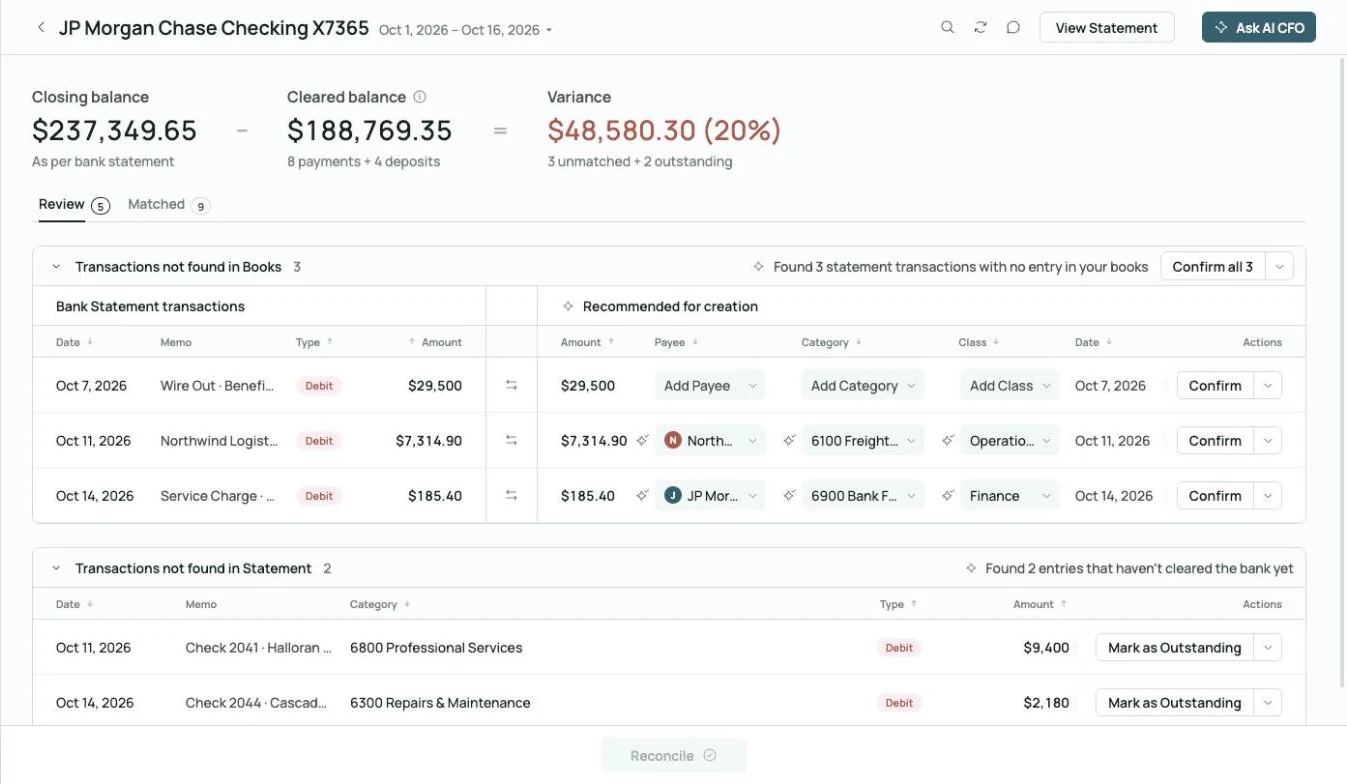 Found 3 statement transactions missing from the books
Reconciliations prepared.
Statements are parsed and compared to cleared balances, with missing transactions flagged.
Explore reconciliation →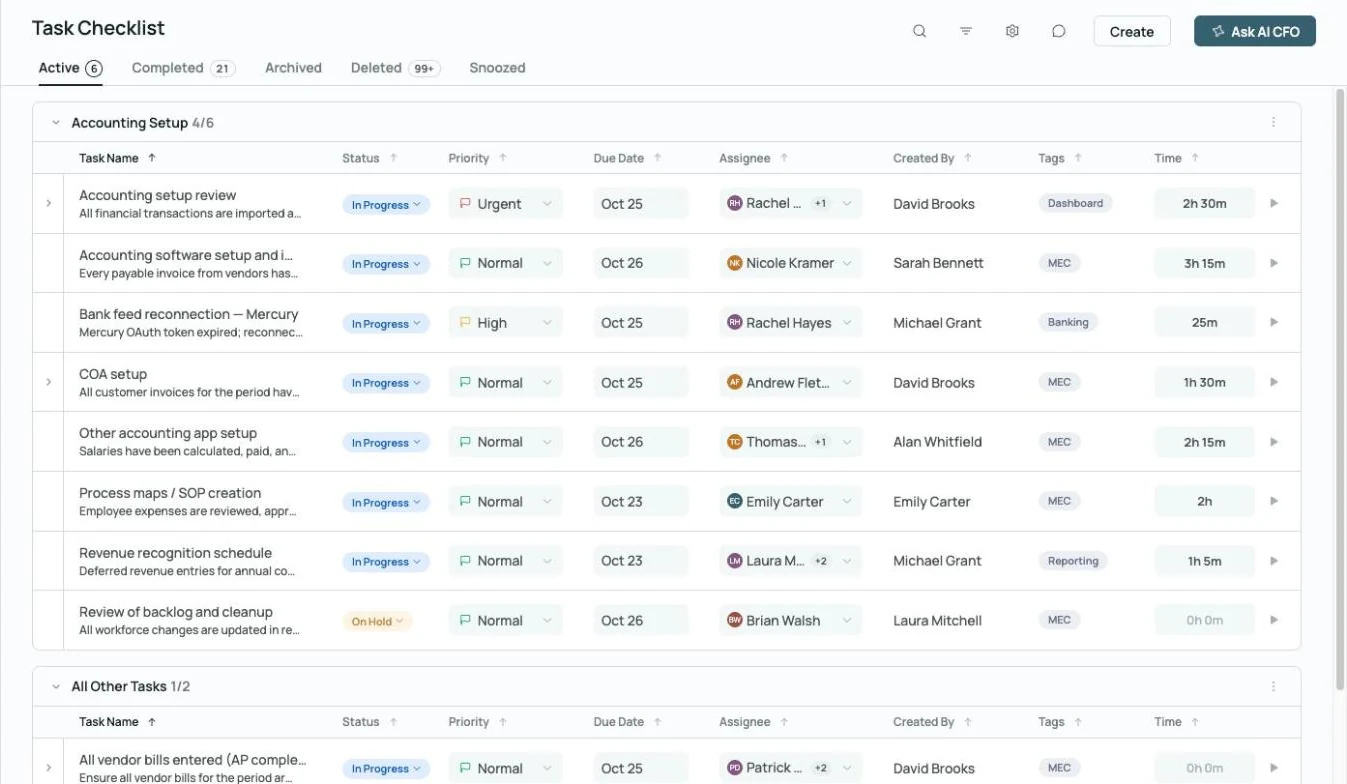
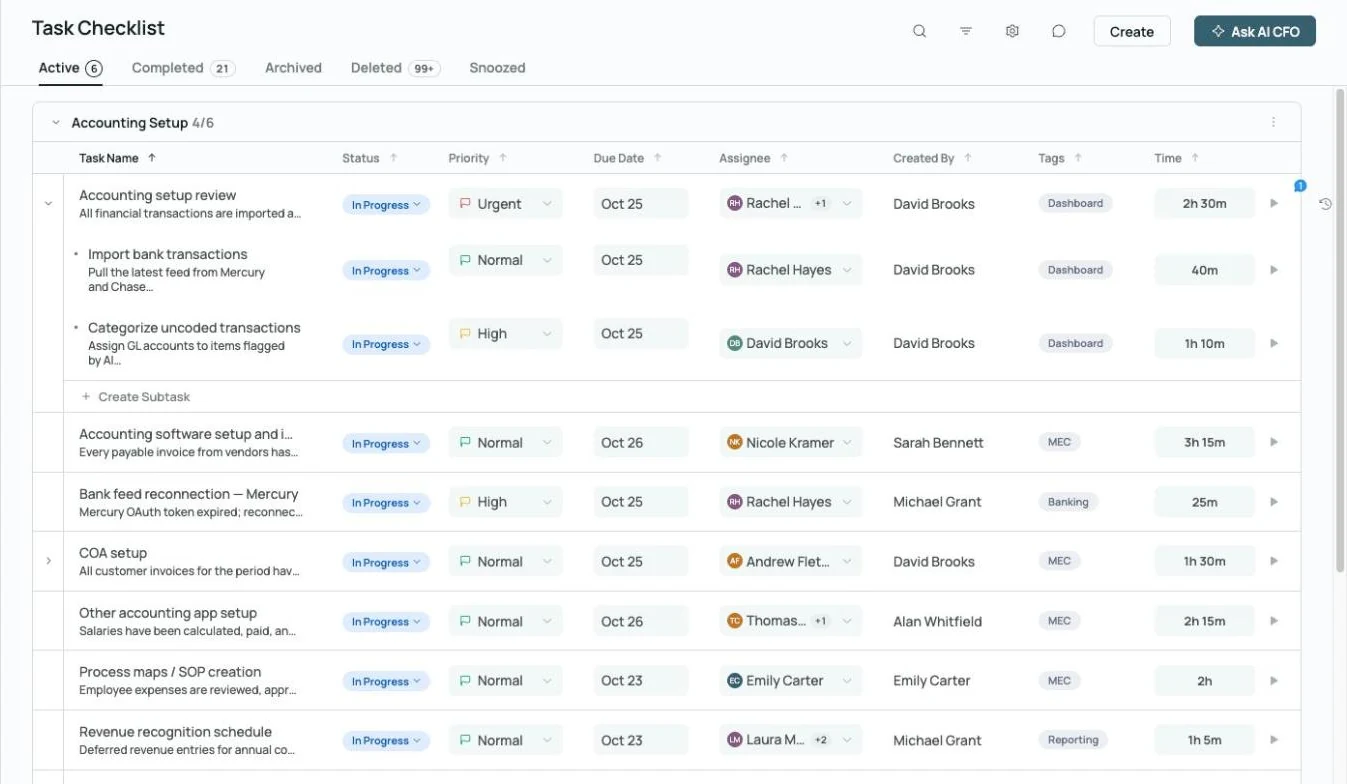 Every close task has an owner, a due date and time tracked
Confidence Score per client.
See how close every client's month is to done from one view.
Explore month-end close →More of the practice's work, in one place.

Transaction splits
Split transactions across categories without leaving Zeni.

Task management
Assign close tasks with owners, priorities and due dates across your team.
Explore month-end close →
Commenting
Ask a client for a receipt or memo right on the transaction and keep the answer on the record.
Explore commenting →What clients ask. What the AI CFO answers.
Built for accountants in practice.
 Your team, plus an AI Accountant and AI CFO
CPAs and accounting firm partners
Firm owners who want to take on more clients and grow advisory without adding headcount.
- More clients per accountant
- Drafted closes for review
- A head start on advisory
Staff and senior accountants
Accountants who'd rather review and analyze than key in transactions.
- Less data entry
- Reasoning to check against
- One login for every client
Spend your time on judgment. Let AI do the first pass.
Talk to our firm team and see a drafted close on books like your clients'.
AI for accountants FAQs.
- Zeni internal figures, October 2026, and customer results from Zeni's published case studies.
- AI CFO is in beta and can make mistakes; check anything important against the books.