AI construction accounting and bookkeeping
Construction accounting.
Every job cost in its place.

Know which jobs make money while they run.
Materials, subcontractors, equipment and payroll spread across many jobs at once. Zeni tags each cost to the right job as it lands and our finance team closes the books, so you see job costs before the job is done. The same platform closes the books for 1,000+ customers.¹
Zeni sets everything up for your company and connects your banks, cards and payroll. Our team manages the AI agents and reviews the work. With other accounting software, keeping the agents working is your job. With Zeni, it's ours.

Job costs, tracked
Tag materials, equipment rentals and subcontractor bills to each job, and run your P&L by project.

Subcontractor bills, approved
Bills route through approval rules by amount before they are paid, and 1099s are easier at year-end.

Equipment, depreciated
Trucks and heavy equipment go on fixed asset schedules that post depreciation every month.

Cash you can plan around
A 13-week cash forecast from the AI CFO helps you plan payroll and supplier payments between draws.
An AI Accountant for the books.
An AI CFO for the answers.
The AI Accountant keeps your construction books current all month. The AI CFO turns them into answers.
Connect your accounts. Get closed books.
Zeni's AI and finance team handle the bookkeeping in between. You review the numbers and ask the questions.
Connect your accounts: link banks, cards and payroll, so every material purchase, subcontractor bill and customer payment lands in the books.
The AI Accountant works the month: it codes costs to the right job, matches receipts and reconciles accounts.
Your Zeni team closes and reports: we close the month, post depreciation and accruals, and deliver your financials.
 Close work drafted by AI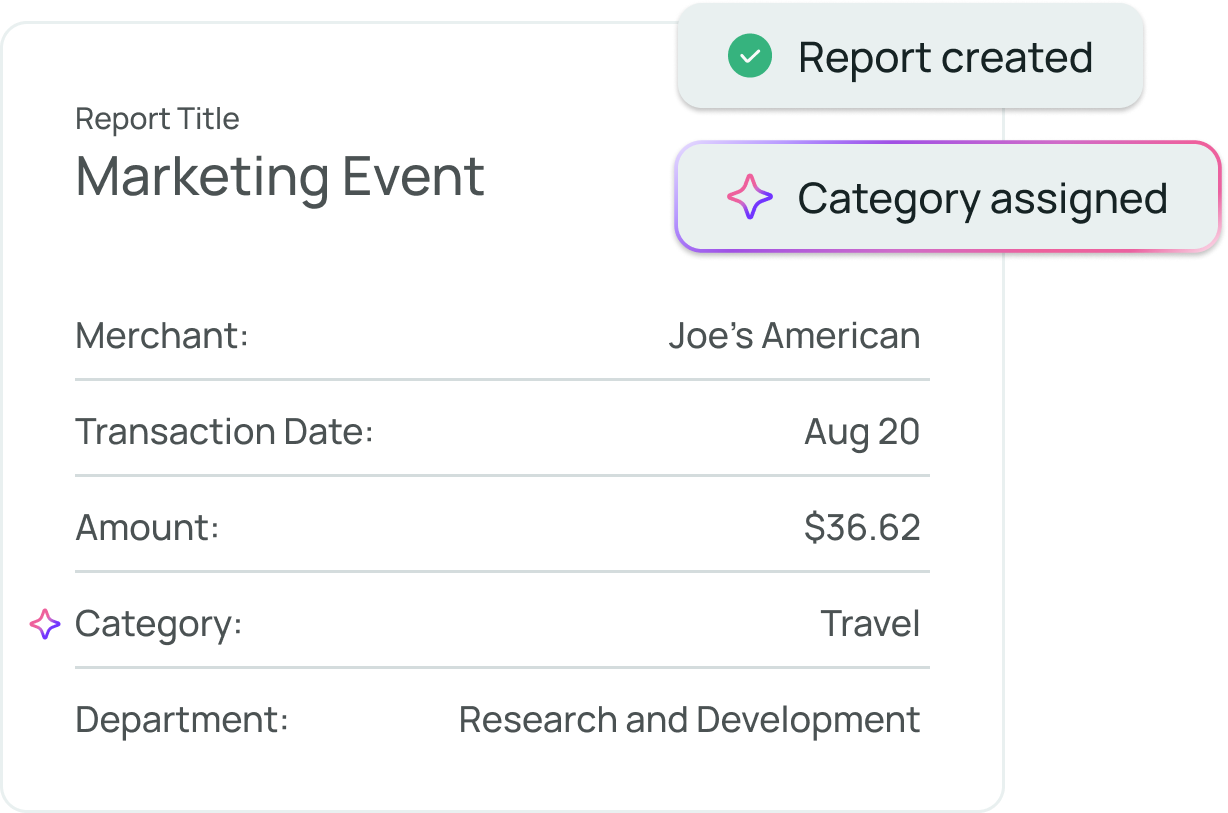
What is construction accounting?
Construction accounting is bookkeeping and reporting for contractors and builders: tracking costs by job, managing subcontractor bills, depreciating equipment, and planning cash between customer payments. Zeni's AI Accountant codes activity as it lands, and your Zeni team closes the books each month.
Every number comes with its reasoning.
Each AI suggestion arrives with its reasoning and confidence, so you and your Zeni team can see why a lumber bill or equipment rental landed on a job. Approval rules route bills to the right project manager, and nothing changes in a closed period. Change history on every entry keeps bonding, lender and audit reviews simple.
 AI CFO · answers from live books
A CFO between job meetings.
Zeni's AI CFO answers questions on job costs, cash and spend by vendor from your live books, shows how every number was calculated, and builds a 13-week cash forecast,² so owner and lender conversations start from numbers you trust.
Your construction month-end close, in one workspace.
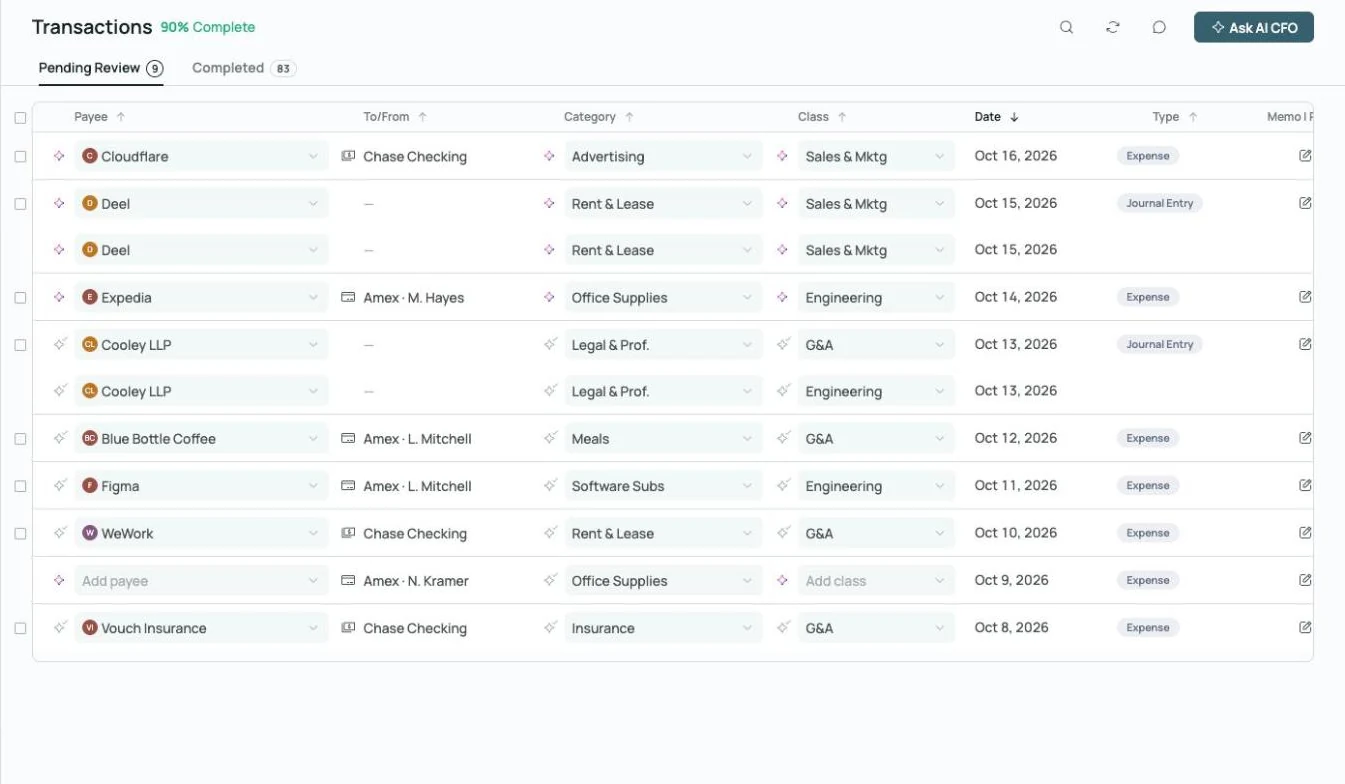
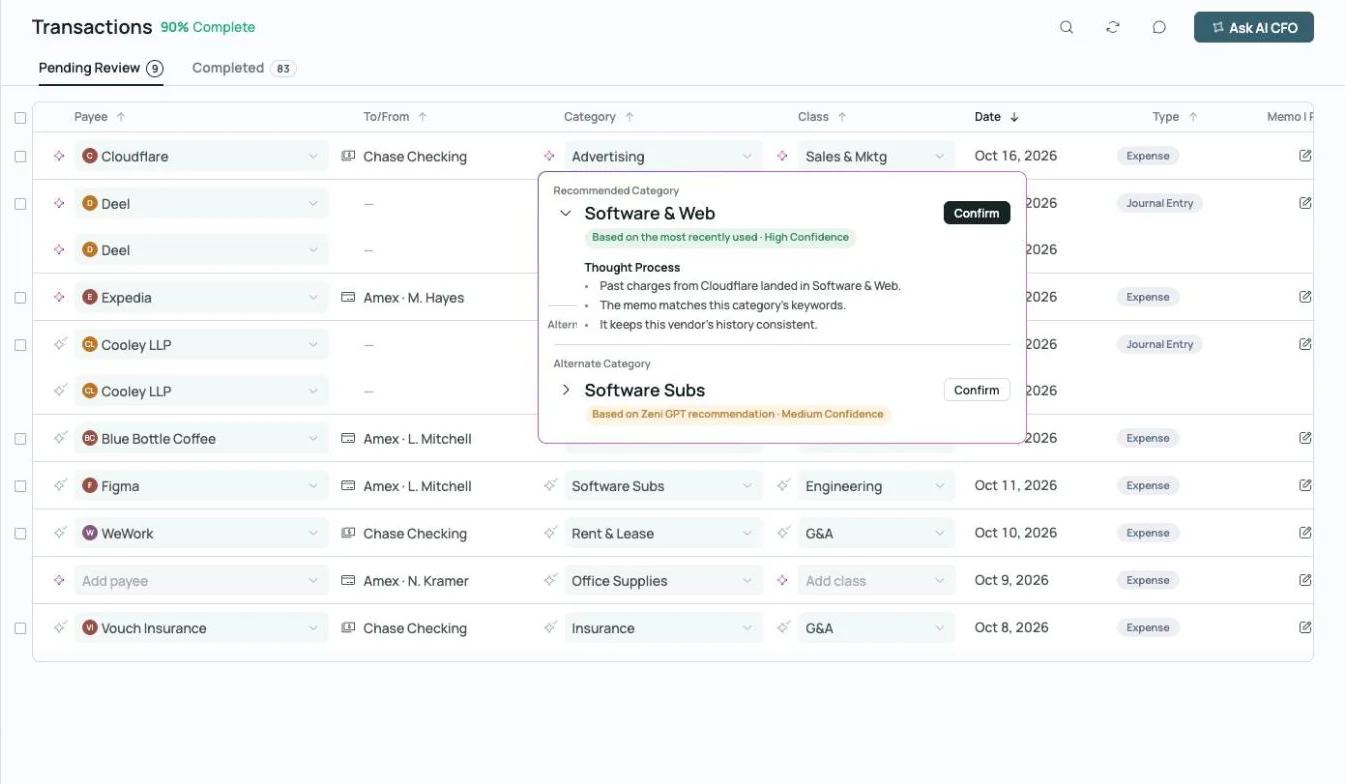 Thought process on every AI call
Coded, with the reasoning attached.
Every material purchase, subcontractor bill and equipment rental gets a category, class and vendor, plus an explanation of how the AI decided.
Explore transactions →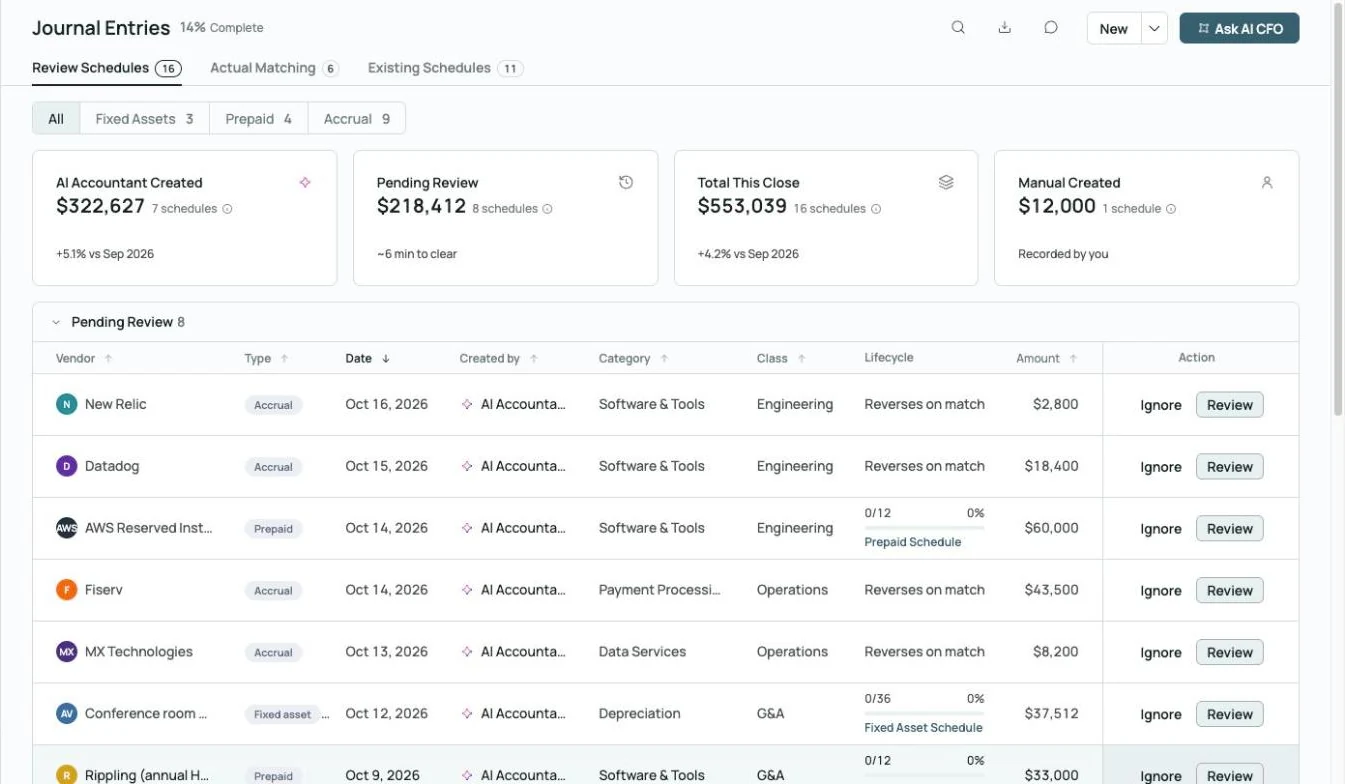
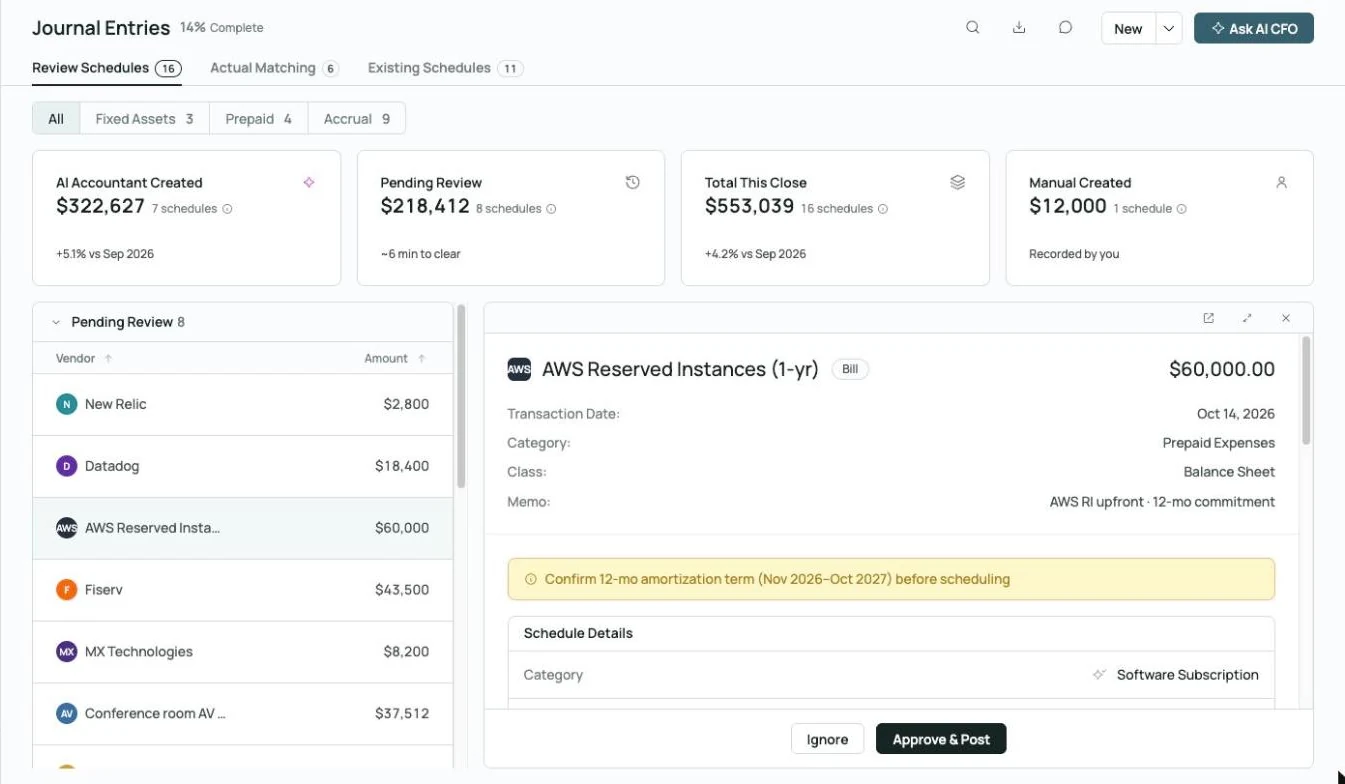 Prepaid schedule drafted, waiting on your approval
Schedules that post themselves.
Equipment depreciation, prepaid insurance and accrual schedules are built and maintained automatically, and every entry waits for approval before it posts.
Explore month-end close →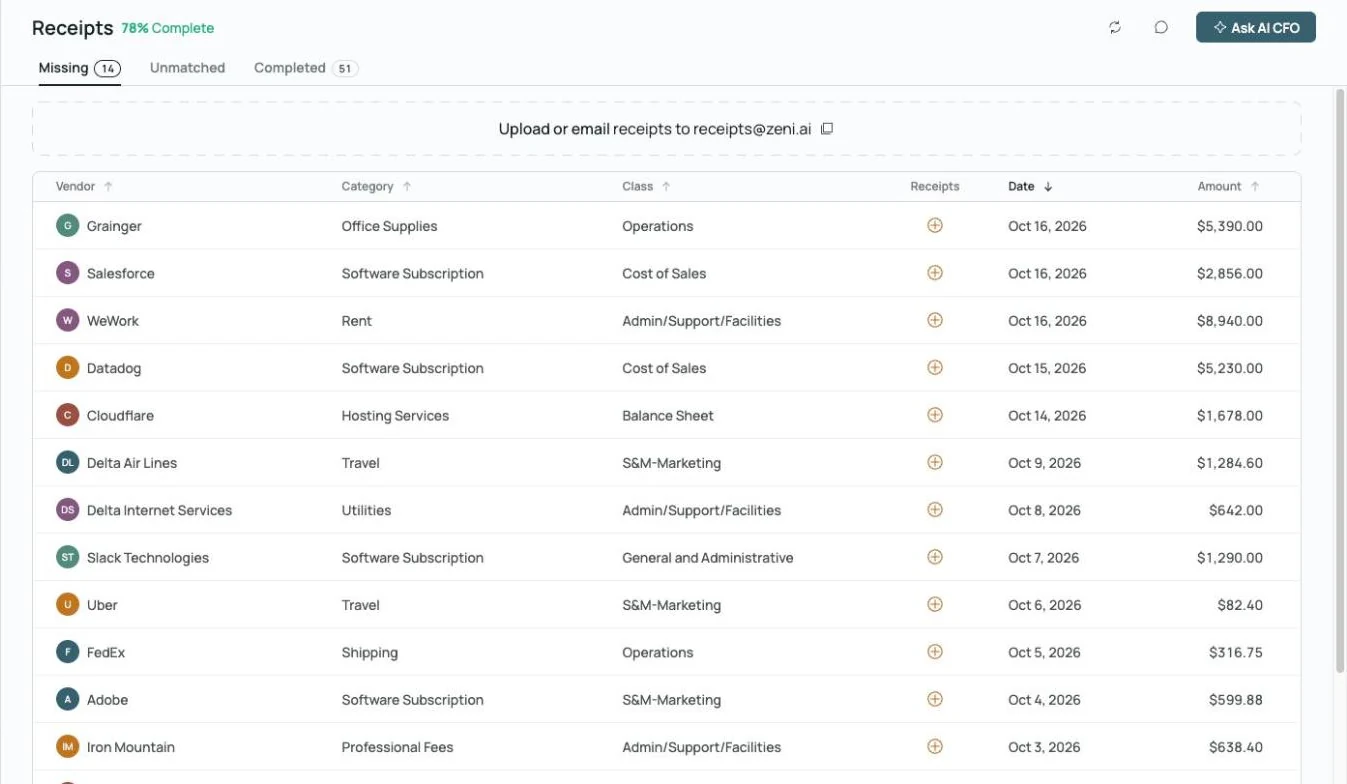
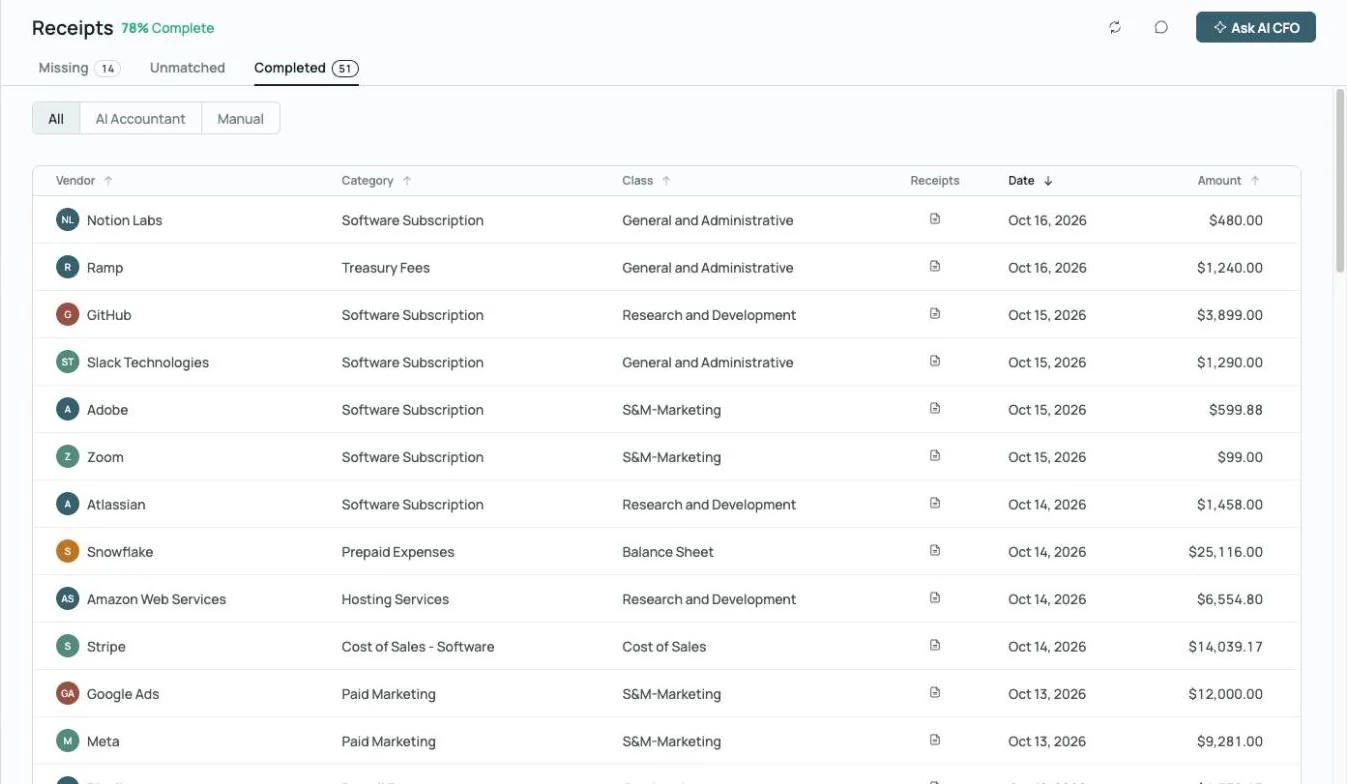
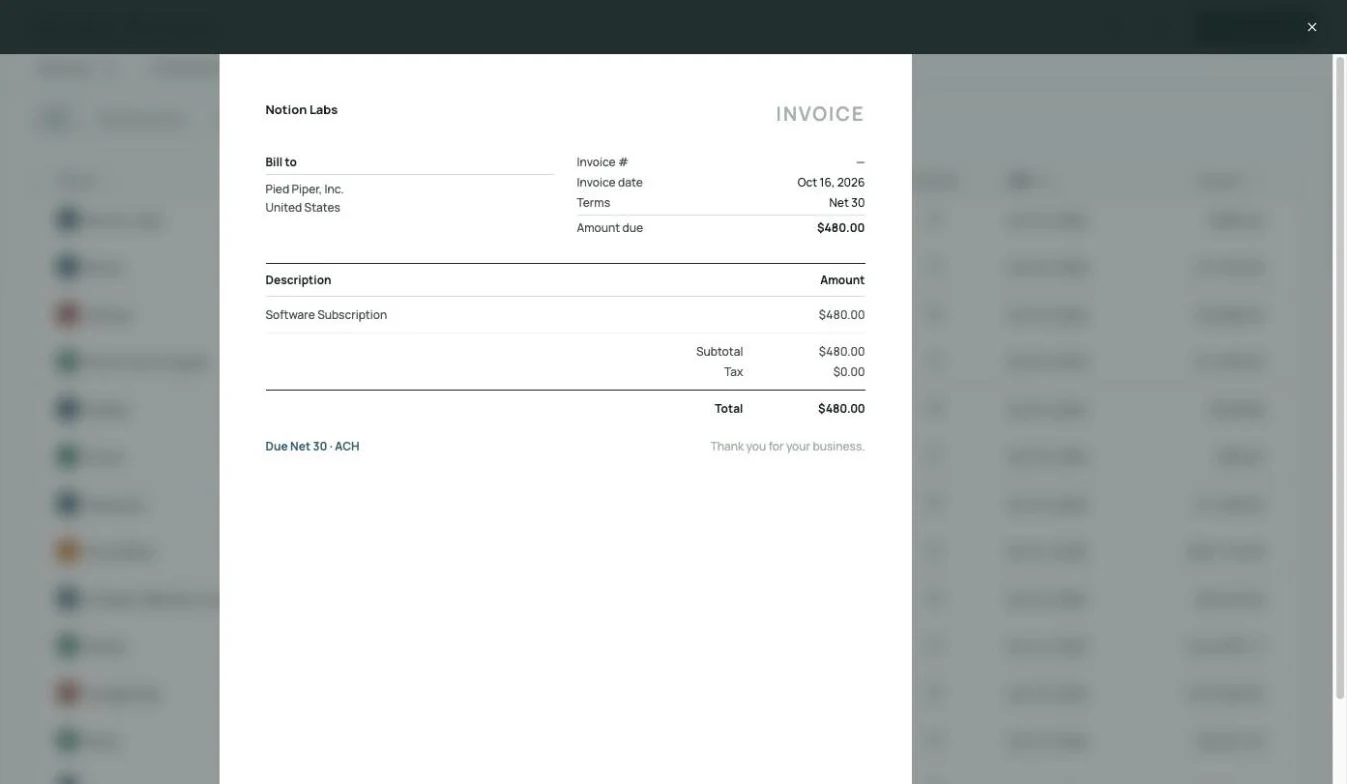 Receipt matched to its charge, on the record
Never chase a receipt again.
Zeni flags every supply or card charge missing a receipt, gives your team one place to upload or email them, and matches each receipt to its charge.
Explore receipts →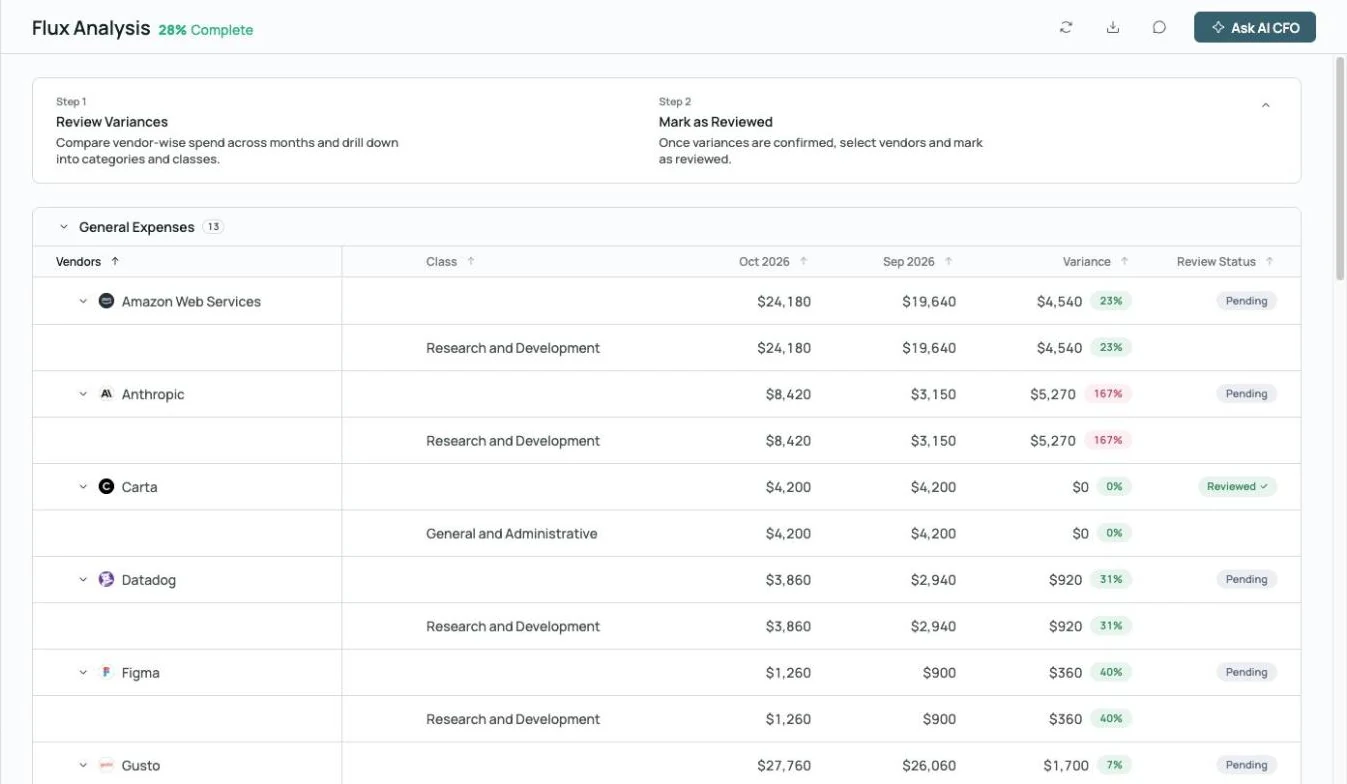
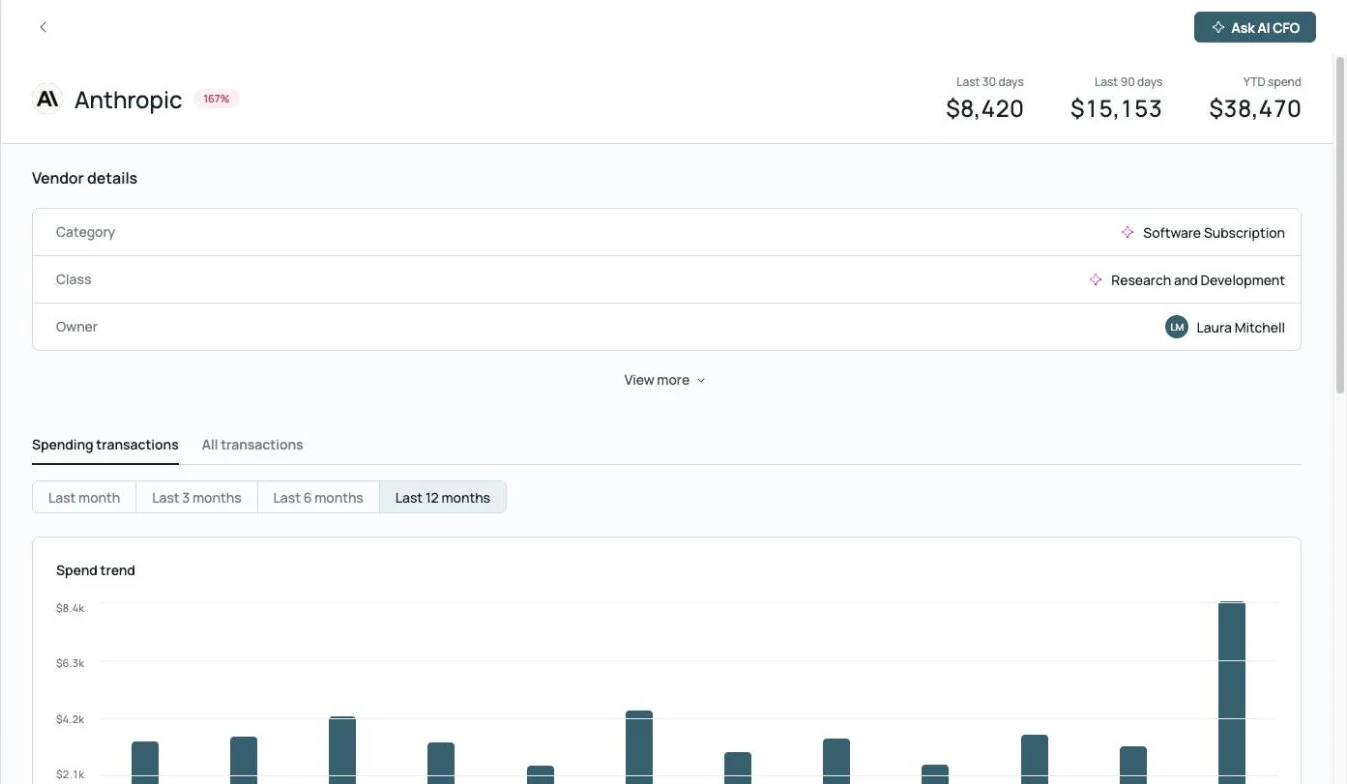
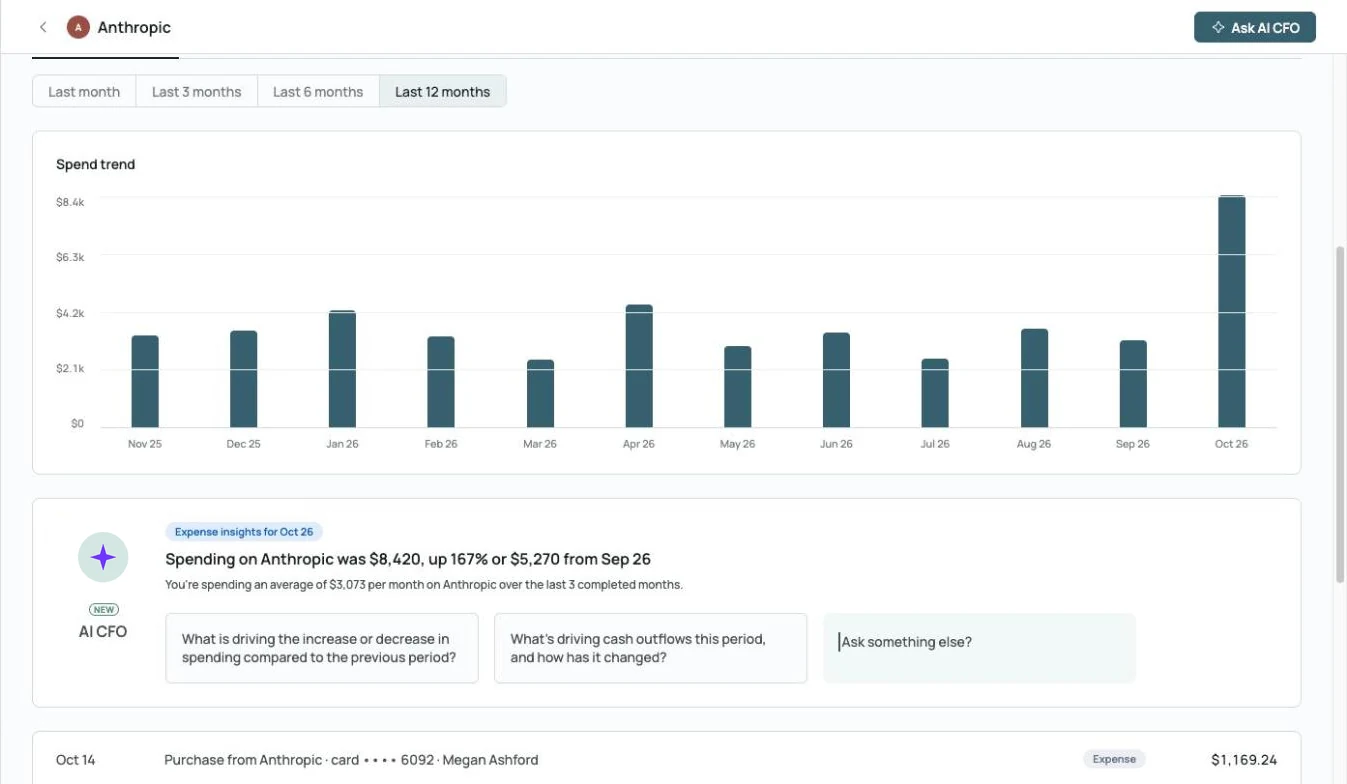 AI CFO explains the spike: up 167% from September
Catch the swing before the job closes.
Month-over-month variances by vendor and department, with a drill-down into materials and equipment trends and an AI CFO summary of what changed.
Explore month-end close →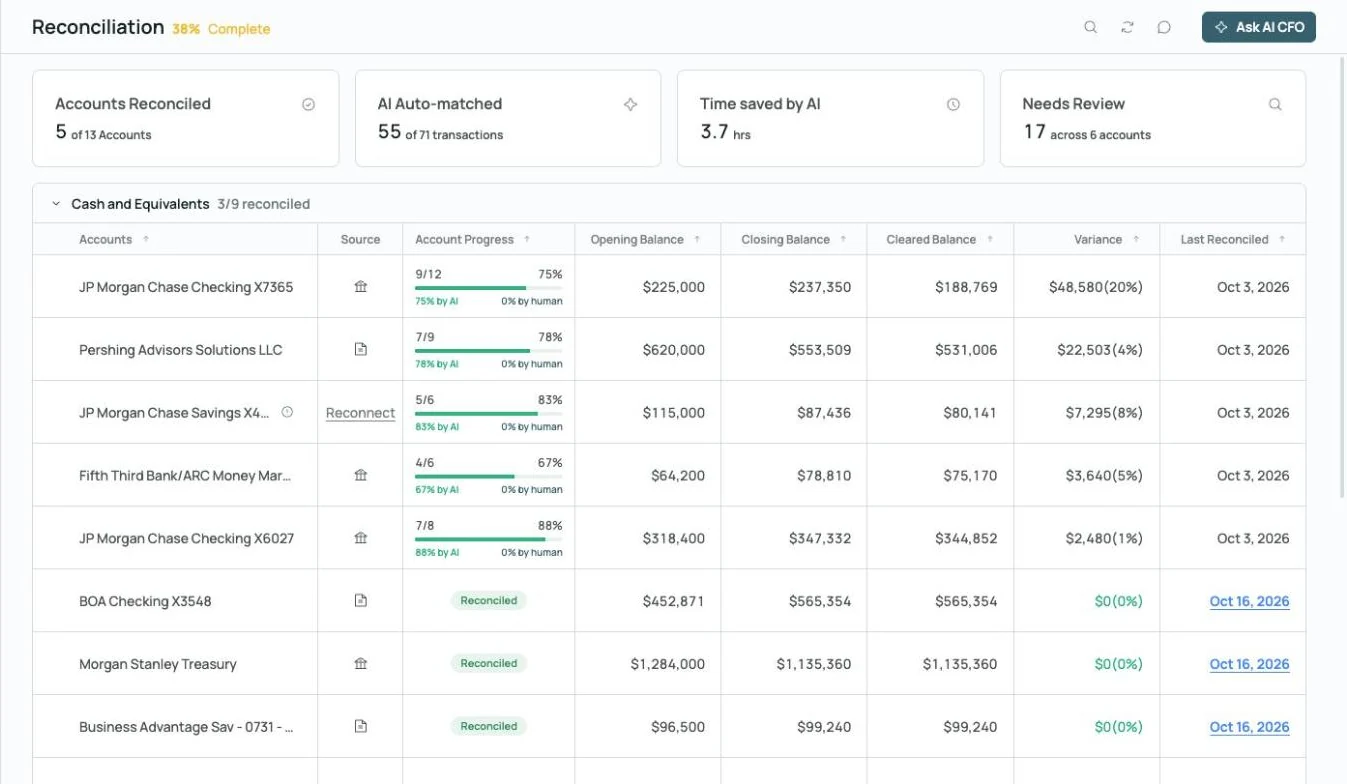
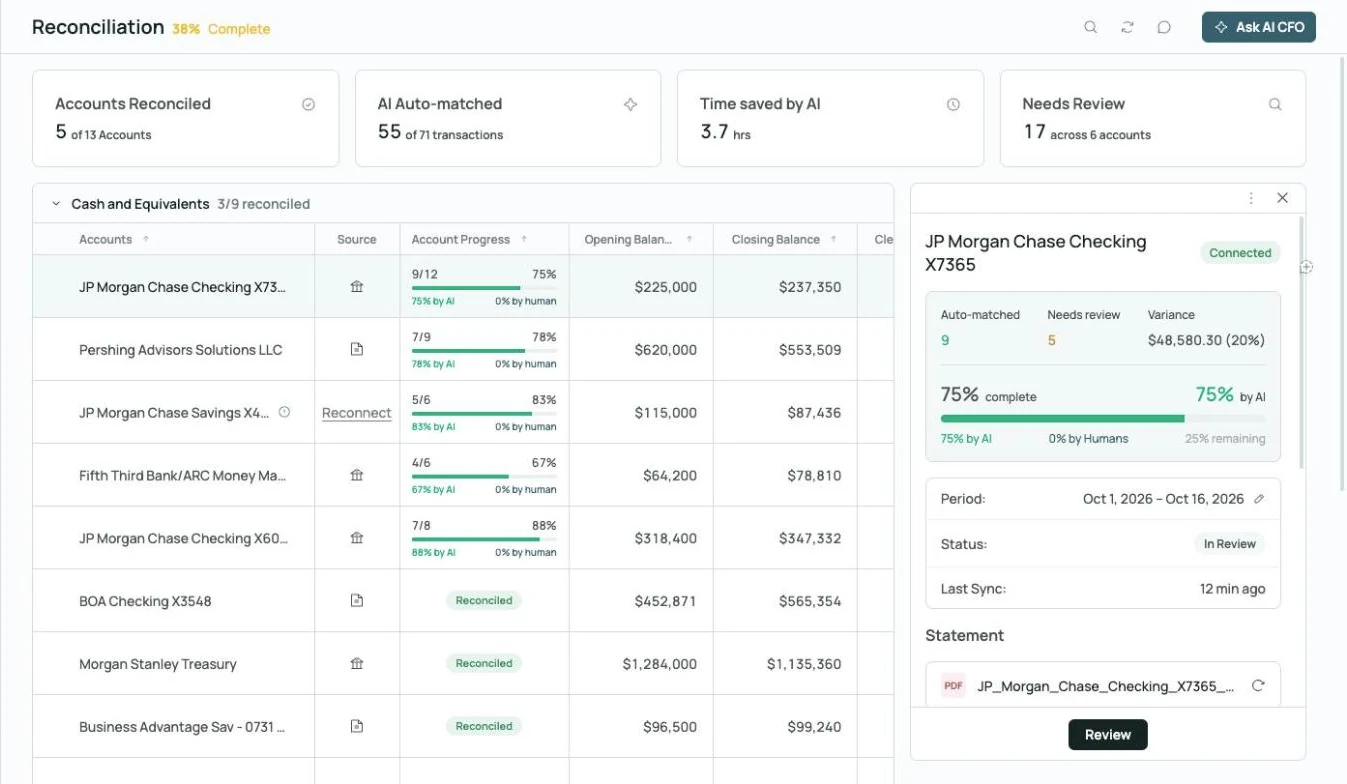
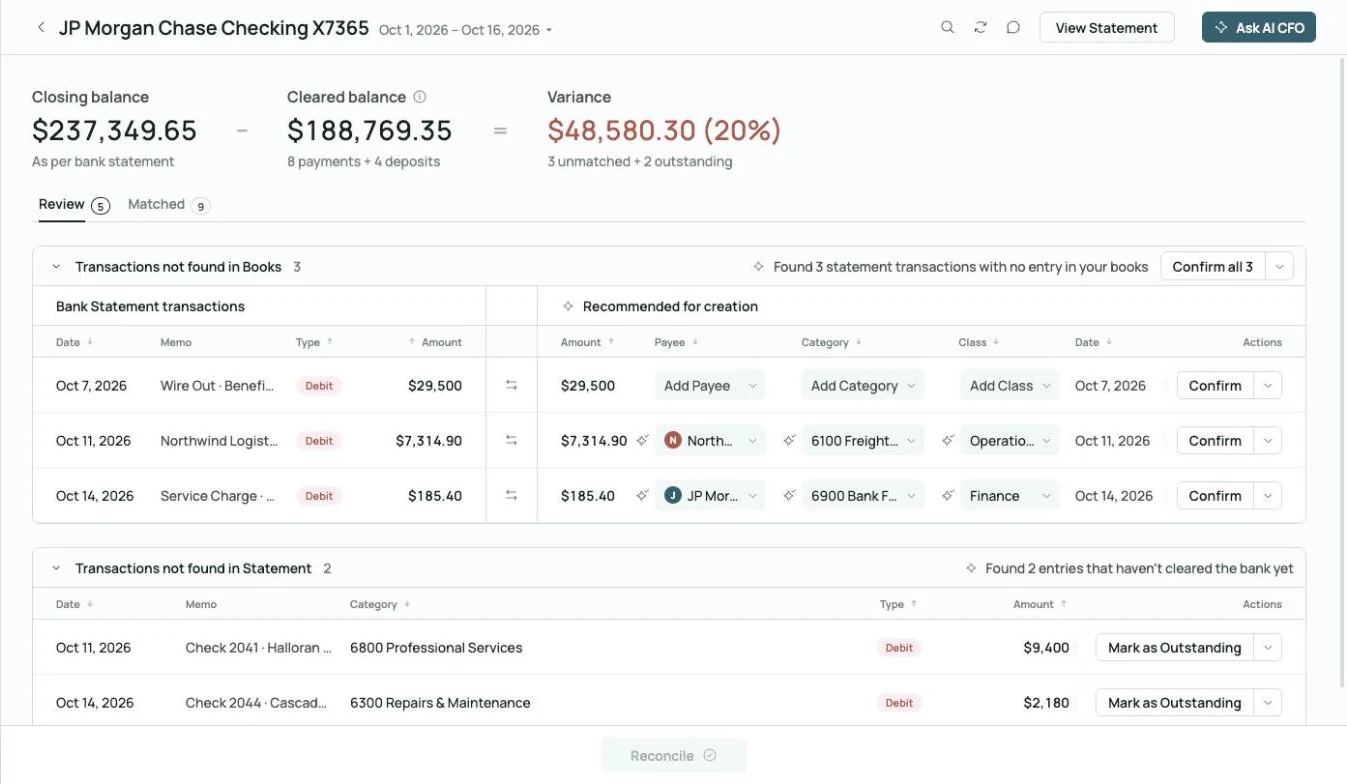 Found 3 statement transactions missing from the books
Matched to the bank, to the penny.
Zeni compares each statement to the cleared balance, finds transactions missing from the books, and suggests the entries to create.
Explore reconciliation →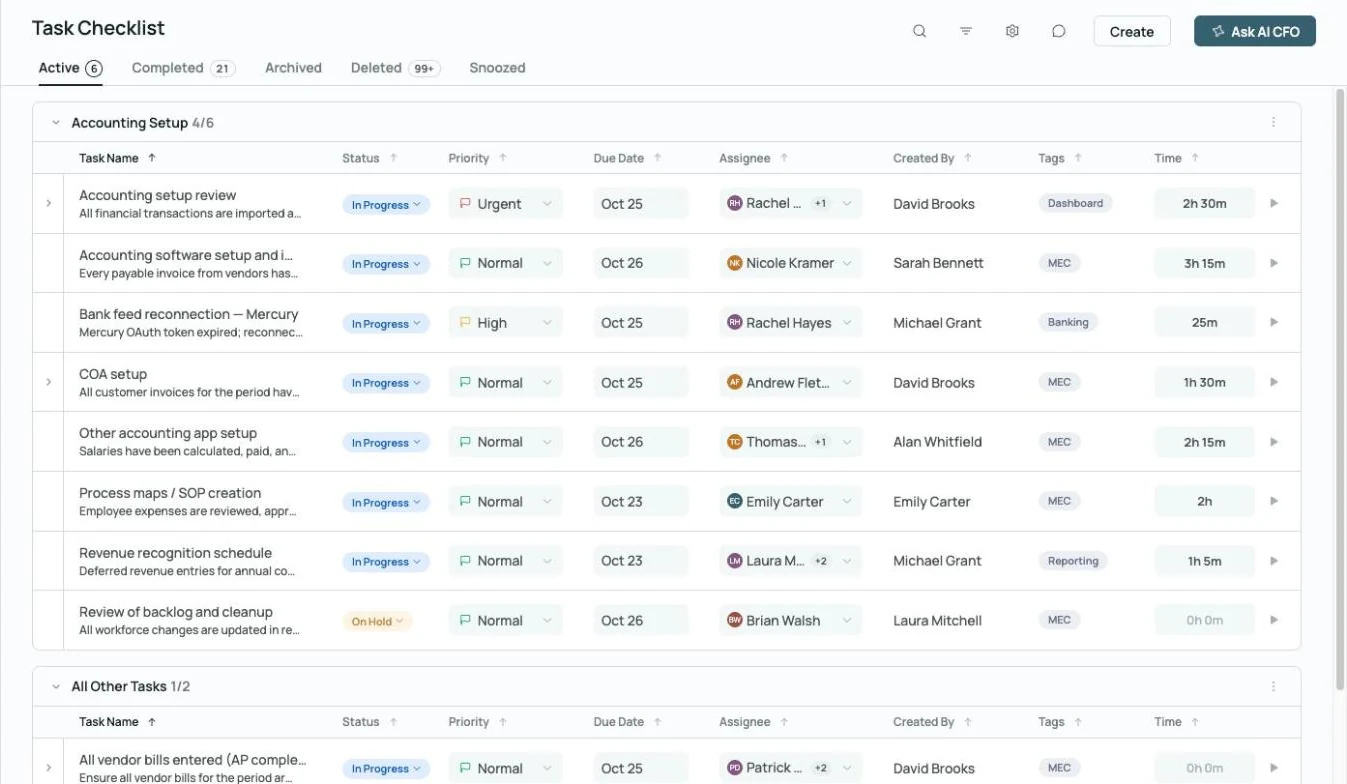
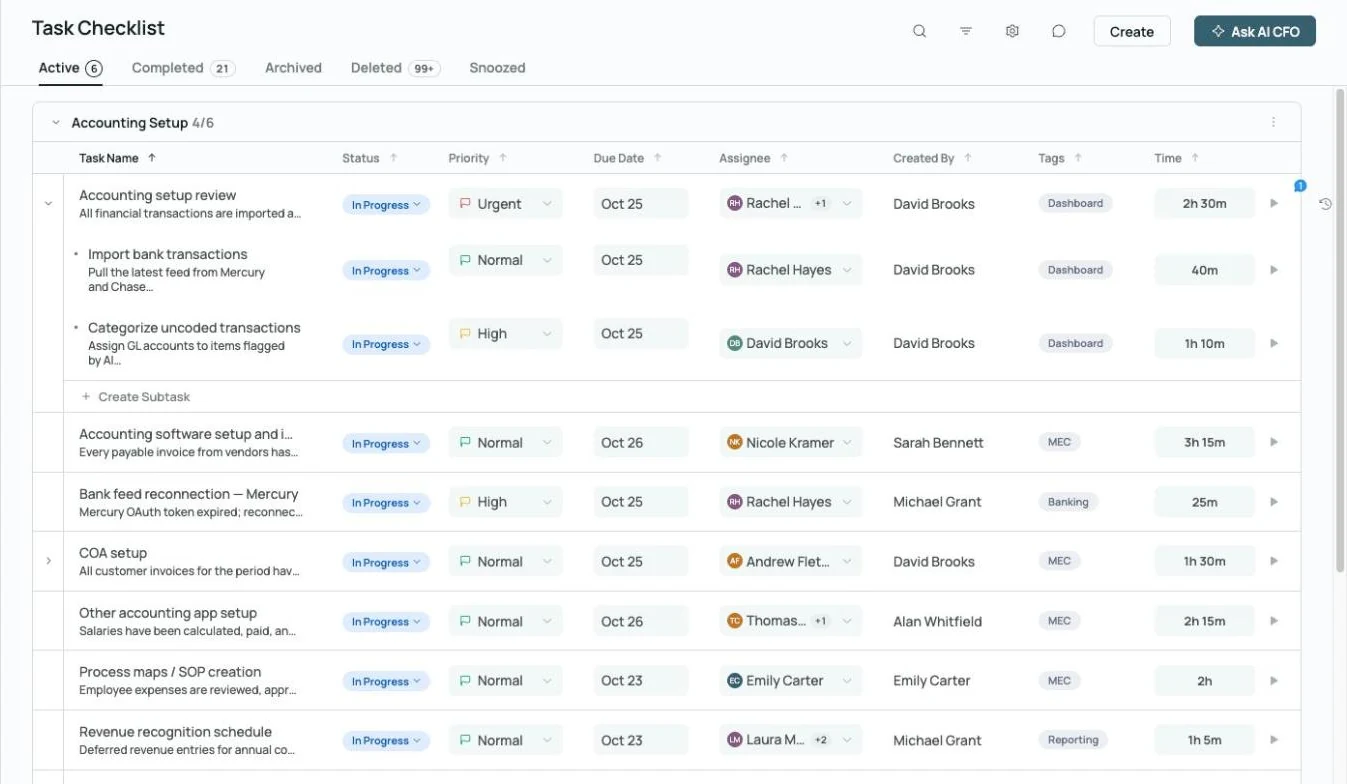 Every close task has an owner, a due date and time tracked
See who owns every close task.
Every close task has an owner, a priority and a due date, so your office manager can see where the month stands before owner meetings.
Explore month-end close →Run more of your construction finance work in one place.
Invoicing
Invoice customers, track payments and follow up on past-due invoices automatically, with AR aging on your dashboard.

Task management
Give every close task an owner, a priority and a due date, so your office manager sees who owns what.
Explore month-end close →
Commenting
Ask a project manager about a receipt right on the transaction, @mention them, and keep the answer on the record.
Explore commenting →What contractors ask. What the AI CFO answers.
Built for the people who run the jobs.
 Your team, plus an AI Accountant and AI CFO
Owners and presidents
Contractors and builders who want clear numbers by job without hiring a full finance team.
- Know cash and job costs any day of the month
- Talk to lenders and bonding agents with numbers you trust
- Tax-ready books at year-end
Office managers and project accountants
The people who keep the books and need a fast close and reports they don't rebuild.
- Costs tagged to each job
- Subcontractor bills routed for approval
- Flux analysis that explains every change
Build more jobs. Keep the books right.
See the AI Accountant and AI CFO on a construction company's books.
Construction accounting FAQs.
- Zeni internal figures, October 2026, and customer results from Zeni's published case studies.
- AI CFO is in beta and can make mistakes; check anything important against the books.
See how Zeni's AI bookkeeping and accounting software works for other teams like yours.