.avif)
.avif)
.avif)
.png)
How AI is changing financial reporting
Most finance teams still find out how the month went after the month is over. Reports get compiled by hand, dashboards get rebuilt in a spreadsheet before every board meeting, and any question outside the standard report means an email to the bookkeeper and a wait. Founders end up making decisions on numbers that are already a few weeks stale.
AI financial reporting software changes that math. Learn how Zeni compiles your core financial statements and dashboard automatically, and puts an AI CFO on call for anything else you need to know.

What is AI financial reporting?
AI financial reporting is the use of artificial intelligence to automatically compile a company's financial statements, such as the profit and loss statement, balance sheet, and cash flow statement, along with live dashboards of key metrics like burn rate and cash position, and to answer follow-up financial questions in natural language instead of requiring a manual report request.
AI financial reporting: what finance teams struggle with today
Manual reporting means your numbers are always a snapshot of the past, not the present. Building a board deck means exporting data into a spreadsheet and formatting it by hand, every single time. And when a founder has a question that isn't already answered by an existing report, someone has to build a new one from scratch, which usually means a delay measured in days, not seconds.
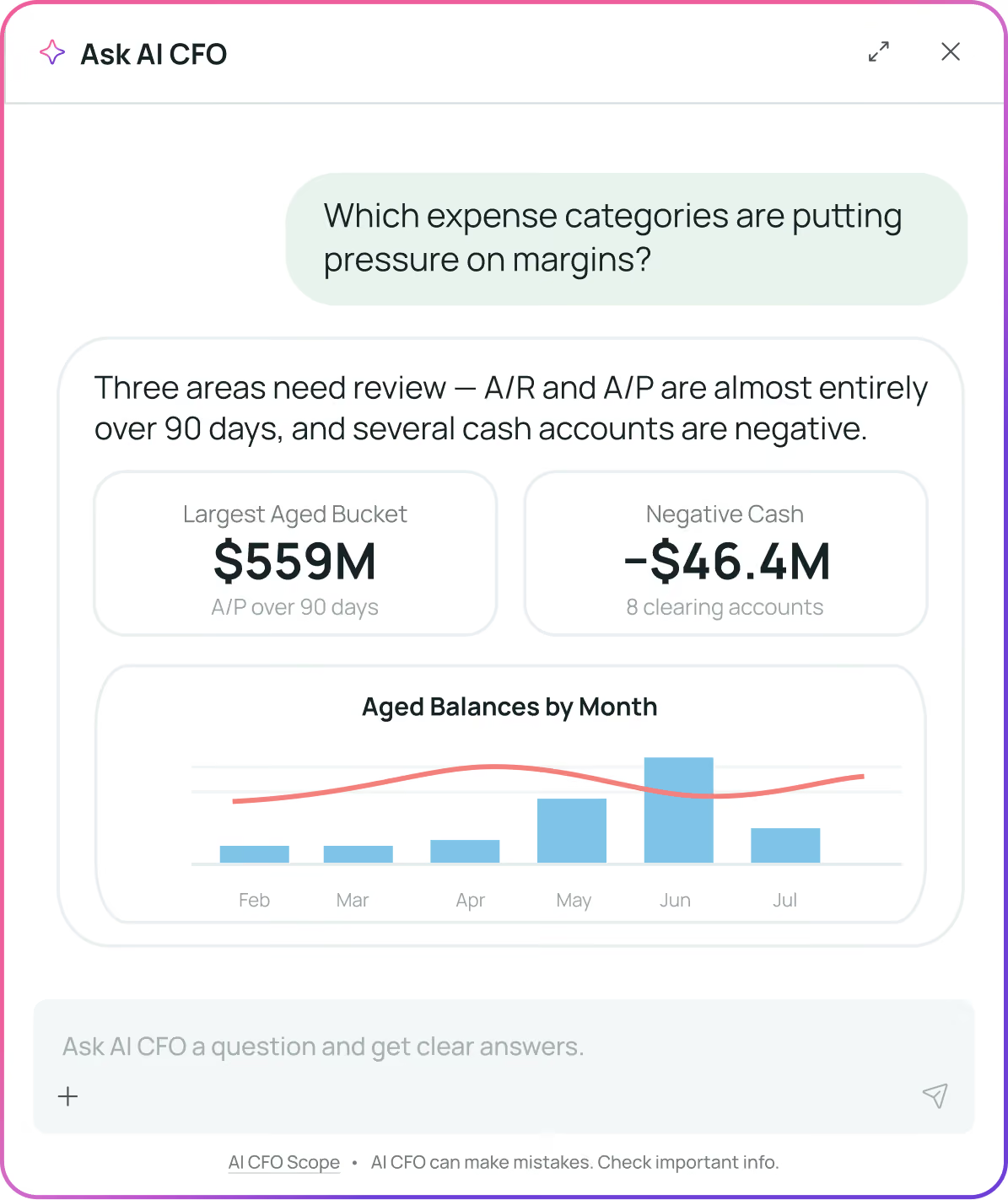
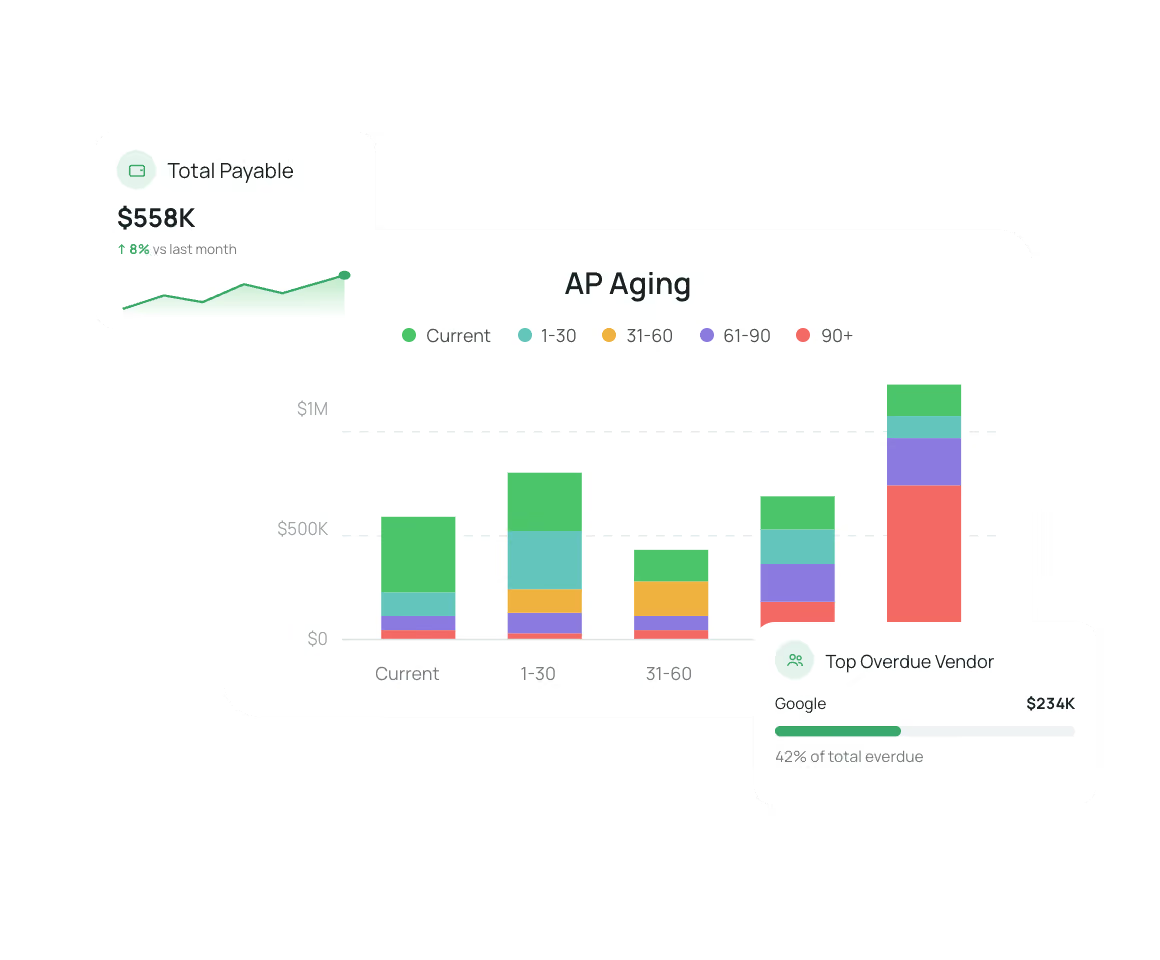
Aging visibility suffers too. Knowing which invoices are 90+ days overdue, or which vendors haven't been paid, often means digging through two different systems instead of looking at one screen.
Ditch the recurring spreadsheet rebuild. Software can keep this current for you, automatically.

The best AI financial reporting software features
When evaluating an AI financial reporting solution, look for:
- Automated statement generation. Your P&L, balance sheet, and cash flow should compile themselves from your books, not require manual assembly each month.
- Real-time dashboards. Core metrics like burn, cash position, and revenue should update continuously, not just at month-end.
- Conversational analysis. You should be able to ask a specific question in plain language and get an answer, not just a static report.
- Aging visibility. AP and AR aging should be tracked automatically and broken into clear buckets, not buried in a general ledger export.
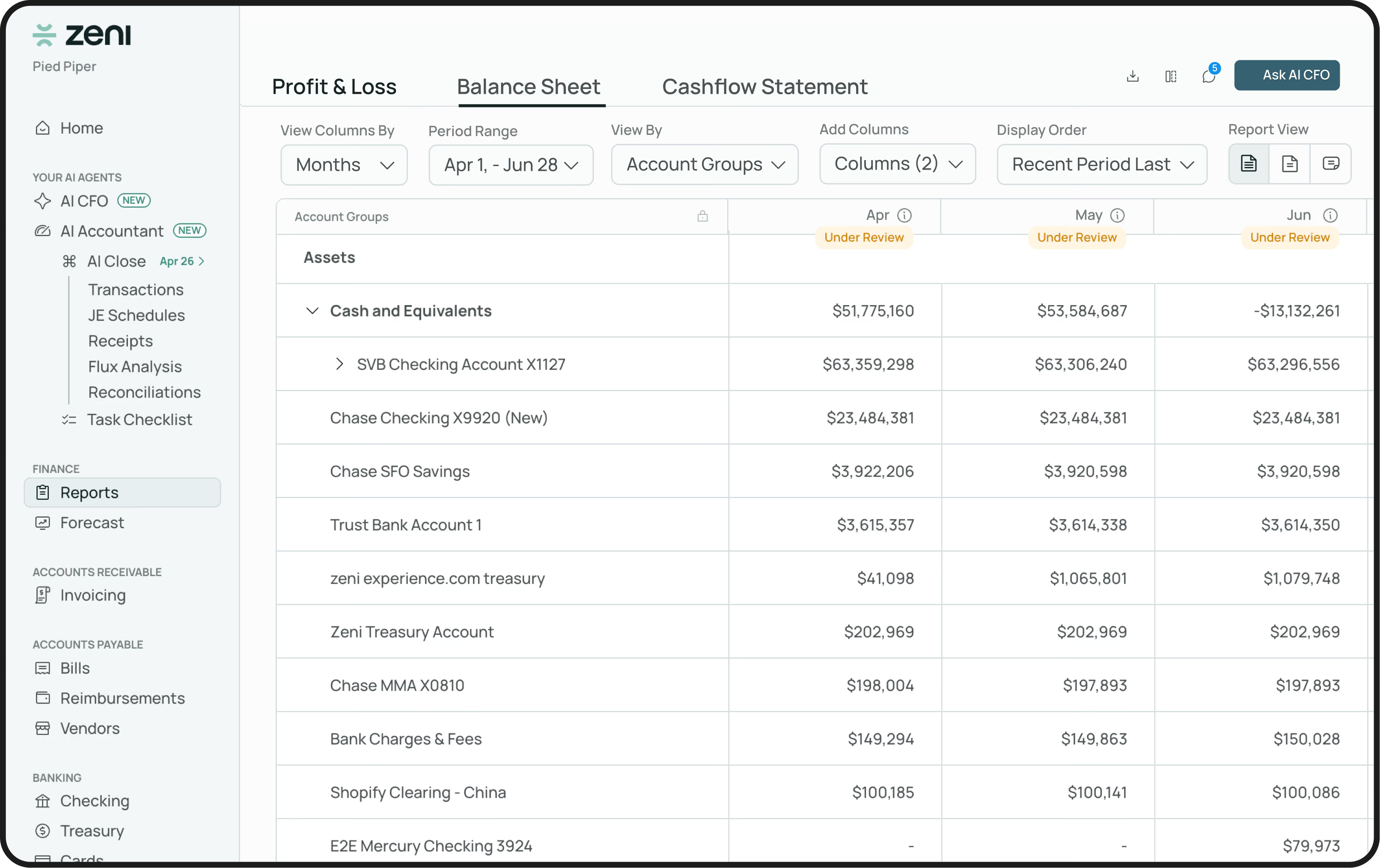
- Multi-account consolidation. If your cash sits across several bank, treasury, and clearing accounts, your reports should roll them up automatically.
- Auto-generated insights. The software should flag what changed and why, in plain English, not just show you a number.
- Audit-ready detail. Line items like state-specific tax payables or deferred revenue changes should be visible, not summarized away.
Introducing Zeni's AI Financial Reporting: reports that compile themselves, an AI CFO that answers anything
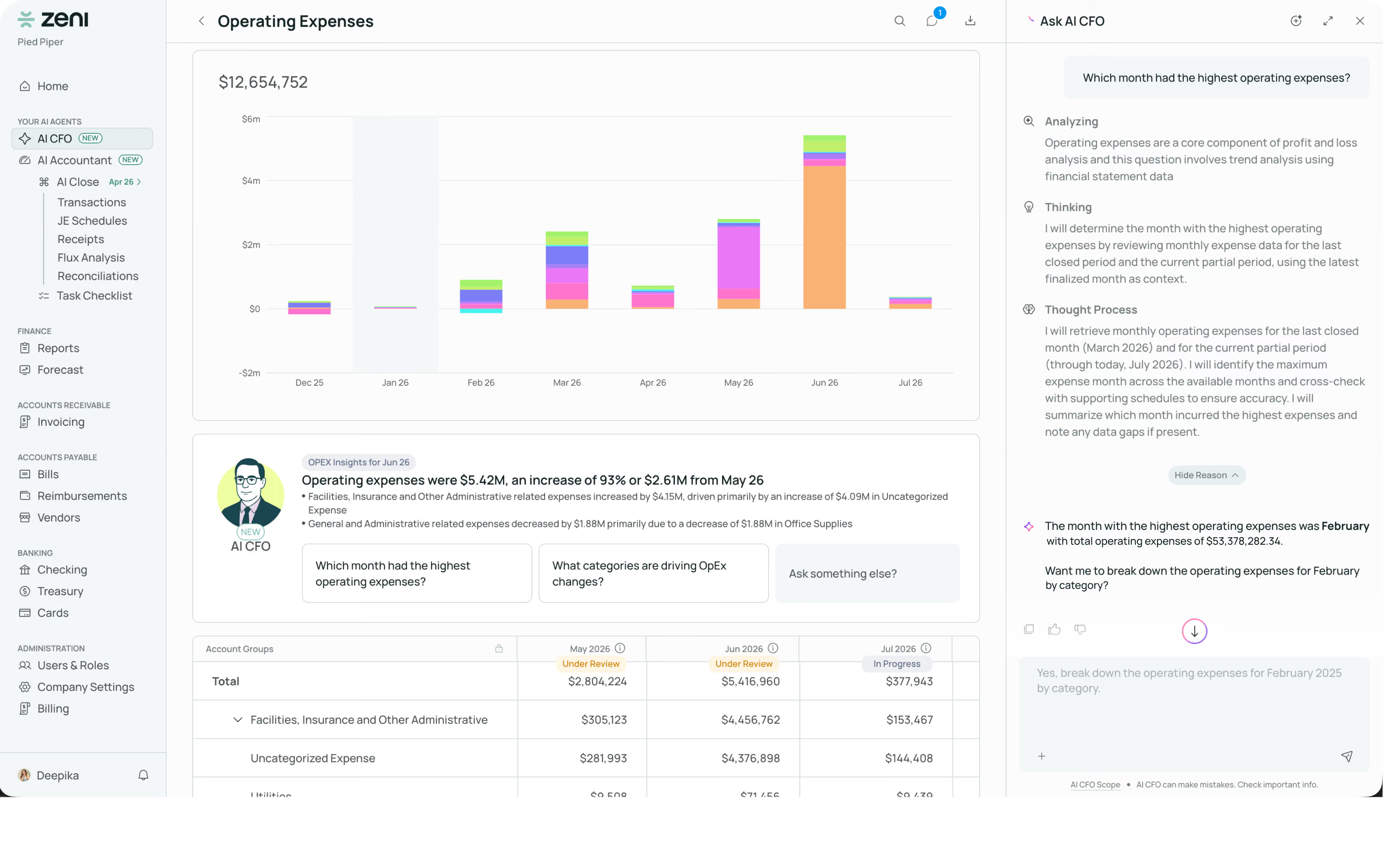
Zeni's AI Financial Reporting pairs two AI agents. Your AI Accountant compiles your P&L, balance sheet, cash flow statement, and full dashboard automatically, down to the individual bank account and state tax payable. Your AI CFO sits on top of that data, ready to answer any financial question in plain language, complete with a chart.
Nothing waits for month-end. The current month updates continuously, and any question you'd normally email a bookkeeper gets answered in the same chat window instead.
Our favorite reasons to report with Zeni:
1. Reports that are never stale
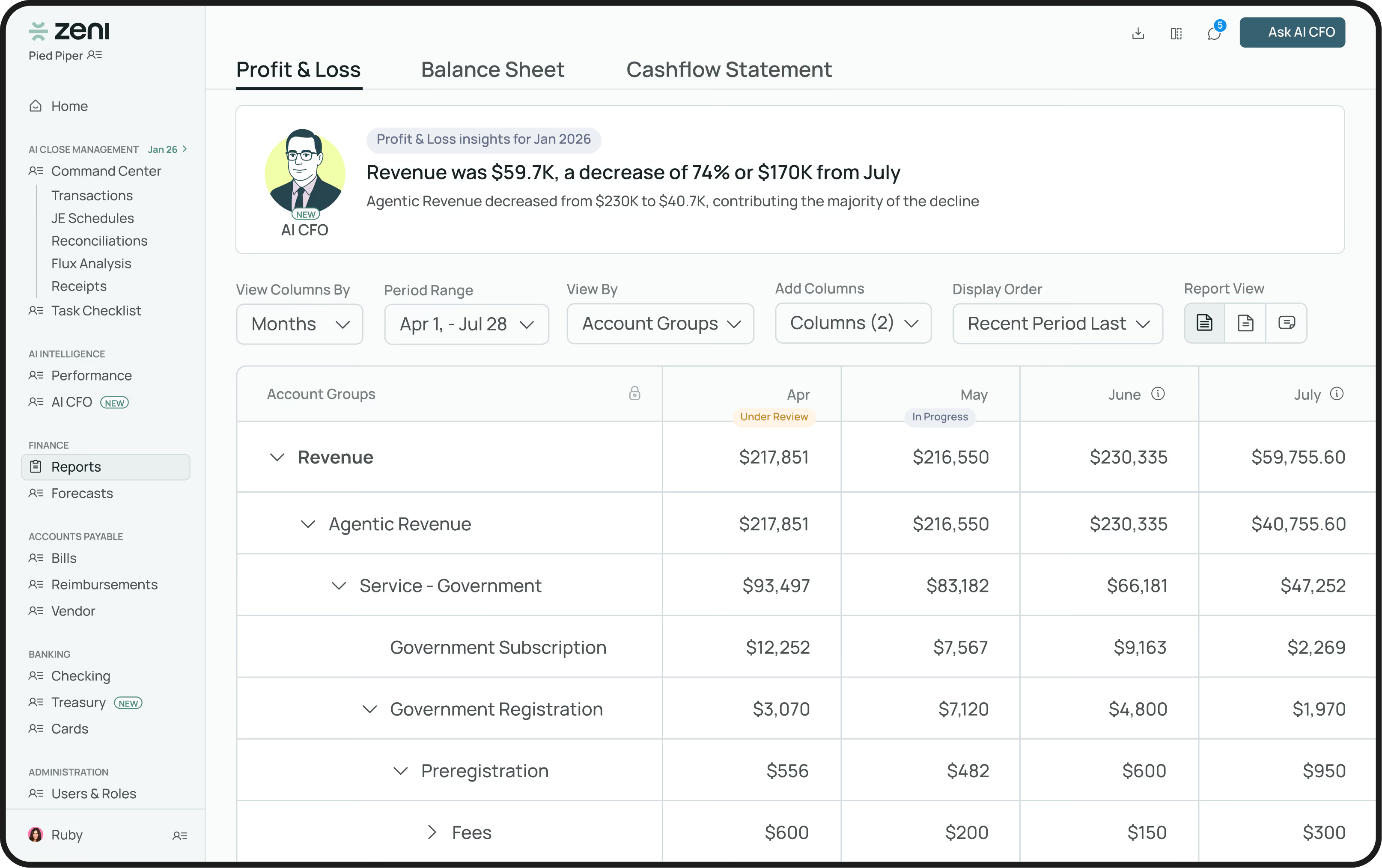
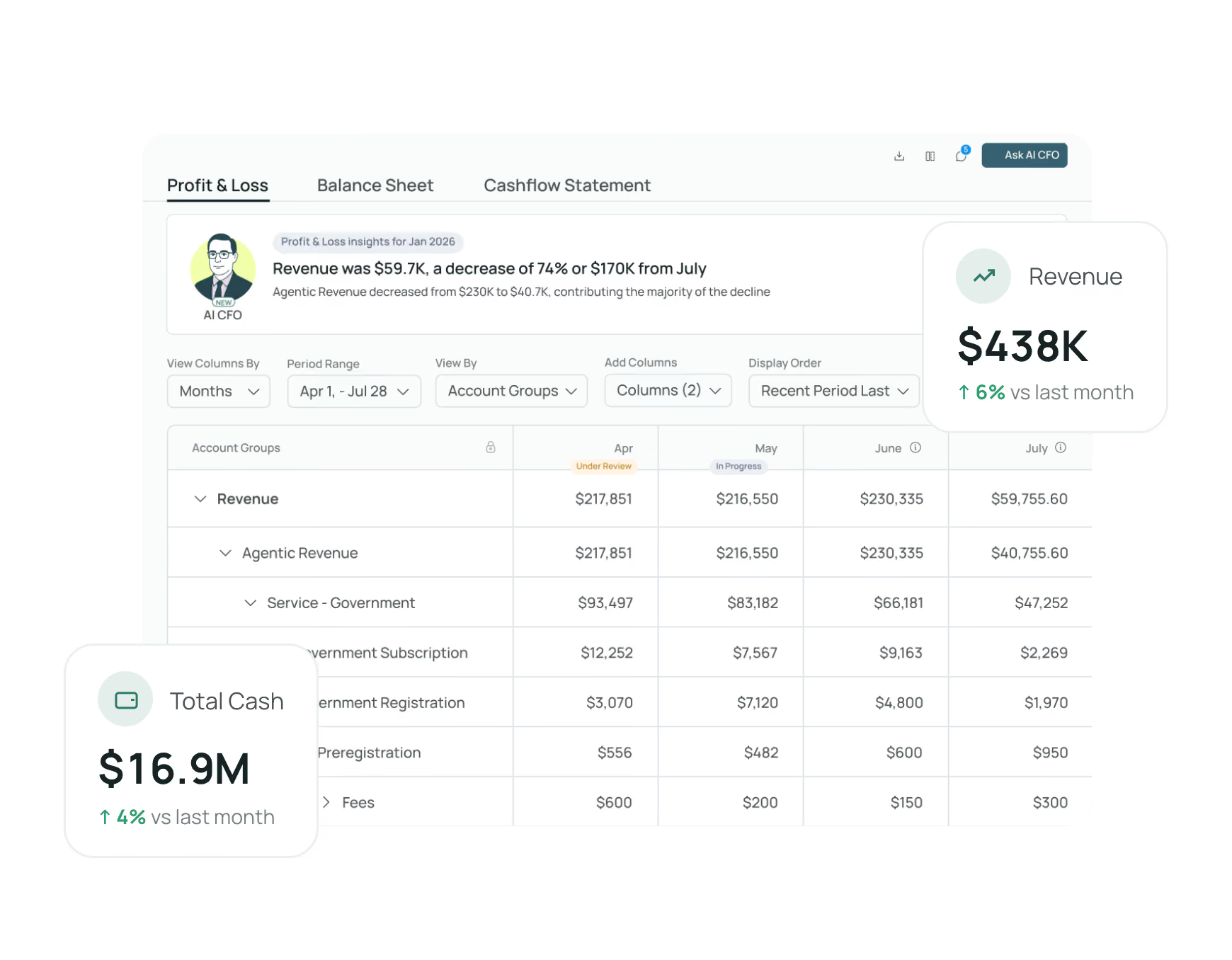
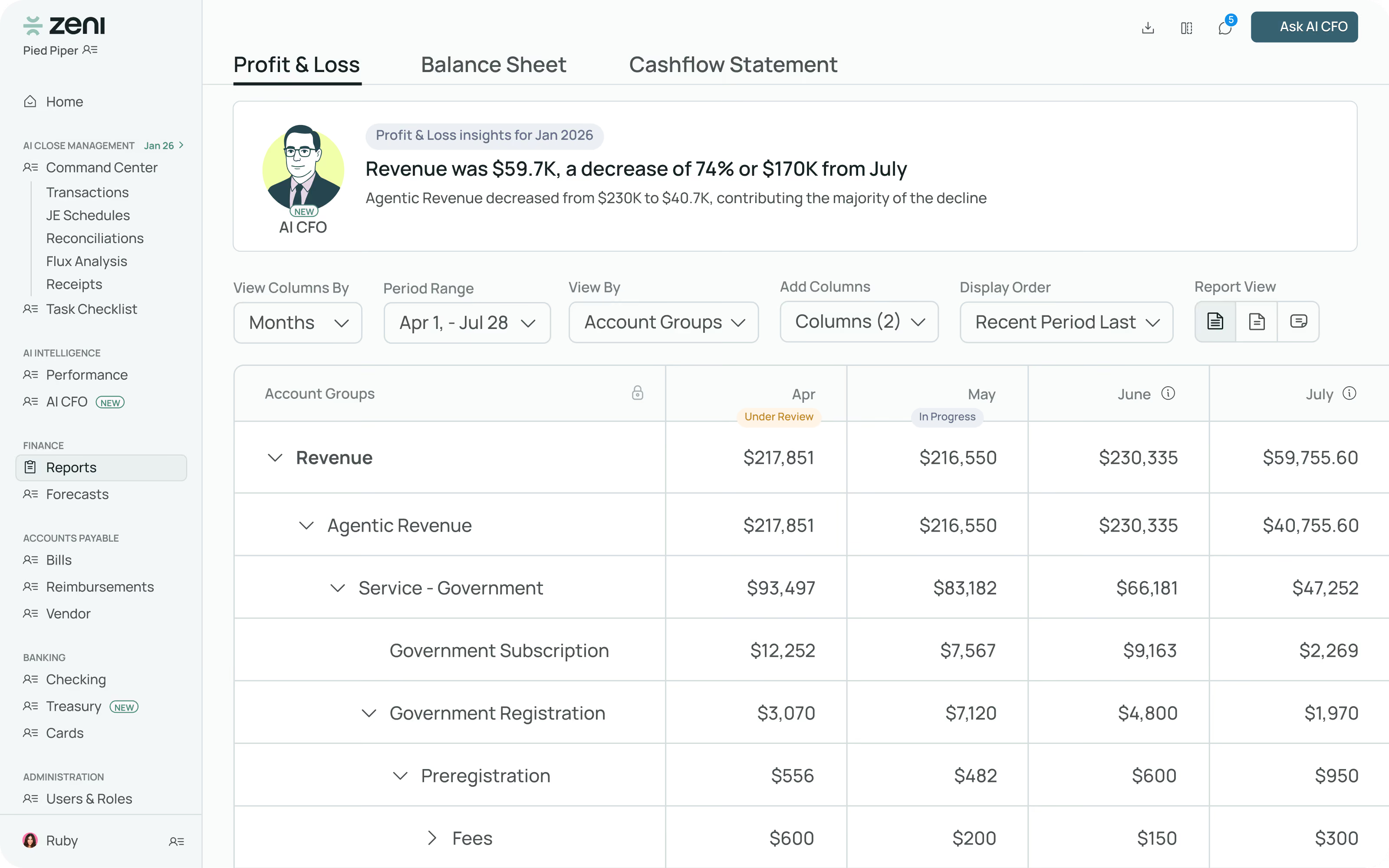
The current month is marked "In Progress" and keeps updating in real time, so you're never looking at numbers that are weeks old.
2. One dashboard for every core metric
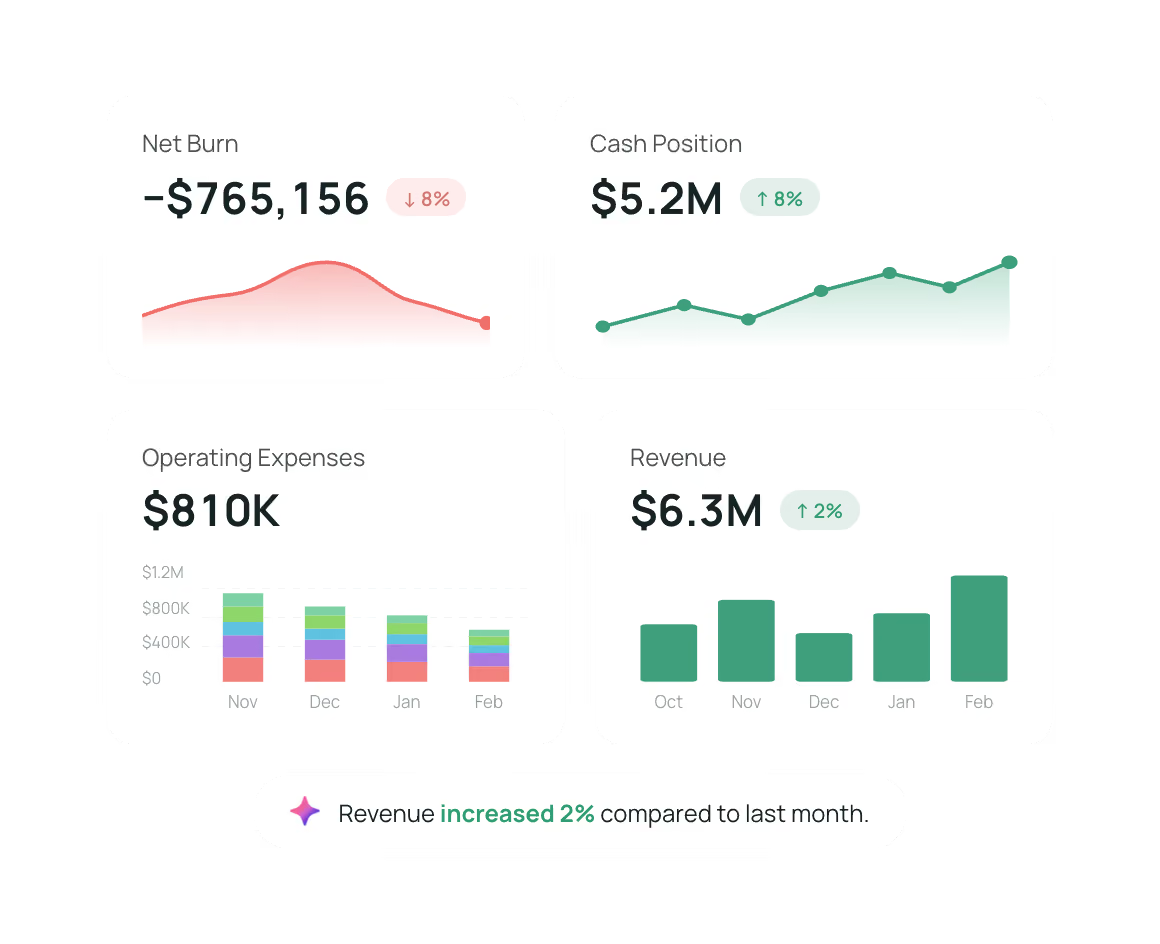
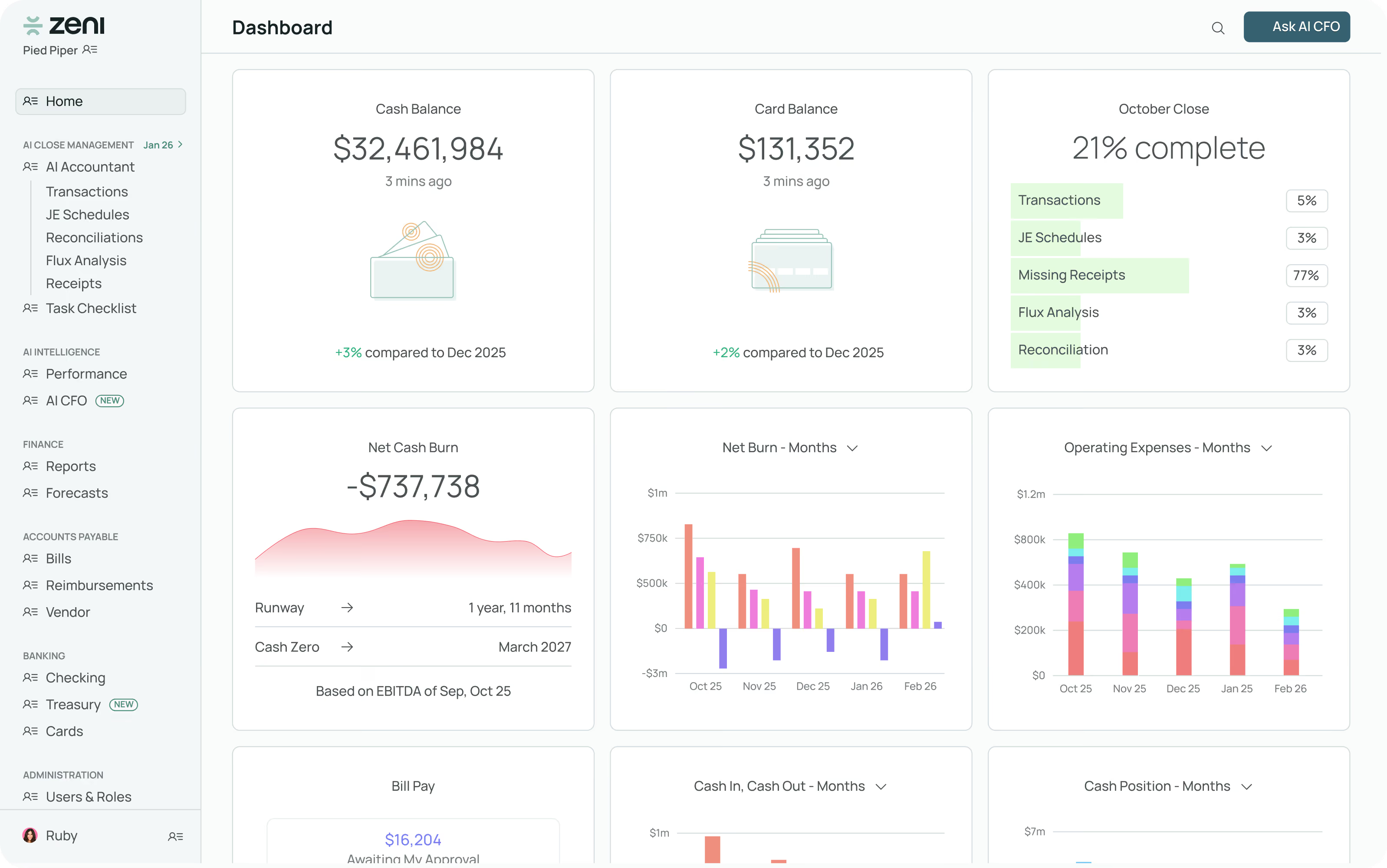
Net burn, operating expenses, cash in and out, cash position, revenue, and AP/AR aging, all in one place.
3. Ask a real question, get a real answer
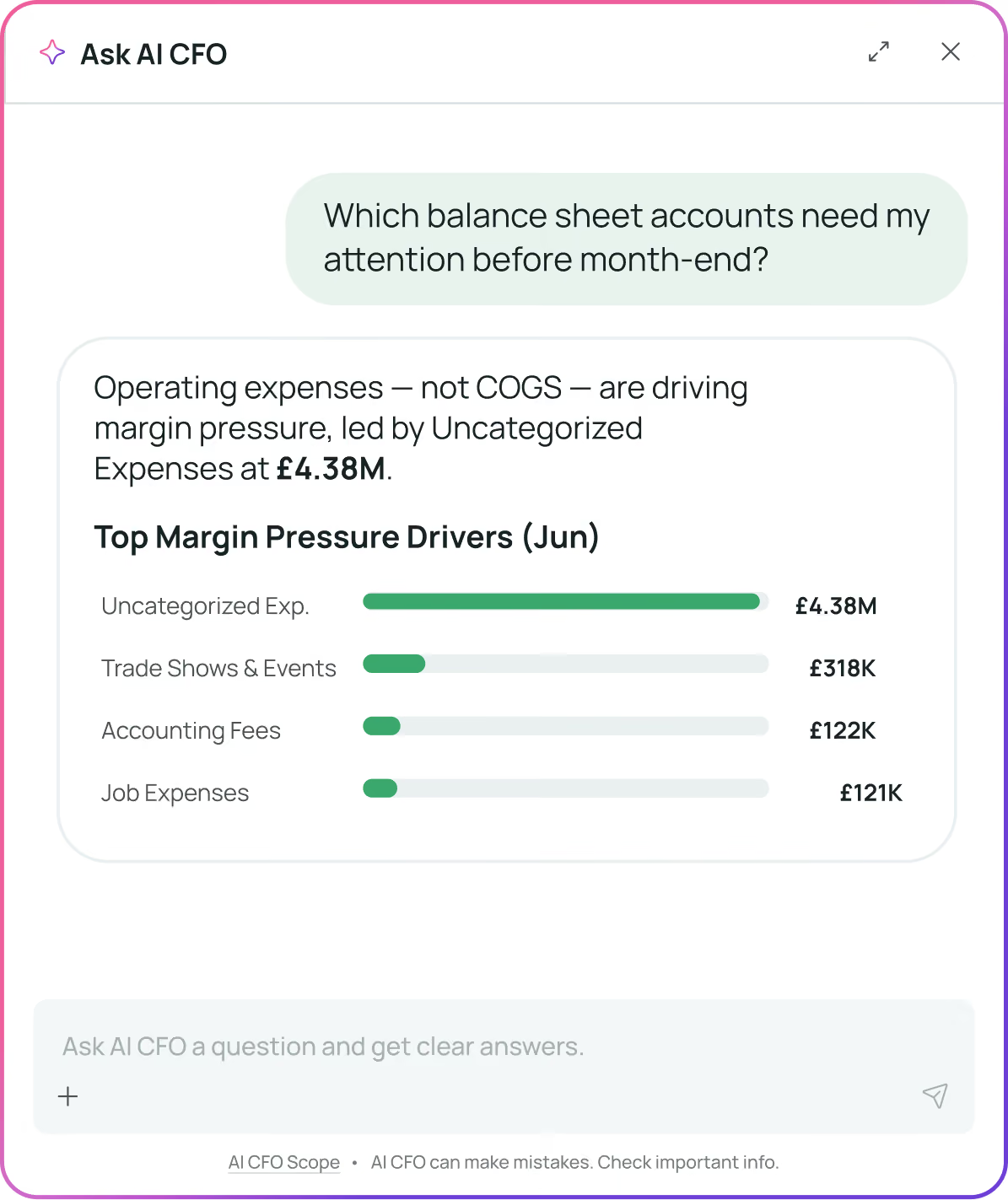
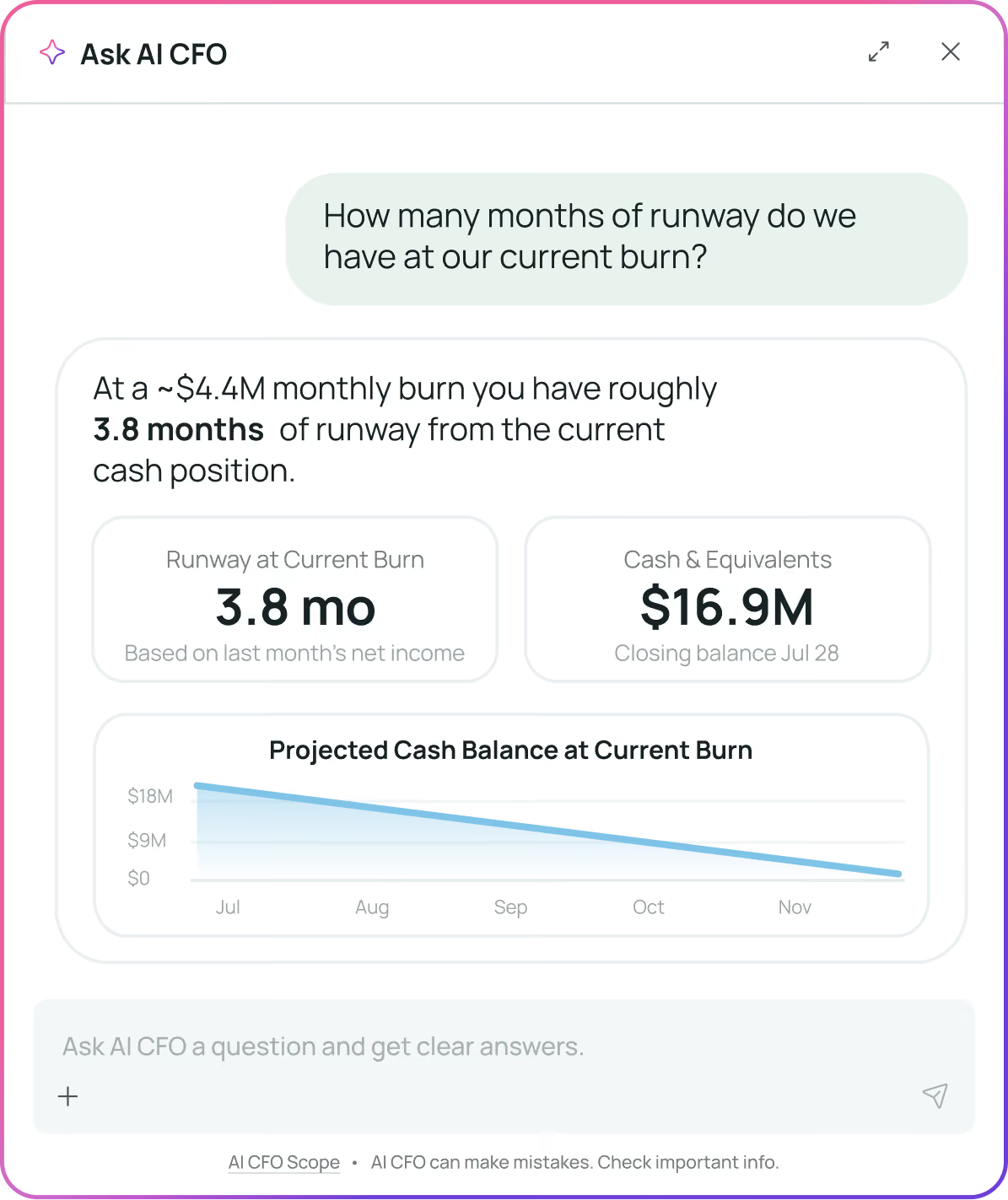
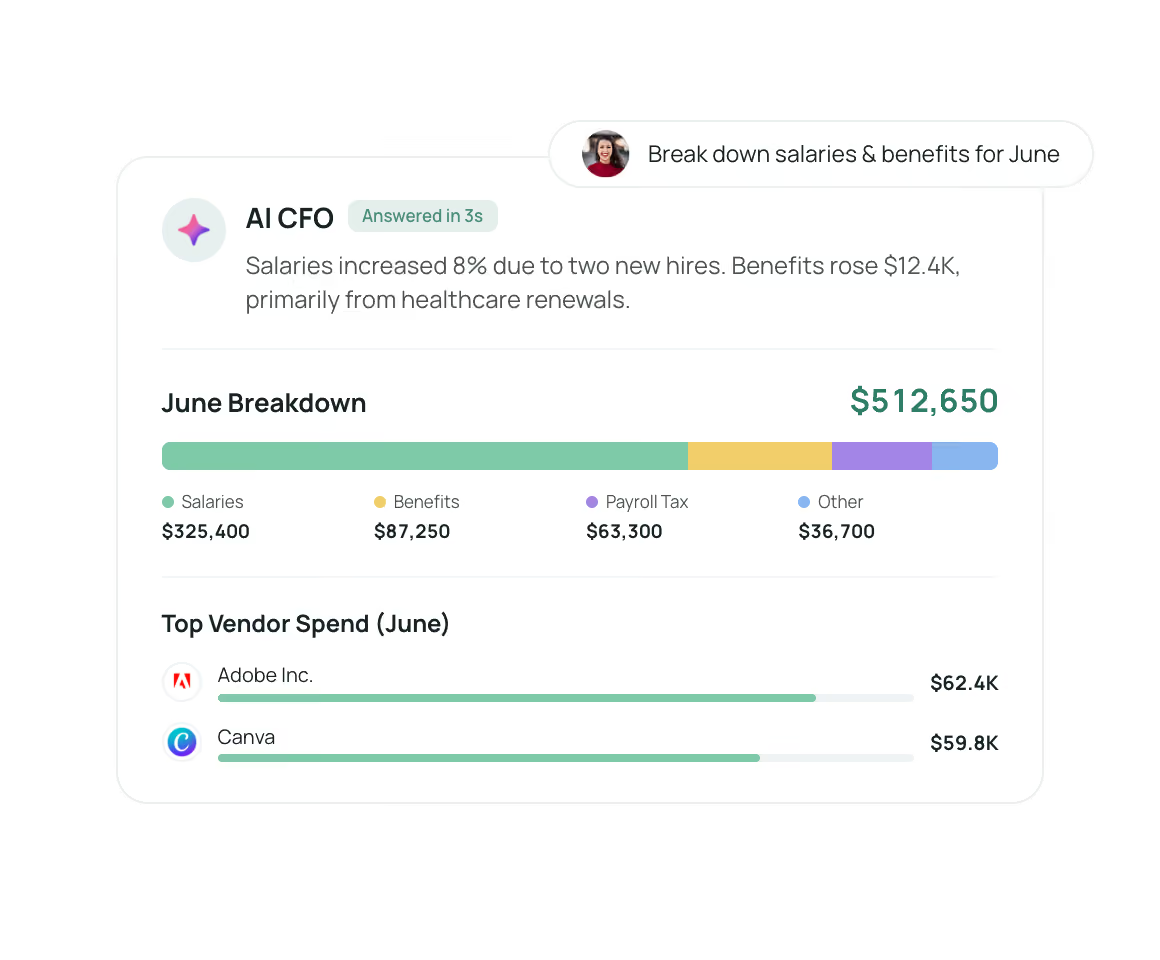
Your AI CFO handles specific, plain-language questions like "break down salaries and benefits for June" and returns a written answer and a chart, not just a static report.
4. Every account, rolled up automatically
Cash spread across multiple banks, treasury accounts, and clearing accounts consolidates into one balance sheet view automatically.
5. A memory, not just a chatbot
Your AI CFO keeps a running history of every question you've asked, from cash runway projections to vendor marketing spend, so context builds over time instead of resetting each conversation.
AI Financial Reporting: Deep Dive
Here's exactly how each part of Zeni's AI Financial Reporting works.
1. Financial Reports
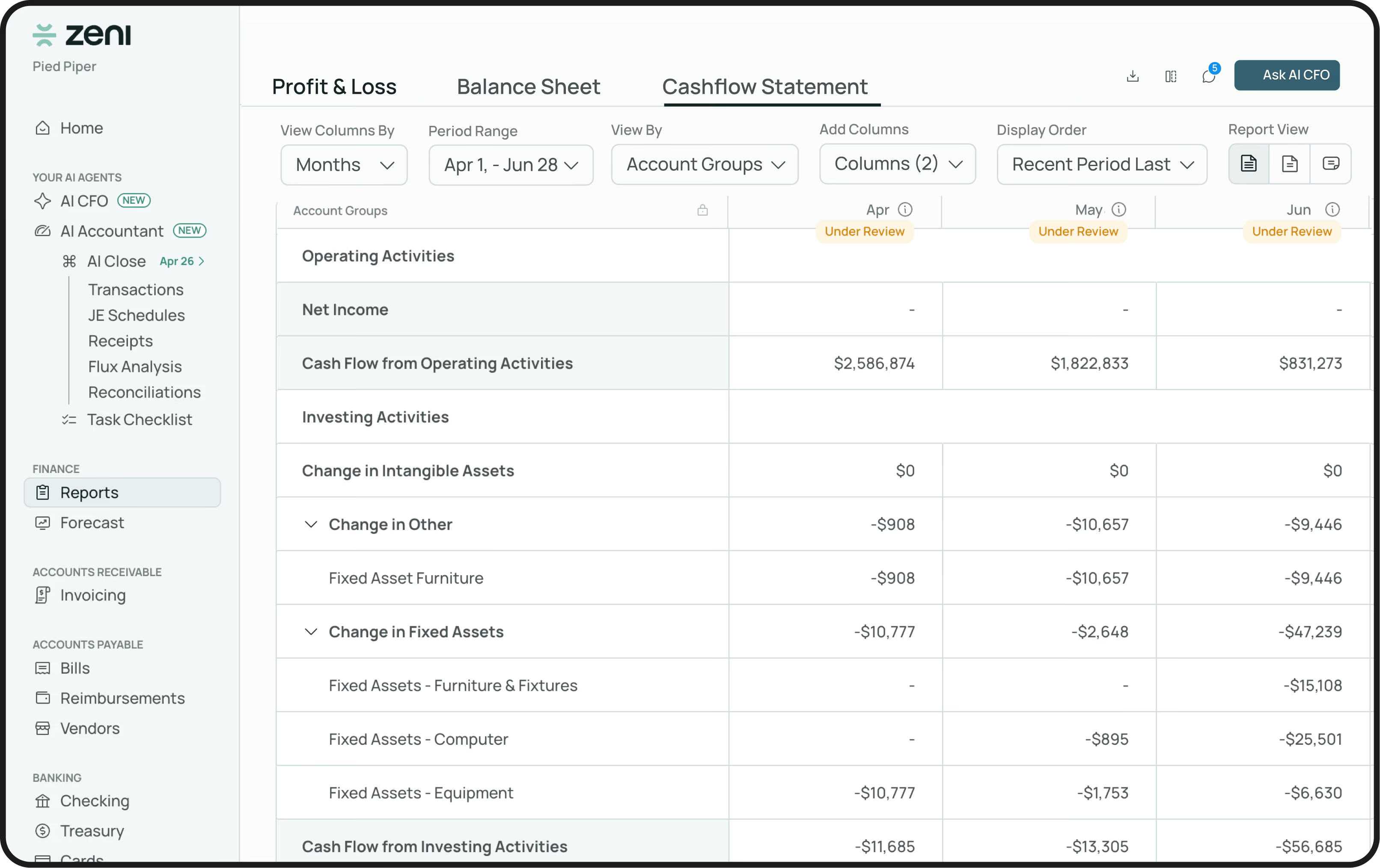
Your AI Accountant compiles the Profit & Loss, Balance Sheet, and Cash Flow Statement automatically, with filters for period range, account grouping, and display order. Revenue breaks down into real sub-categories like platform revenue by account and subscription revenue by product, cash breaks down into every individual bank and treasury account it actually sits in, and cash flow adjustments go down to the level of state-specific tax payables. The current month stays marked "In Progress" and keeps updating as new transactions post.
2. Dashboard
One dashboard surfaces net burn, operating expenses, cash in and out, cash position, and revenue as trend charts, alongside AP and AR aging broken into current, 30, 60, and 90+ day buckets, and a running list of top expenses by category. Revenue insight cards write out what changed in plain English, for example noting a specific percentage and dollar increase versus the prior month, so you don't have to calculate it yourself.
3. AI CFO
Ask your AI CFO a direct question, like a breakdown of a specific expense category for a specific month, and it responds with a written summary and a chart, then lets you drill in further with a follow-up question in the same thread. Every past question stays saved in a running chat history, covering everything from cash runway projections to year-over-year revenue growth, so you can revisit or build on prior analysis instead of starting over each time.
Get started with AI financial reporting
Your books shouldn't be a monthly scramble to explain what already happened. Zeni's AI Financial Reporting keeps your P&L, balance sheet, cash flow, and dashboard current automatically, and puts an AI CFO on call for anything else you need to know.
Ready to see it on your own numbers? Book a demo and we'll walk you through your live reports.