.avif)


Ready to invest in AI?
Schedule time with Zeni's finance pros to learn more.
Thank you! Your submission has been received!
Oops! Something went wrong while submitting the form.
Financial reporting automation tools can streamline manual workflows and offer real-time insights, increasing efficiency and supporting decision-making. However, adopting a new solution can be a significant investment and undertaking.
Here’s what you should know to determine if financial automation is right for you, including how it works, its benefits, and the best solutions on the market. We’ll also discuss how to navigate selection, integration, and other common challenges.
Financial reporting automation tools are solutions designed to streamline the formal documentation and communication of a company’s financial information.
For example, that typically includes facilitating processes like data consolidation, financial statement generation, cash flow analysis, and key performance indicator (KPI) visualization.
Historically, data collection and entry were two of the most time-consuming aspects of bookkeeping. However, financial reporting software handles them both automatically, capturing information without manual intervention.
Traditional software uses robotic process automation (RPA) to automate accounting processes, which can only follow pre-determined rules.
However, financial reporting software uses artificial intelligence (AI) and machine learning (ML) to record your activities more accurately. This allows it to identify patterns and improve its financial reporting capabilities over time.
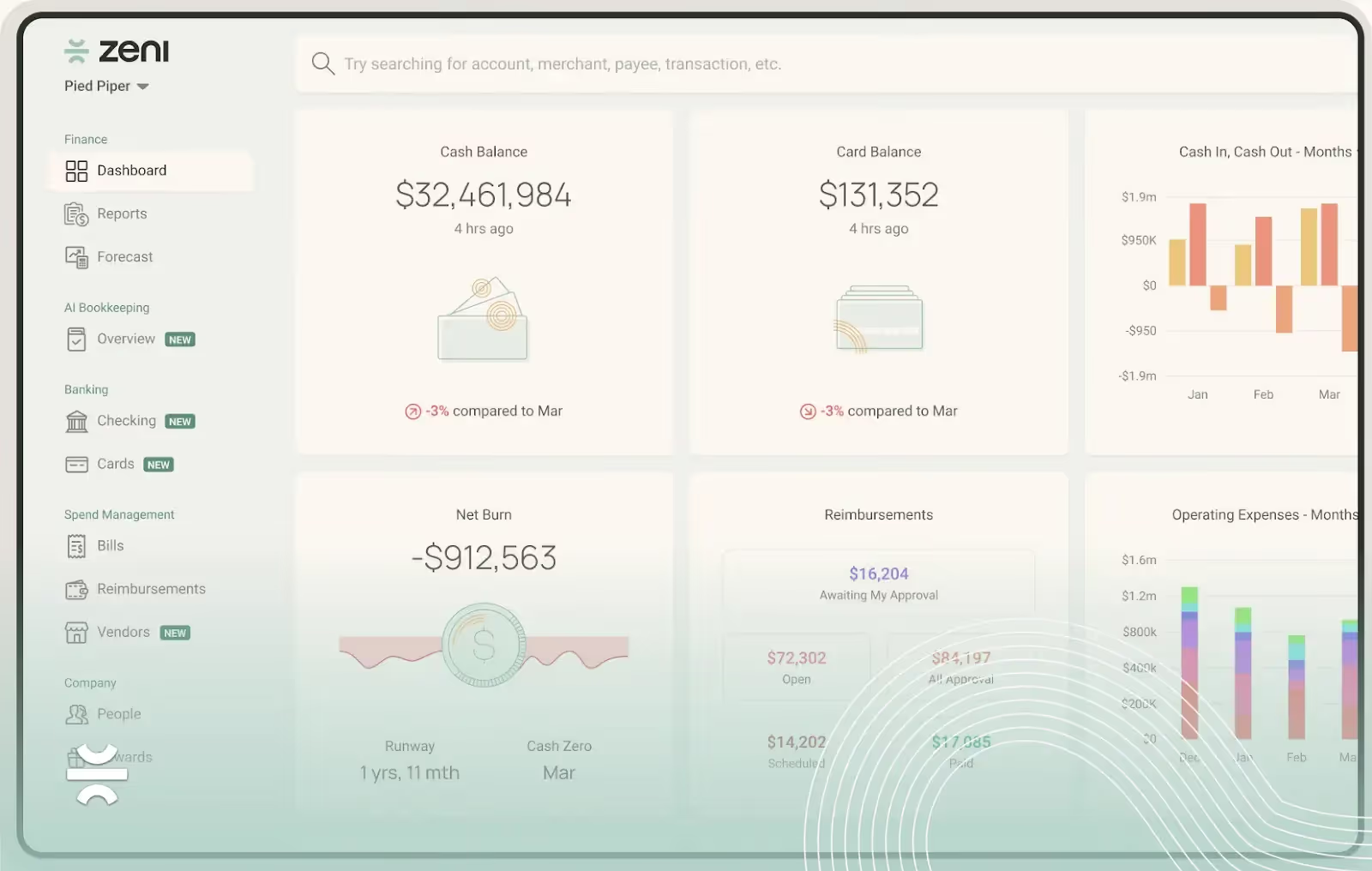
Real-time reporting and dashboards are hallmarks of financial reporting software. They provide constant visibility into your company’s financial performance, ensuring you always have the insights you need to make informed decisions.
Like data collection and entry, these features require more than just integration with information sources. They also rely on AI technologies for processes like making adjusting journal entries, extracting key insights, and generating visuals.
Customizable reports and analytics are another fundamental aspect of financial reporting software. These features allow you to track the information that’s most important to your business and tailor its presentation for key stakeholders.
For example, you might create:
Historically, financial reporting automation tools required you to create these reports manually.
However, AI-powered solutions increasingly allow you to manage them by making natural language requests of an AI agent, streamlining the financial reporting process significantly.
Financial reporting automation tools can provide many different benefits for your financial management. If you’re trying to assess your potential return on investment (ROI), here are some of the primary advantages to consider:
Oracle NetSuite is one of the most popular cloud-based Enterprise Resource Planning (ERP) systems on the market. It offers a wide range of integrated modules, including automated financial reporting software as part of the core platform.
NetSuite has a reputation for being comprehensive, making it well-suited to growing businesses and enterprises with complex financial needs. It’s especially beneficial for international companies and those seeking a scalable, all-in-one system.
However, NetSuite can be more expensive than its competitors and comes with a steep learning curve. Implementation is challenging and quite costly in its own right, especially if you’re not sure exactly what you need from the start.
Workiva is another cloud-based platform, but unlike Oracle NetSuite, it’s primarily a financial reporting and compliance automation tool.
It has a strong reputation for simplifying reporting and disclosures, making it popular among those facing complex regulatory requirements.
The platform also offers well-respected collaboration features. In addition to allowing multiple users to work on the same documents at once, like Google Docs or Google Sheets, it also streamlines back-and-forth with vendors and clients.
Like any expansive software, implementing Workiva can be challenging. You may also need to pay extra for certain key features, like real-time data refreshes.
However, the user interface is often considered intuitive, potentially making the initial learning curve less steep.
Sage Intacct is a cloud-based platform dedicated specifically to accounting and financial management.
As a result, it offers strong financial reporting automation, including real-time updates, but not the same breadth of functionality as more comprehensive solutions like NetSuite.
This makes Sage well-suited for core financial reporting needs, but some of its add-on features may not be as robust as those from larger ERP systems. For example, its inventory management and accounts payable workflows may not be as strong.
This narrower scope can make Sage more manageable for small and medium-sized businesses, especially in light of the platform’s reputation for strong customer service.
However, implementation costs are still substantial. In addition, while pricing varies depending on the features you select, some users report that it often increases significantly after your first renewal.
Like Sage, Zeni’s platform is dedicated exclusively to accounting and financial management. As a result, it doesn’t have the features of a full ERP system, but its real-time financial reporting automation is extremely robust.
In addition to streamlining core functions like bookkeeping, vendor payments, and employee reimbursements, Zeni offers a full suite of AI agents.
That includes an AI CFO capable of financial strategy and an AI accountant that can create journal entries and perform flux analysis.
Instead of offering separate modules, Zeni combines all of its financial automation features into a single subscription. The subscription also comes with practical supporting tools, like business checking accounts and credit cards.
Starting at just $494 per month, pricing is also manageable for businesses of all sizes, and you can add on integrated financial services like tax, payroll, and fractional CFO assistance at will.
While financial reporting tools and accounting software are closely related, they’re distinct solutions that play different roles in your financial management.
Accounting software primarily focuses on capturing and recording financial activities. It pulls data from bank accounts and credit cards automatically, categorizes transactions according to pre-defined rules, and generates the raw financial statements.
Automated reporting software takes this initial output and transforms it into a more useful form. This typically involves refining the financial statements for accuracy, extracting key insights, and creating supporting reports or visual dashboards.
Depending on the solution, financial reporting software may also help streamline other financial processes, like payment approval workflows and inventory management.
To unlock these benefits, you’ll need to integrate your financial reporting solution with your accounting software.
Fortunately, most modern automation tools include built-in connections to the most popular accounting systems. For example, Zeni connects directly with QuickBooks Online (QBO) Plus.
If direct integration isn’t available, you can often bridge the gap using custom APIs or middleware.
However, these workarounds can be complex, especially when multiple legacy systems are involved. In these cases, it may be worth hiring an expert who can set up your financial data flow and minimize disruptions.
Manual spreadsheets can support basic financial reporting tasks, like report generation and KPI visualization. In fact, they offer more control than automation tools, allowing you to tailor these outputs exactly how you want.
Of course, that’s because spreadsheets require you to do all the work of creation and maintenance yourself.
This also makes them prone to errors, especially as your data grows more complex. Even a single typo can throw off your spreadsheet and cause you to spend hours troubleshooting once you catch the inaccuracy.
In contrast, financial reporting automation tools handle these processes without manual intervention, reducing the risk of errors and saving valuable time. And while automation may limit your control to a degree, most tools still offer extensive customization options.
In many cases, business owners are reluctant to adopt financial automation software for cost reasons. Spreadsheets are highly affordable and potentially free, while the cost of automation can be daunting, especially when you consider implementation expenses.
However, the right financial reporting automation tool should pay for itself through time, savings, reduced errors, and improved decision-making. If you can afford the upfront costs, automation typically has the clear advantage over manual spreadsheets.
Choosing the right financial reporting tool can make the difference between completing a successful adoption and wasting resources on a solution that goes unused. Here are some tips to help you navigate your search:
Financial reporting automation can significantly improve the efficiency of your financial operations, but you may encounter some challenges along the way. Here are some of the most common ones to be aware of:
Zeni is a comprehensive financial management platform with powerful automation features. In addition to automated bookkeeping and accounts payable, it includes a full suite of AI agents that can make complex decisions independently.
Schedule a free demo today to see how Zeni can streamline finance workflows and automate accounting processes.
![Venture capital trends and statistics in 2026 [new data]](https://cdn.prod.website-files.com/642b3b2440806566d7573934/6a7a31b1282ad91171af9142_venture-capital-trends-and-statistics_%402x.webp)


.avif)